
Sales Tab - Websites
Sales data is a valuable resource for understanding how your Website performs and where improvements can be made. This guide will help you navigate the sales features available for Version 1 (Pre-upgraded) websites, while also directing you to the Payments > Transactions tab for sales data from Version 2 (Upgraded) websites.
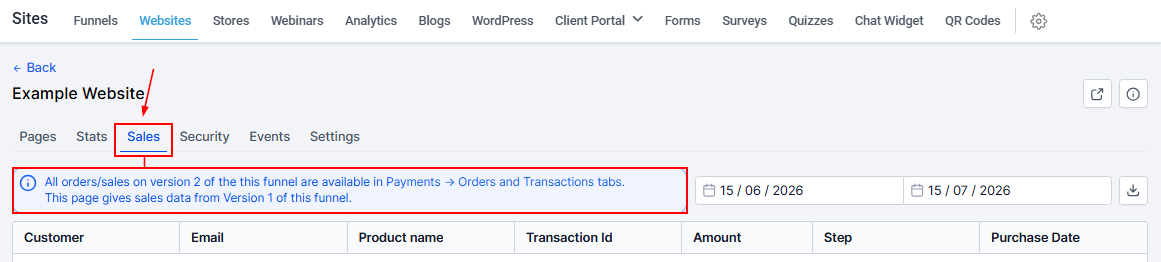
Visit Website URL
Click this icon to open the website in a new tab.

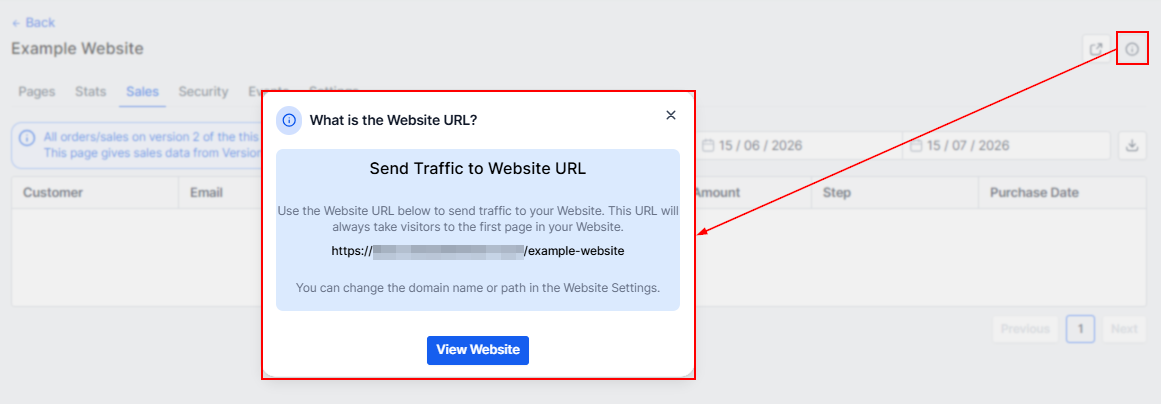
Website Info
By clicking on this icon you get more information about the website URL.
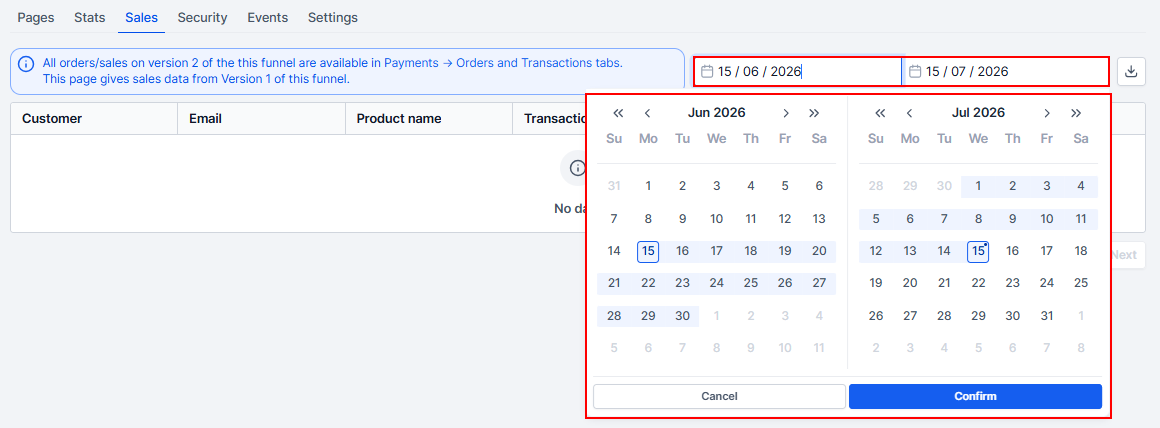
Date Range
Here you can filter the data by adjusting the date range of this data. Click on the date range icon to drop down the calendar menu, then select the range you want to work with and click Confirm the setup.
Download
You can download the Sales data by clicking on this download button. It downloads as a CSV. file.

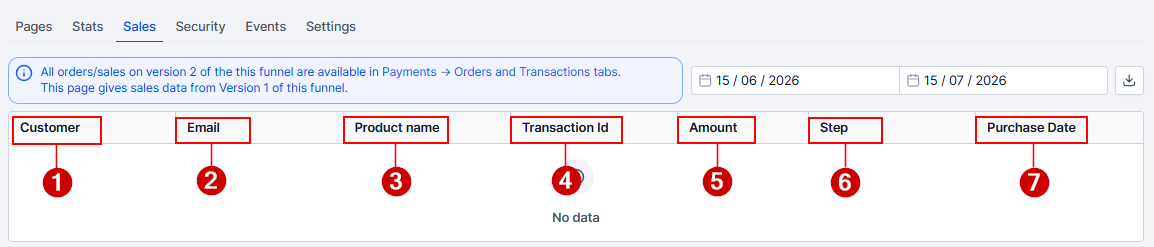
Sales List
- Customer: This column shows the names of all customers who purchased your product/services.
- Email: This shows the email of the customer who purchased your product/services.
- Product Name: Here you will see the names of the products/services purchased by customers.
- Transaction ID: This column shows the unique transaction ID of each product purchased by customers.
- Amount: This shows the price each customer purchased your products/services.
- Step: The "Step" column shows the type of the product.
- Purchase Date: This shows the date and time at which each purchase is made.
Keeping track of your website’s sales data is essential for identifying trends and making informed decisions. With tools to share your website, filter sales data, and download reports, you have everything you need to stay organized and optimize your website’s performance. Regularly reviewing this information will help you refine your strategies and better connect with your customers.