
Analyze Forms
The Analytics tab in your CRM offers valuable insights into your form submissions and performance. This tool makes it easy to store, organize, and analyze key data, helping you track progress and optimize your forms for better engagement. Let's dive into the features and functionalities of the Analytics tab.
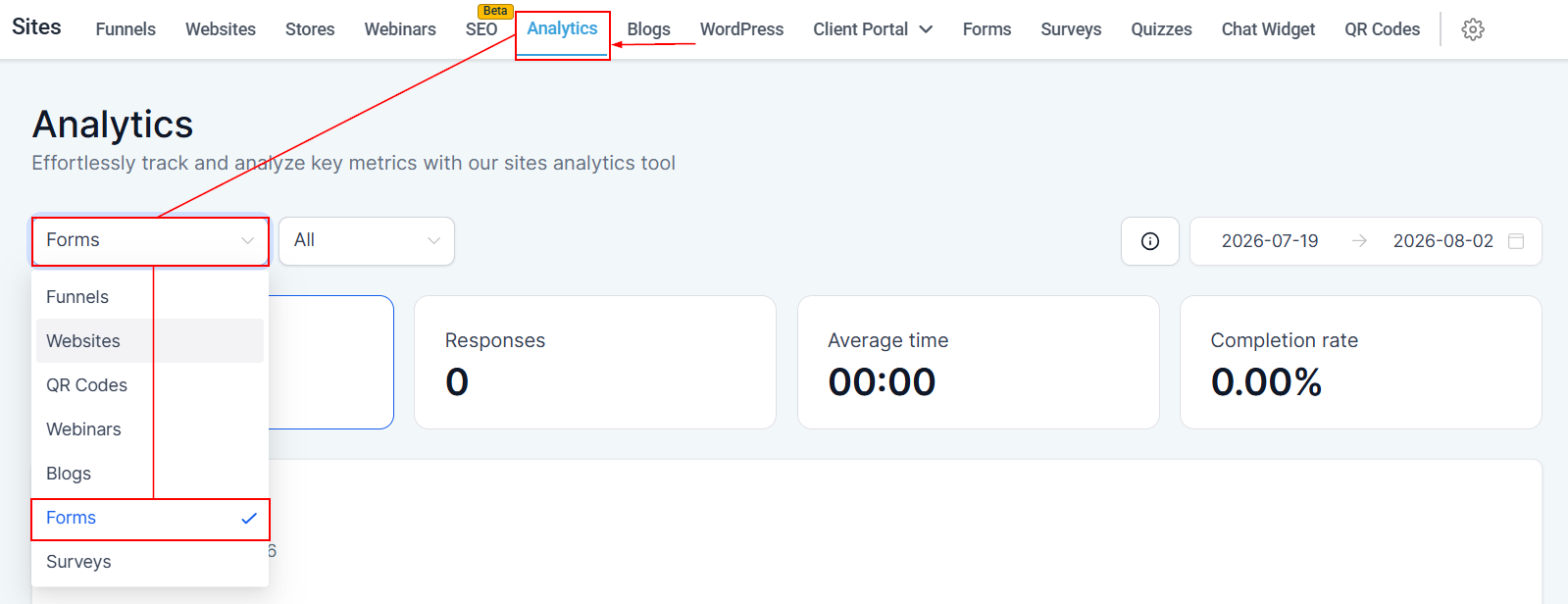
You can view Form Analytics from two areas in your account: First, by selecting the Forms option in the assets dropdown within the Analytics section.
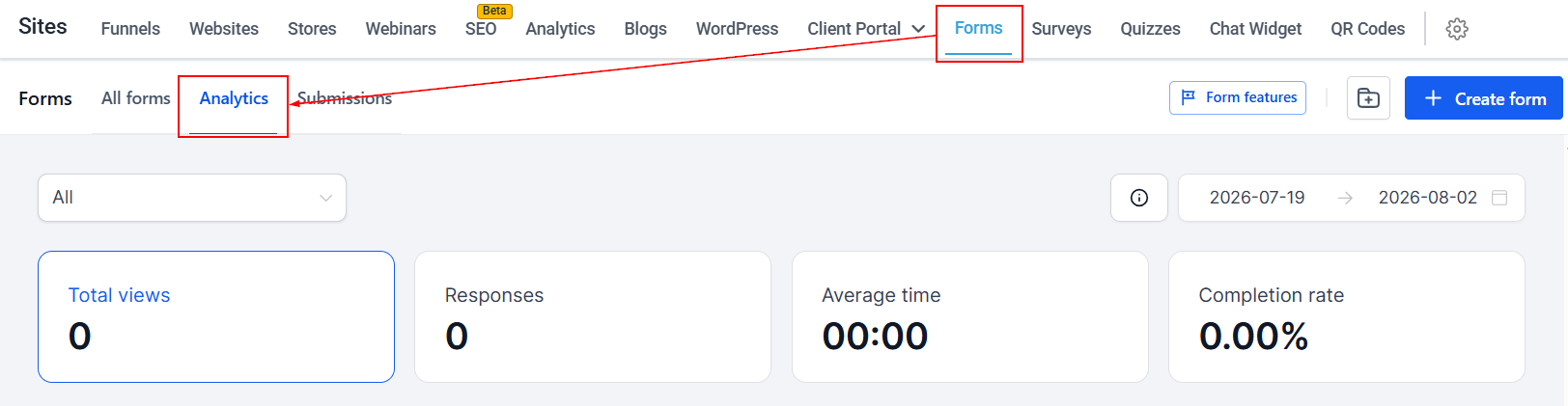
Second, by clicking on the Analytics option in the Forms area.
Features To Analyze
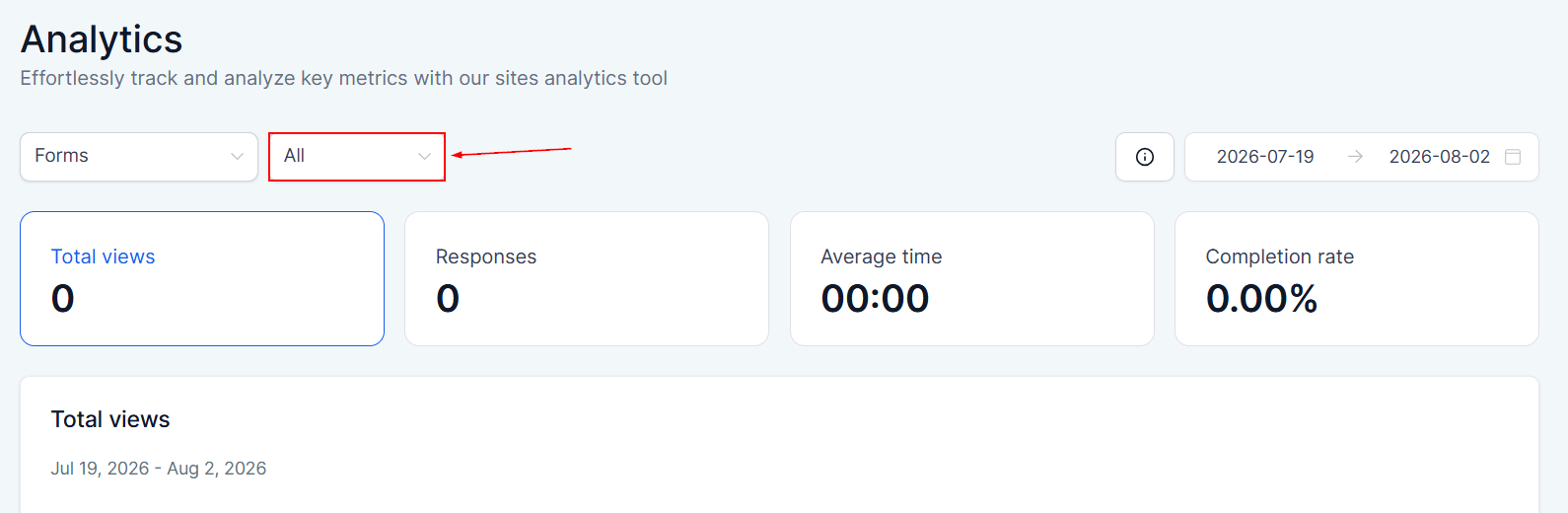
All
The "All" dropdown aggregates all forms created in the CRM.
Stats Info
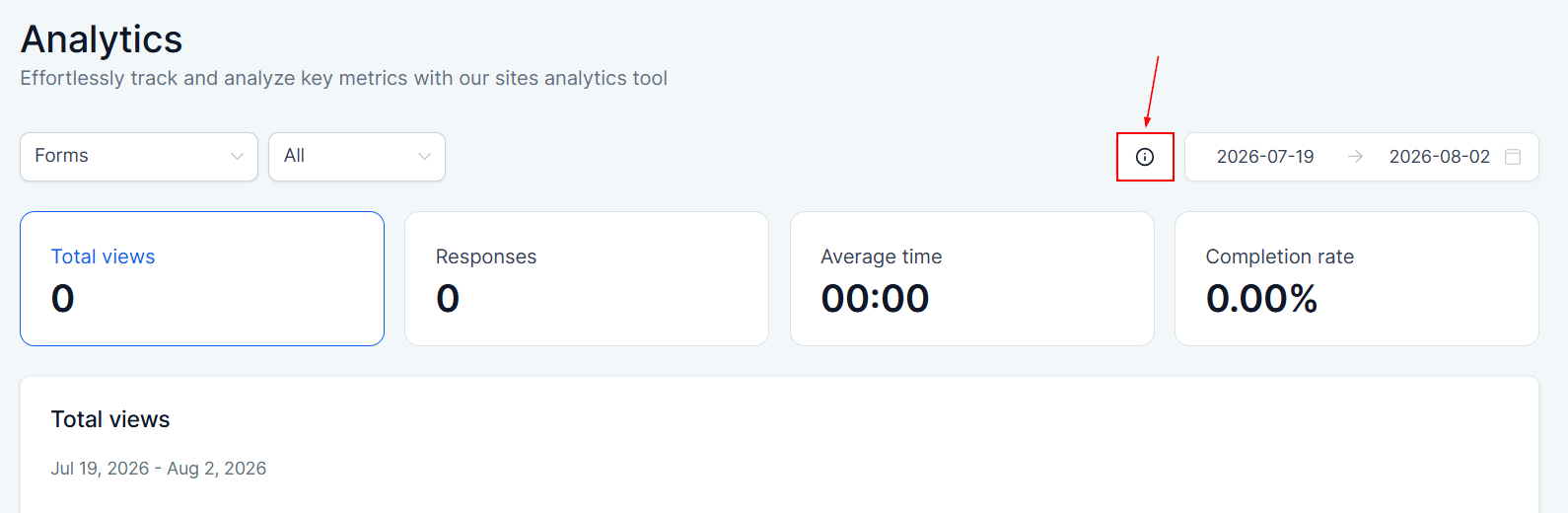
Select the Stats Info button to learn more about the terms used within statistics.
Date Range
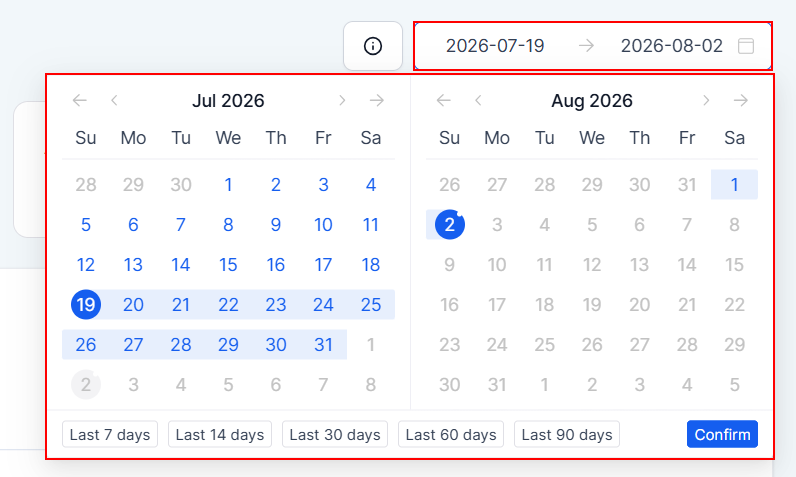
Filter the data to a specific timeframe by using the date selector in the top-right corner. Choose from predefined date ranges or input custom start and end dates, then click the checkmark button to refresh your report with relevant statistics.
Navigating Analytics
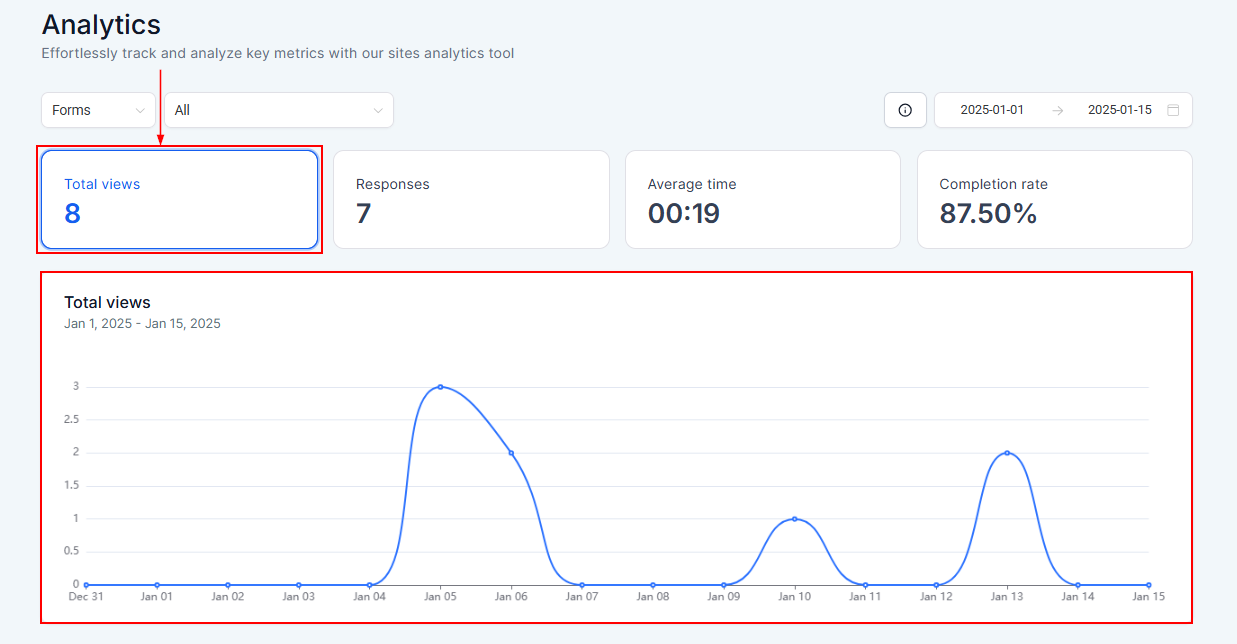
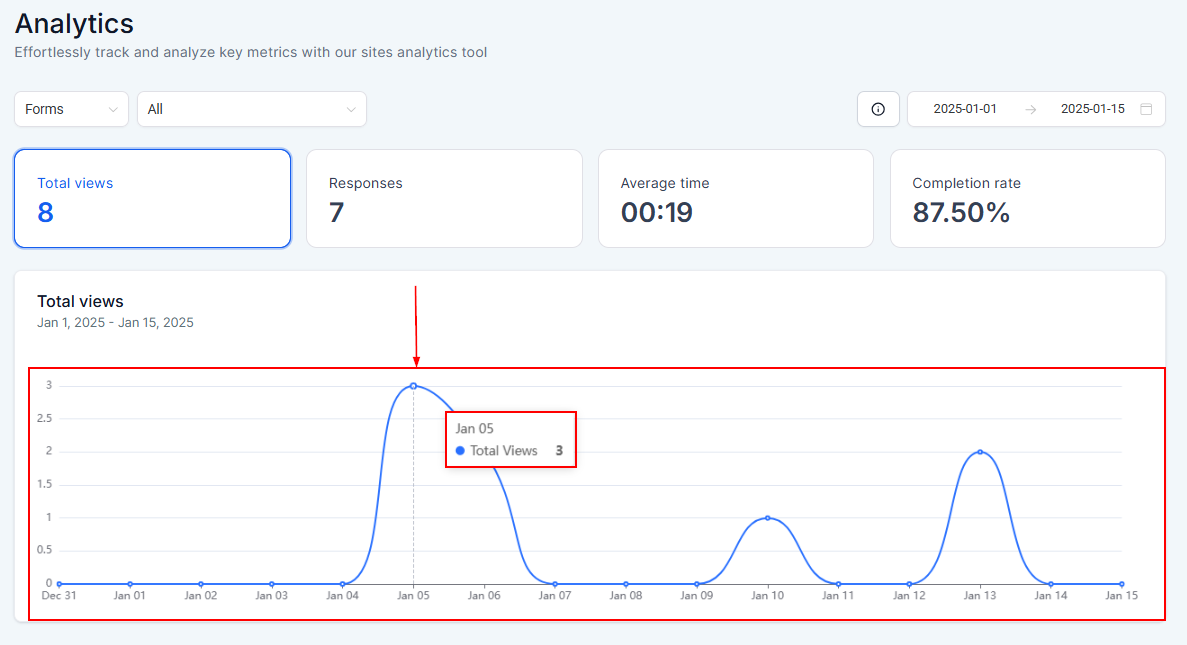
Total Views
This view helps you track how many users have opened your forms.
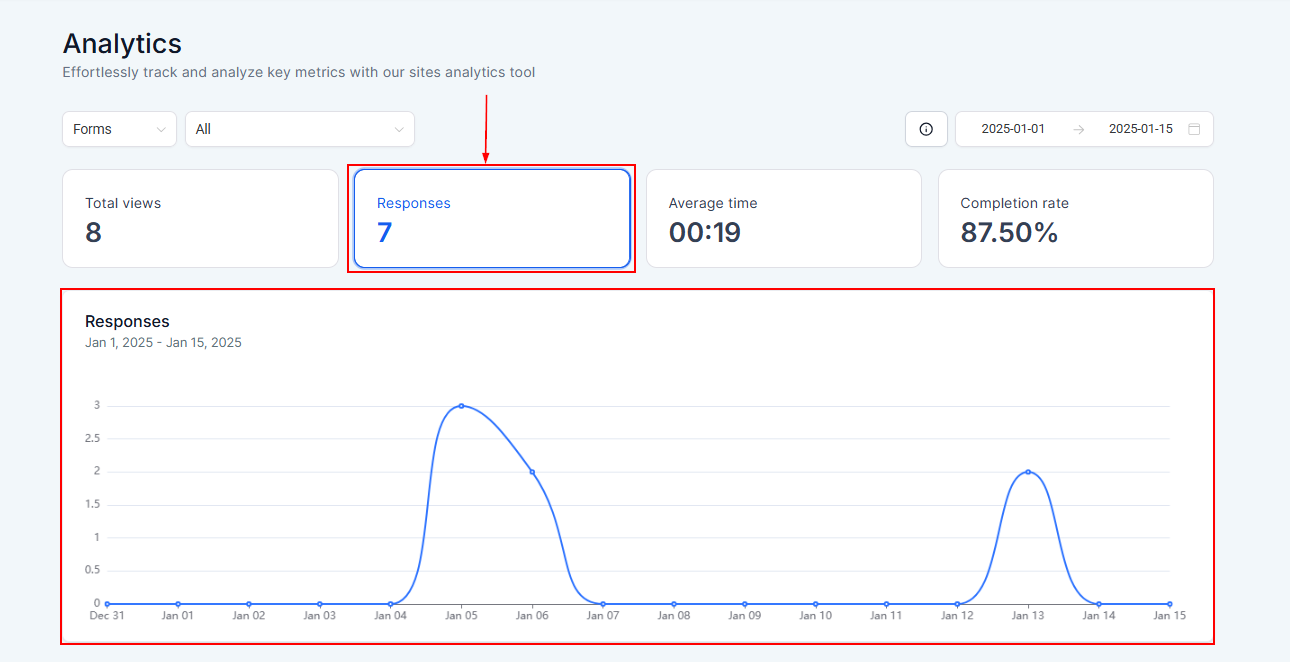
Responses
Here you can view the total number of completed submissions for each form.
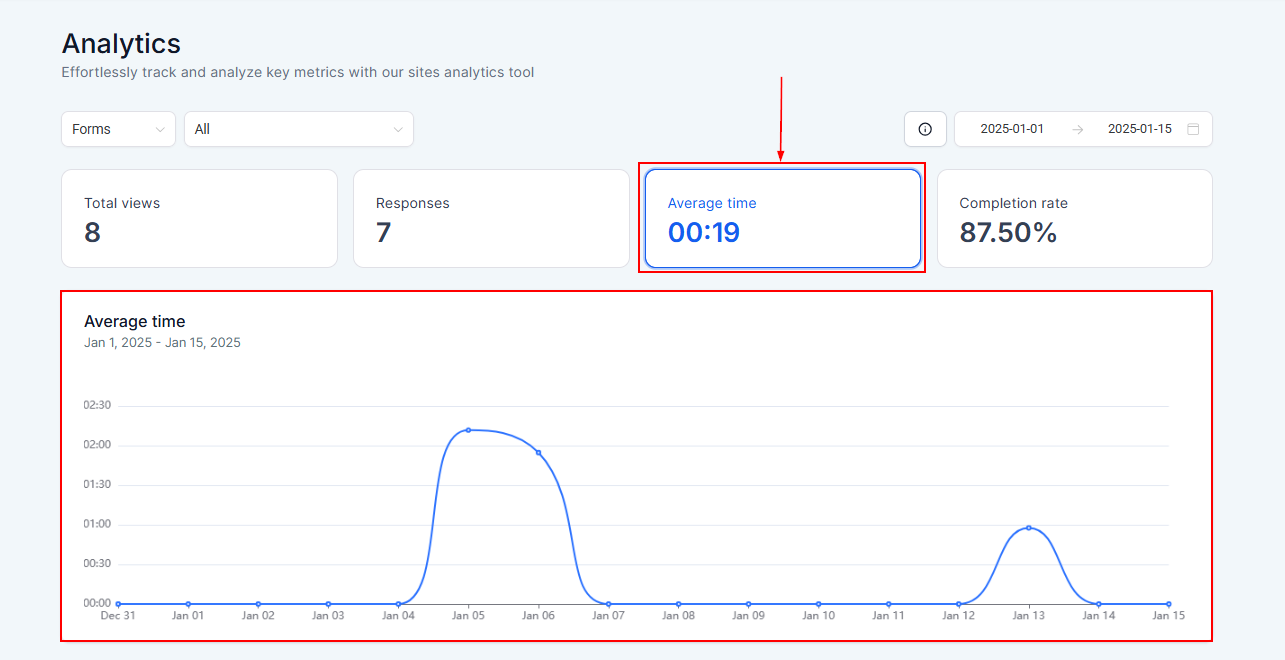
Average Time
This view helps you to analyze how long it typically takes users to complete a form.
Completion Rate
Here you can easily measure the percentage of users who finish completing the form after starting it.
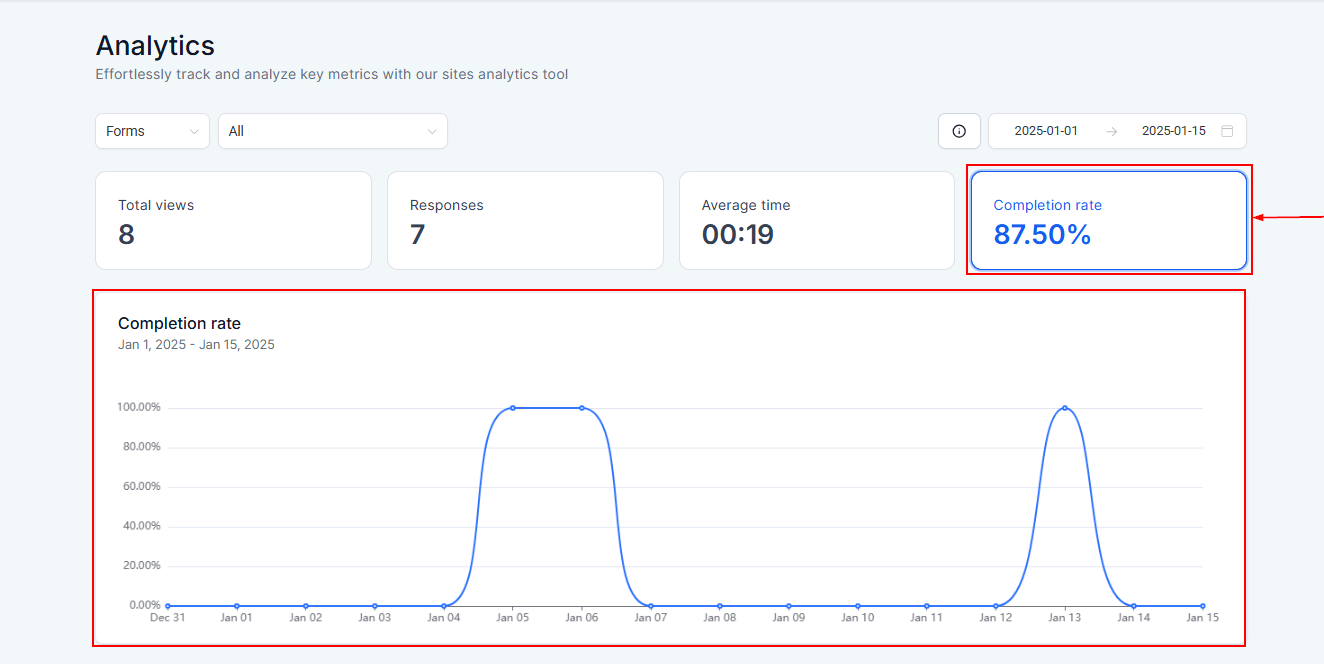
Data
Hover over any data point on the graph to view detailed statistics, including the total views, responses, average time, and completion rates. This visualization allows you to quickly assess trends and spot potential issues.
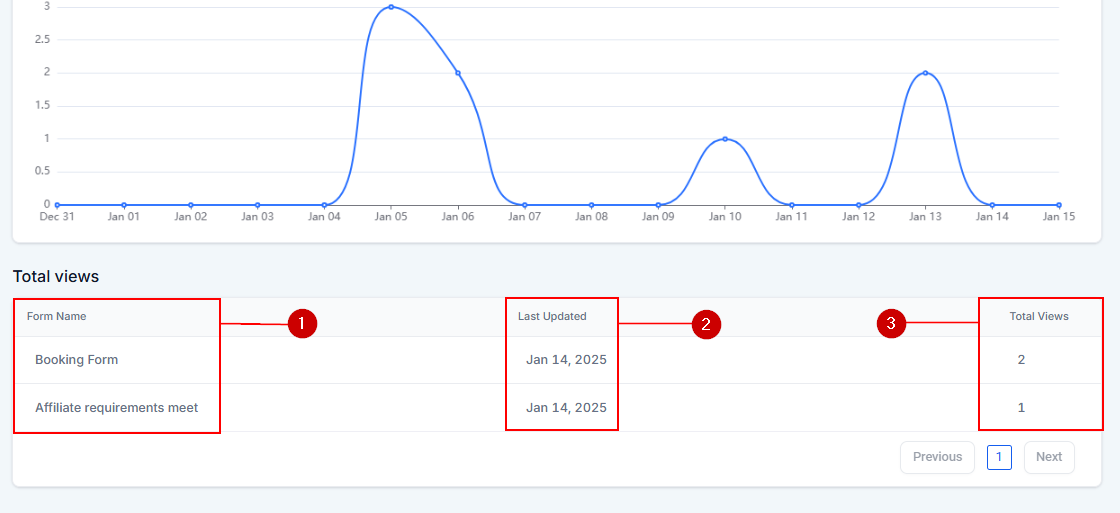
Form List
Here you will see a list of all statistics for all created Forms.
- Form Name: Here you can see the names of each form created.
- Last Updated: This indicates when the form last received a submission.
- Total View: This allows you to view more detailed analytics for each form
The Analytics tab provides powerful tools to evaluate and enhance your forms' performance. By leveraging metrics like total views, responses, and completion rates, you can make informed adjustments to optimize your forms.