
How to Create an Instagram Chat Widget
An Instagram Chat Widget enables website visitors to message your business through Instagram Direct without leaving your site. It offers a streamlined, familiar way for users to start conversations instantly, eliminating the need for forms, profile searches, or external navigation. Below is an overview of how to set it up and customize it.
Create an Instagram Chat Widget
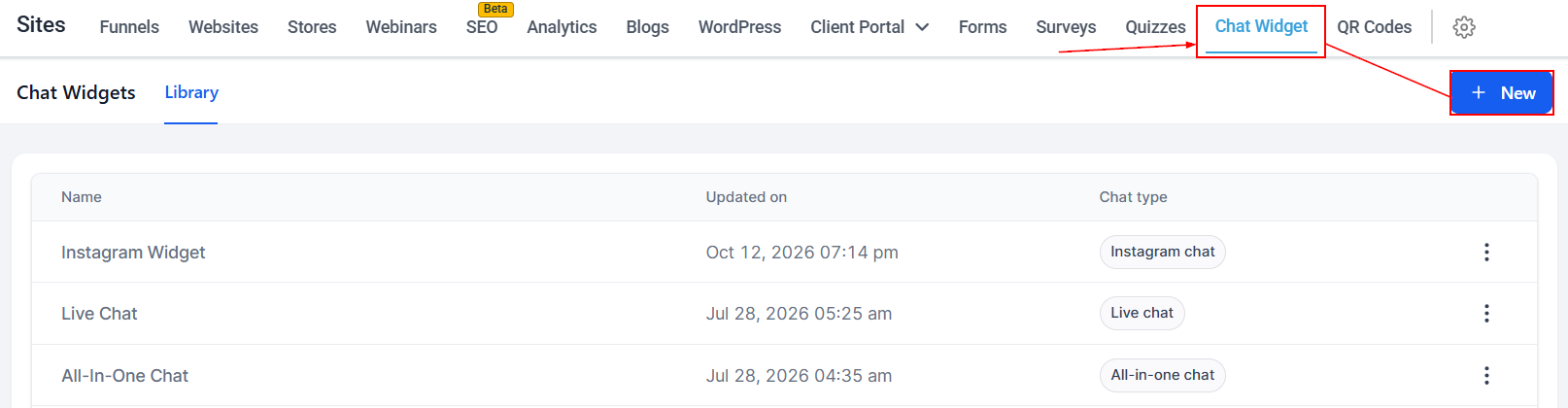
Navigate to the Chat Widget section within Sites and create a new widget.
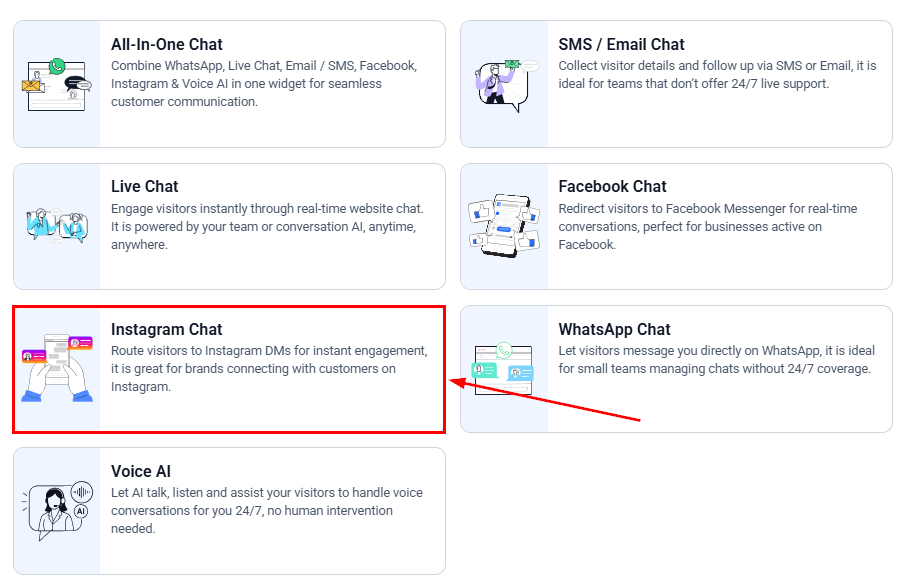
When prompted to choose a chat type, select Instagram. This connects the widget to Instagram Direct, allowing all conversations to route directly to your connected Instagram account.
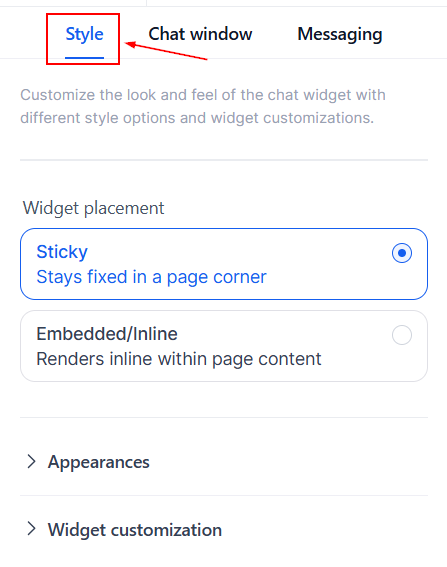
Style
The Style settings define how the widget appears on your website. You can adjust colors, icons, placement, and other visual elements to ensure the widget aligns with your branding.
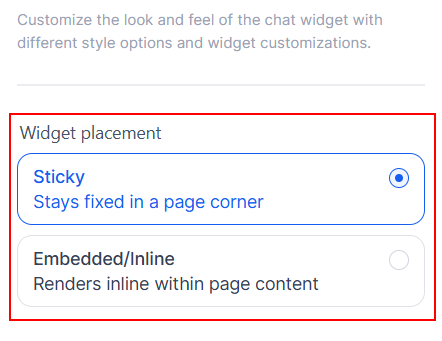
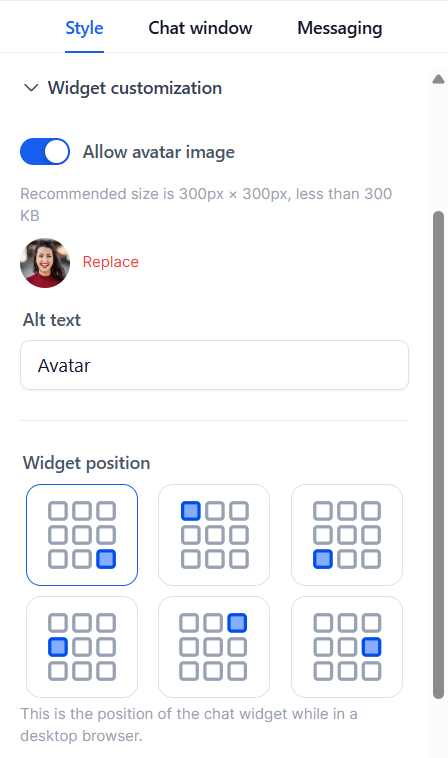
Start by selecting where the widget should be displayed on pages.
Within the Appearances tab, you can choose an icon and apply a theme.
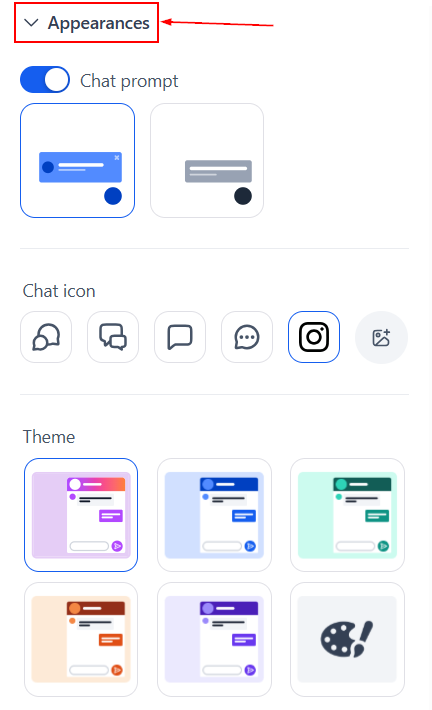
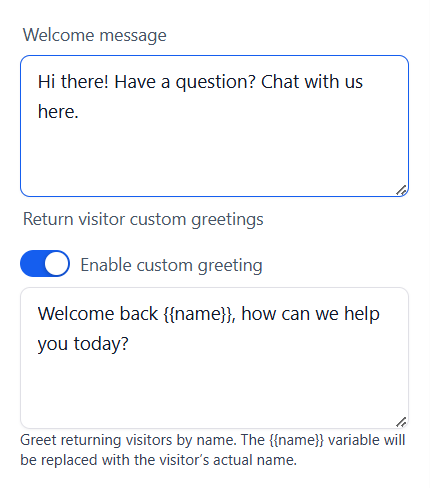
You can also customize the welcome message for new and returning visitors in this section.
The Widget Customization tab allows you to fine-tune the widget’s position and behavior to ensure an optimal experience across all devices.
Chat Window
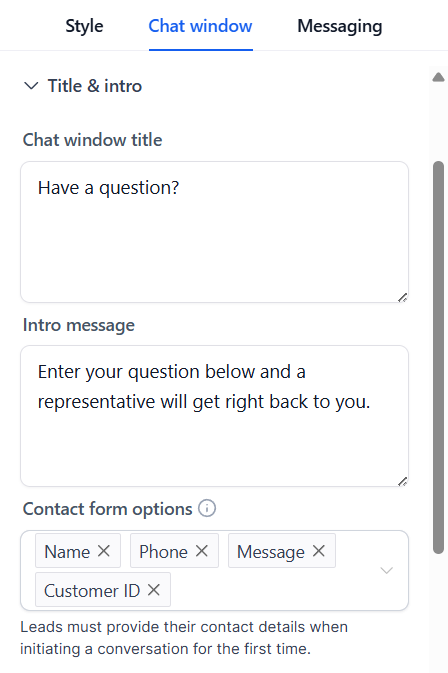
The Chat Window settings control what visitors see when they open the widget.
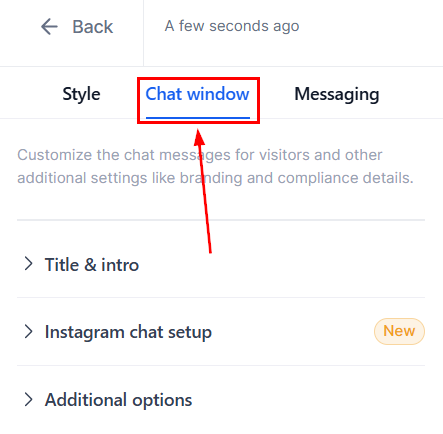
You can customize the title, introductory message, and any pre-chat prompts that help guide users into starting a conversation.
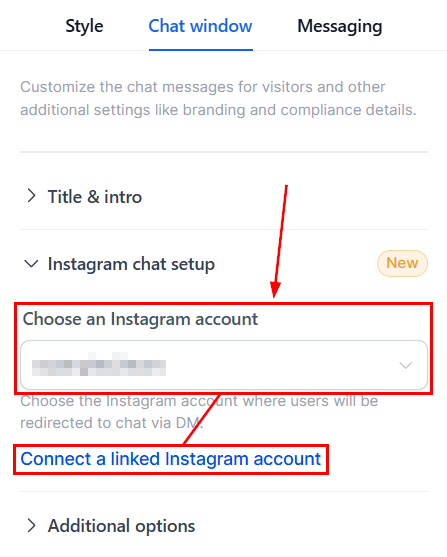
The Instagram Chat Setup section allows you to select which Instagram Business account will receive messages from the widget. You can choose from existing connections or link a new account. Once connected, all messages initiated through the widget will appear in your Instagram Direct inbox.
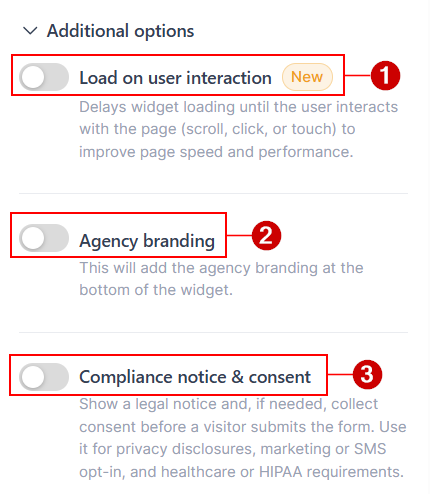
You can also manage optional features such as loading on interaction (1), branding visibility (2), and compliance notice & consent (3) within the Additional Options menu.
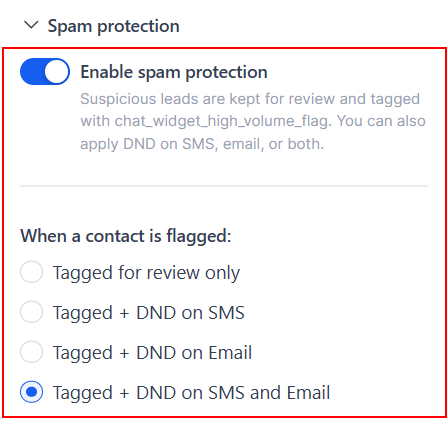
The Spam Protection settings help prevent bot activity and suspicious submissions from generating unnecessary messaging costs or affecting email and SMS sender reputation. You can configure how flagged contacts are handled, including tagging them for review or pausing SMS and email messaging, within the Spam Protection section of the Chat Widget Builder.
Messaging
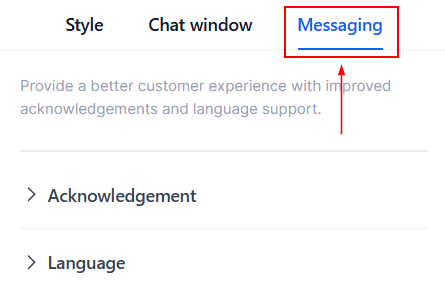
In the Messaging section, you can set the default language and tone used within the widget to match your audience and communication style.
Once the widget is published, visitors can start a conversation with your business through Instagram Direct directly from your website. Messages are delivered in real time, enabling prompt responses, effective follow-ups, and a seamless transition between automated and live conversations.
By embedding Instagram messaging into your website, you can reduce friction, increase engagement, and connect with customers on a platform they already use and trust.