
Workflow AI Assistant
Workflow AI is an assistant designed to support you in building, refining, and managing workflows within the platform. Whether you’re creating new workflows or enhancing existing ones, Workflow AI provides step-by-step guidance, action suggestions, and optimization insights tailored to your objectives.
Key Features of Workflow AI
Assistance for New Users: If you're new to workflows, Workflow AI provides the guidance you need to get started. Simply type in your objectives, and it will suggest the necessary actions and triggers, while also offering configuration help. The AI assistant can even explain workflows and best practices to you, making the learning curve manageable.
Real-Time Assistance: Need clarification or have questions mid-process? You can ask Workflow AI any workflow-related question to get instant answers and best practice tips to support your workflow development.
How to Use Workflow AI
Navigate to Workflows
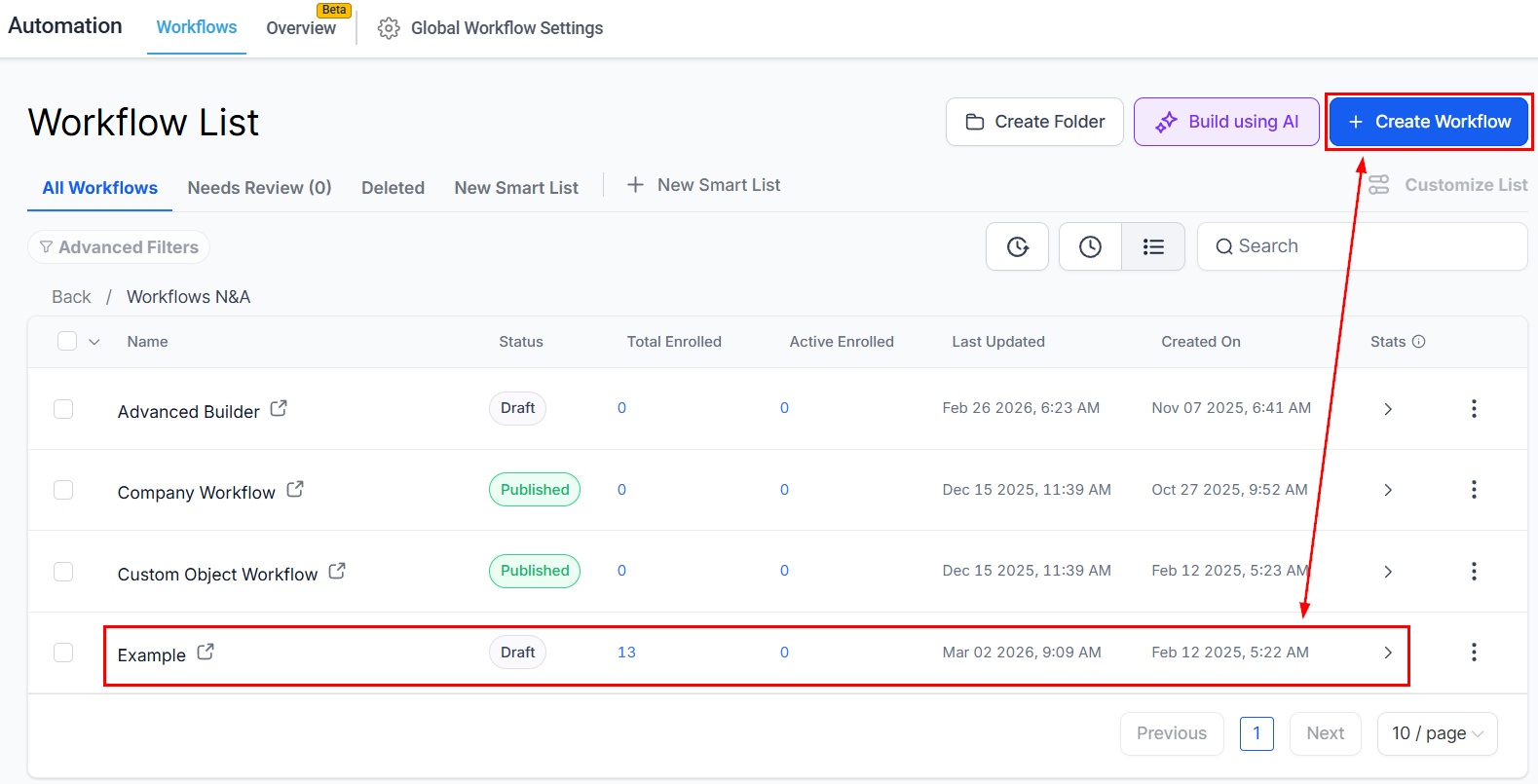
Go to the Automation > Workflows section in your account, then select an existing workflow from the list or create a new one from scratch.
Locate the AI Chat
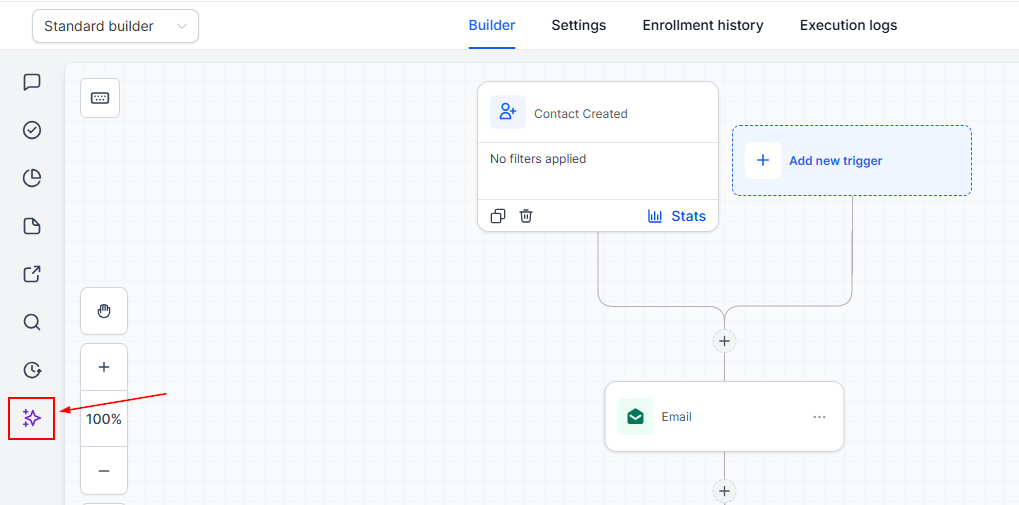
Locate the Workflow AI chat icon in the bottom left corner of the workflow builder.
Workflow AI Options
Build
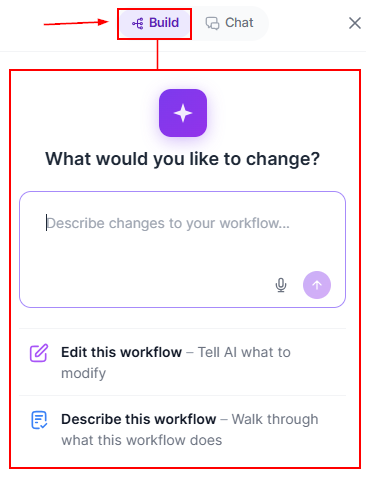
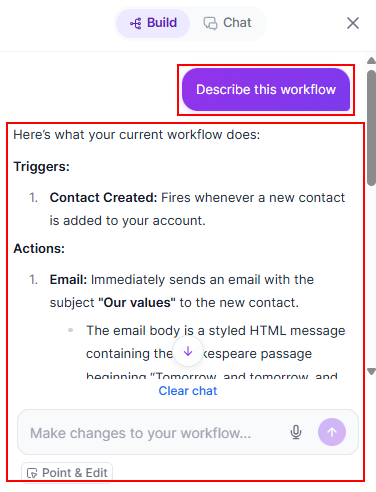
The Build option has two distinct options designed to either modify your workflow or describe it.
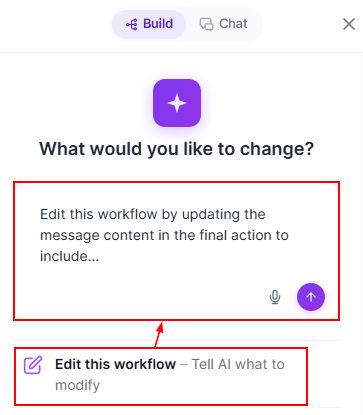
Edit This Workflow: This option will add a prompt so you can instruct the AI helper to modify your workflow. Simply enter your desired change in the box then submit.
Describe this Workflow: Obtain a breakdown of the workflow name, triggers, actions, and key workflow settings to understand system workflows or workflows other team members have created.
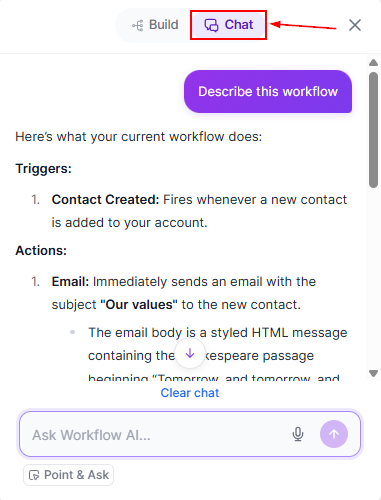
Chat Mode
By selecting the Chat Mode, you can talk to and ask questions to the workflow's AI without making changes to the workflow.
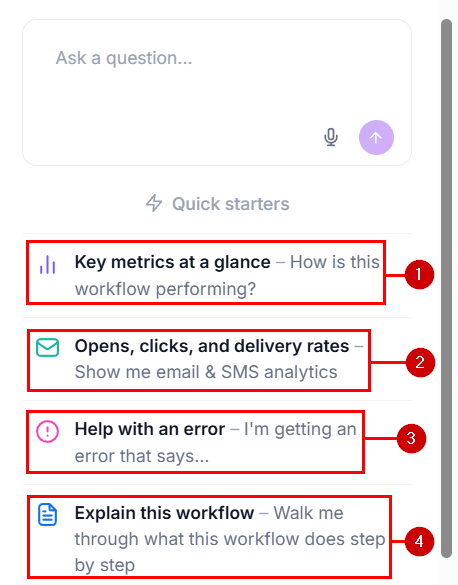
You can also use the AI Assistant to get commonly used data on your workflow by selecting one of the quick action prompts. These will be:
Performance Insights: Ask how a workflow is doing to get entries over any period, a status breakdown, completion rate, goal conversions, and where contacts drop off.
Email and SMS Results: Pull delivery and engagement metrics for any email or SMS step: delivered, opened, clicked, replied, bounced, unsubscribed, opted out, and more.
Error Diagnostics: Get immediate diagnostics into your workflow with precise focus on any error you’re getting.
Workflow Explanations: Let the AI give you a quick breakdown on how the workflow functions, going into step-by-step detail whenever needed.
Additionally, you can search every workflow by name, status, tags, the triggers or actions it contains, or who last edited it, track individual contacts, get a condensed version history, and find out whether a trigger is firing, what percentage of fires qualified, and the top reasons contacts get rejected by asking the AI Assistant.
Feedback on Responses
Provide feedback on Workflow AI’s responses to help improve its accuracy and usefulness over time.
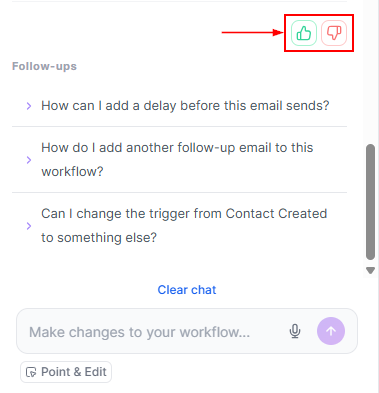
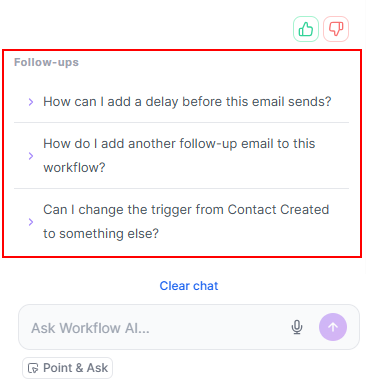
Follow-ups
As you interact with Workflow AI, it will suggest follow-up questions to deepen your understanding and ensure you’re building an effective workflow.
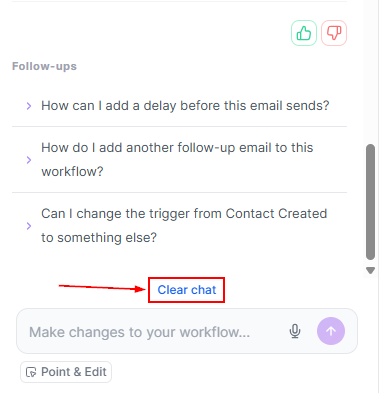
Clear or Export the Chat
Use the "Clear Chat" button to start a new conversation at any time.
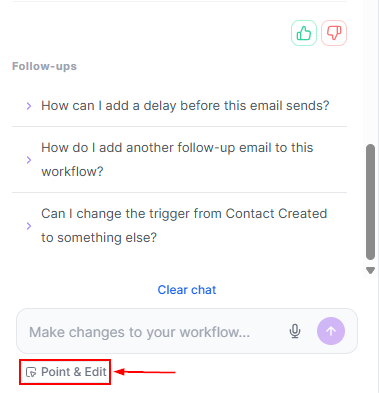
Point & Edit or Ask
This option lets you select multiple triggers and actions for the workflow AI to consider when providing you with insights, suggestions, and information.
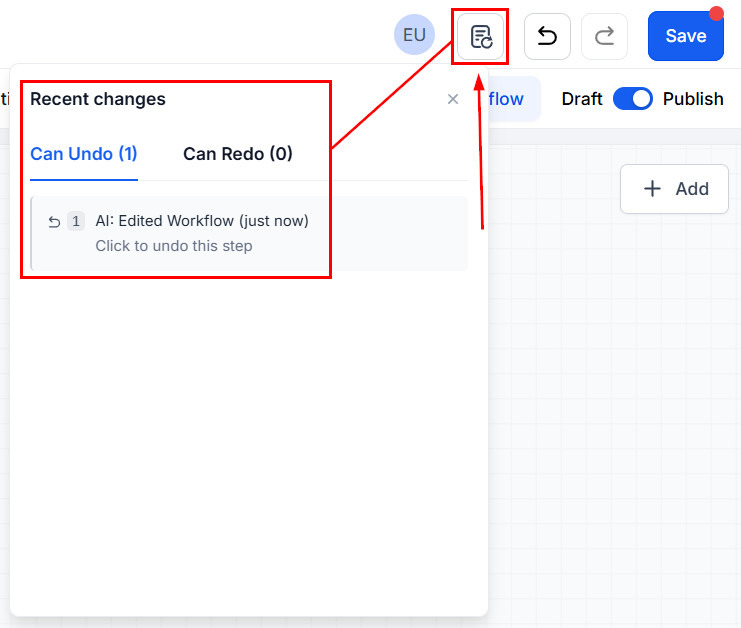
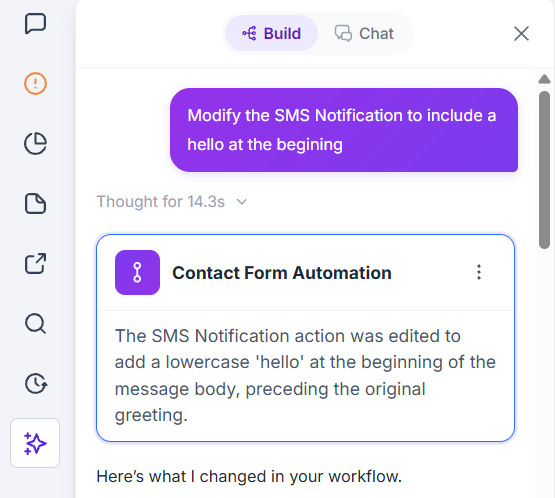
Whenever you implement or remove an AI change, you can undo/redo the action from the Recent changes pop-up.
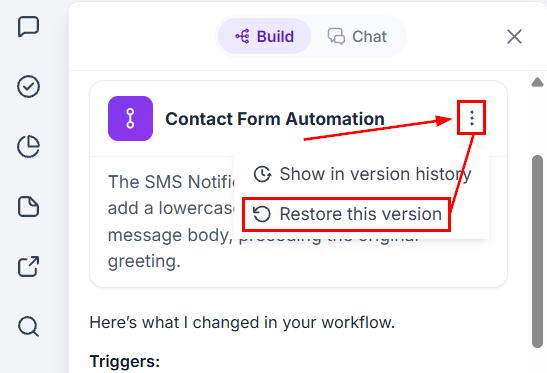
Or restore the workflow to previous changes by clicking the three-dot icon next to it and selecting “Restore this version.”
The current version will be highlighted in purple.
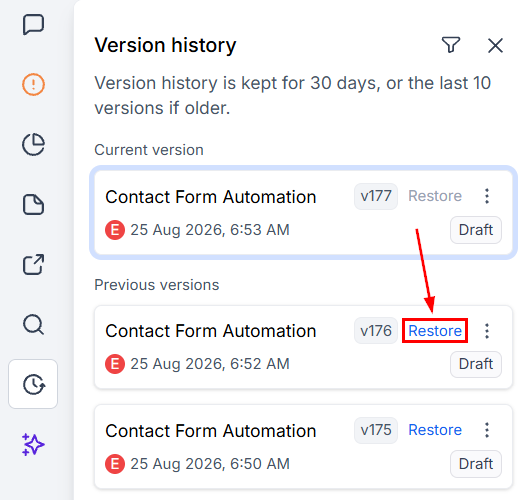
Additionally, you can restore a previous version from the version history.
From helping you configure individual actions to enhancing the overall efficiency of your workflows, Workflow AI is your reliable partner in workflow management.
Frequently Asked Questions
Q. Why should I use Workflow AI?
Workflow AI simplifies and speeds up the process of building and optimizing workflows by offering real-time suggestions and ensuring workflows are efficient and error-free.
Q. Can Workflow AI handle complex workflows?
Yes! Workflow AI is designed for both simple and complex workflows, providing guidance tailored to processes of any size or complexity.