
Associate Records Action
When managing custom relationships between contact, opportunity, and company records, having an easy way to create and maintain associations without manually associating records one at a time is crucial to maintain efficiency. So, let’s learn how to use the new Associate Records workflow action to automatically associate records across your CRM based on matching field values.
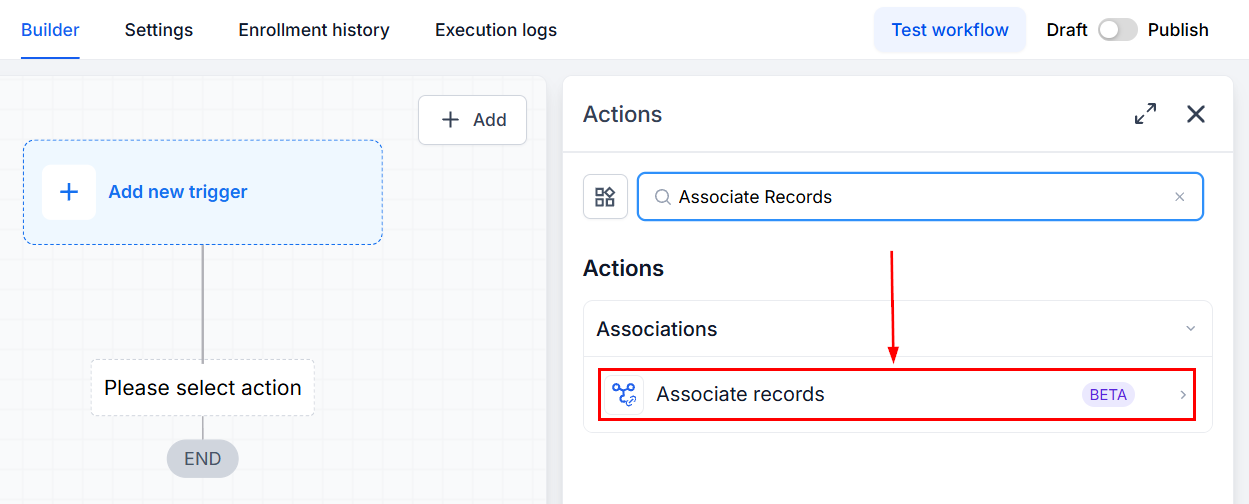
Add the Associate Records action to a Contact, Company, or Custom Object workflow.
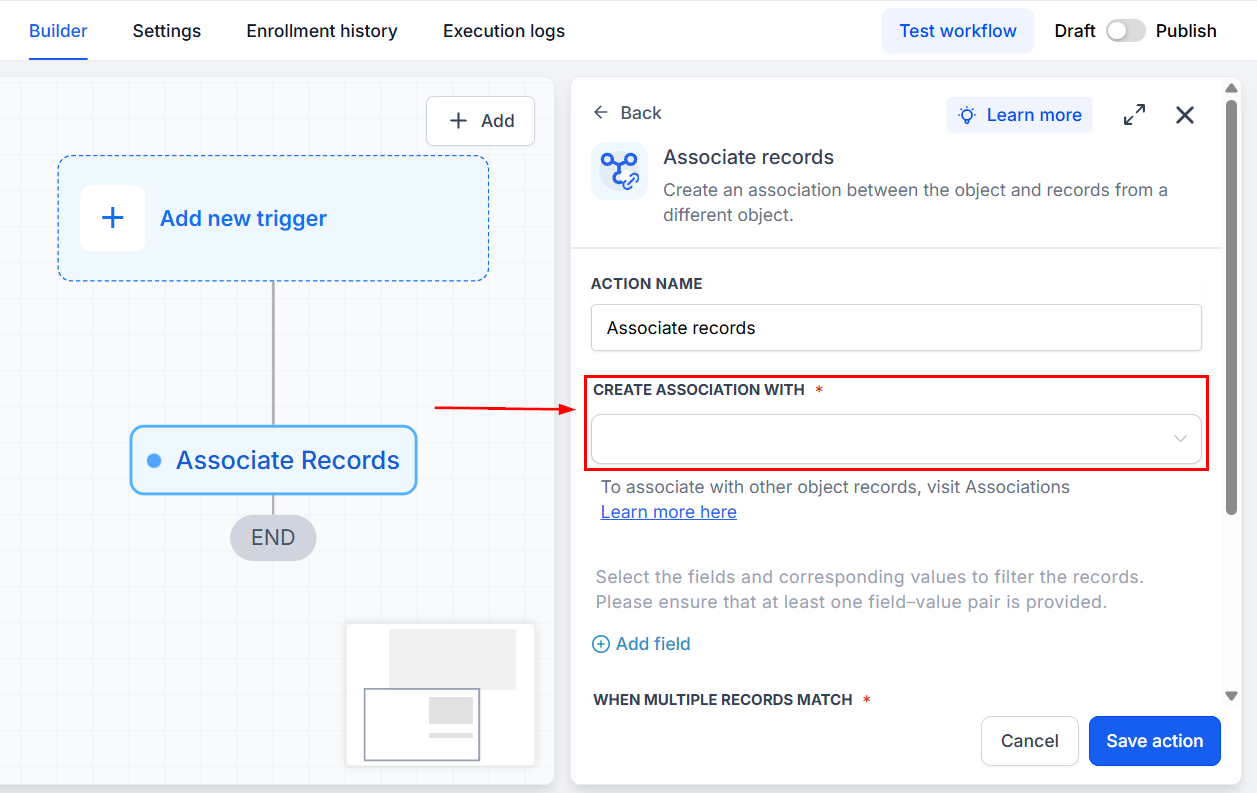
Select the object containing the records you want to associate.
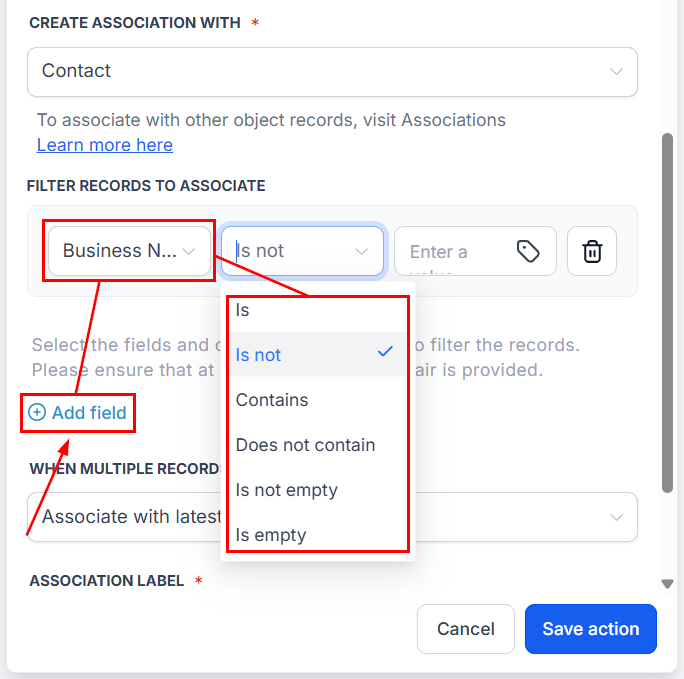
Add filters to identify the matching records.
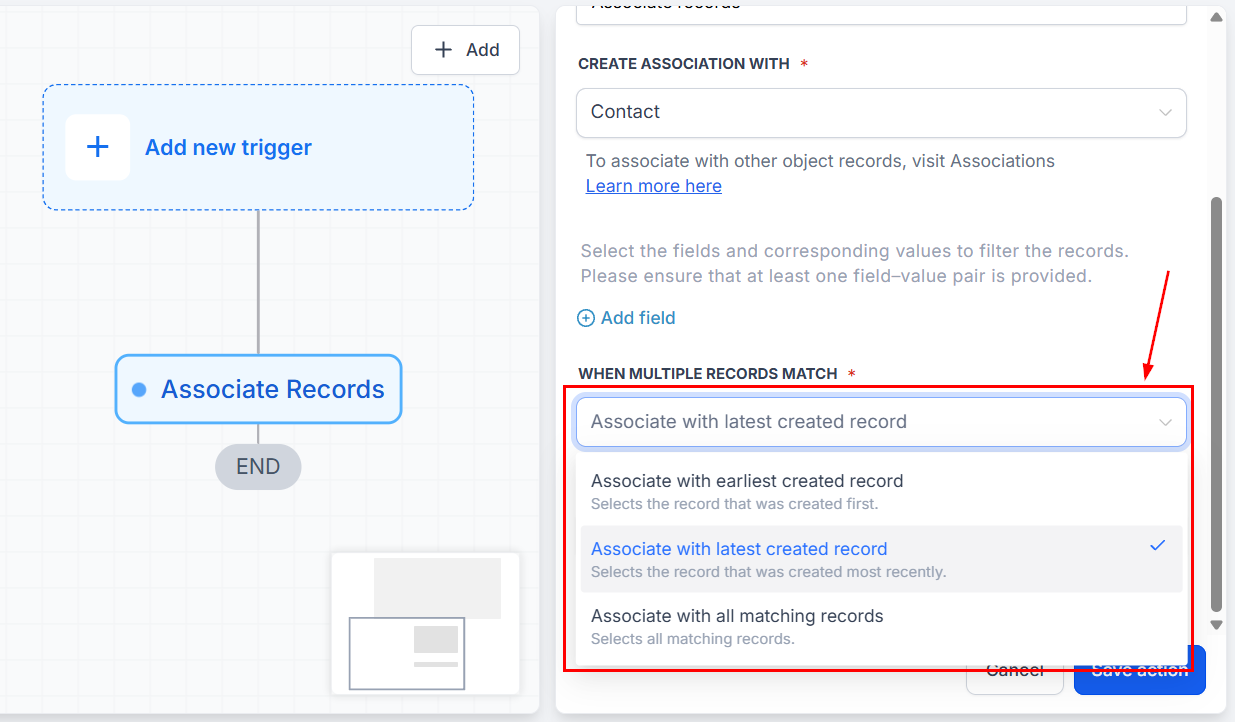
Choose how multiple matches should be handled.
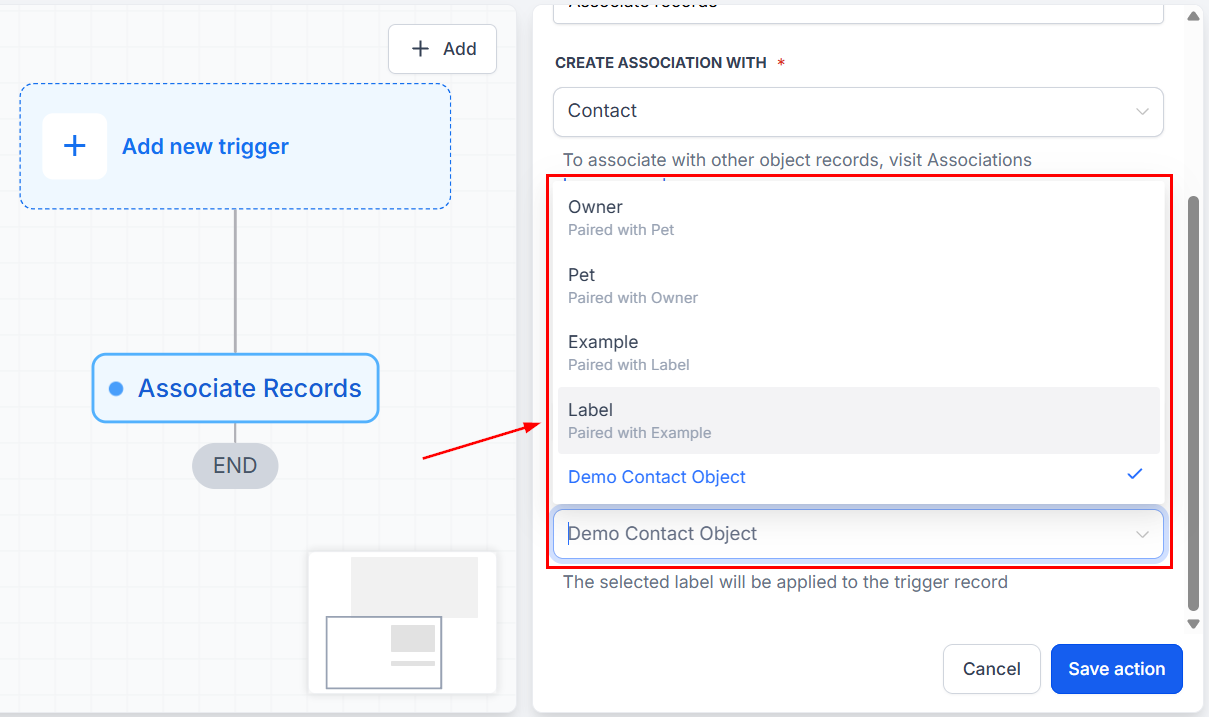
Select an association label when required.
Save and publish the workflow. The action works across Contacts, Companies, Opportunities, and Custom Objects, depending on the workflow type and the associations configured in your sub-account.