
HouseCall Pro Actions & Triggers in Workflows
When managing a home service business, you might need multiple tools. One of the most popular is Housecall Pro. So if you’re using this management software, follow along to learn how to connect it to Workflows.
Connecting Your Account
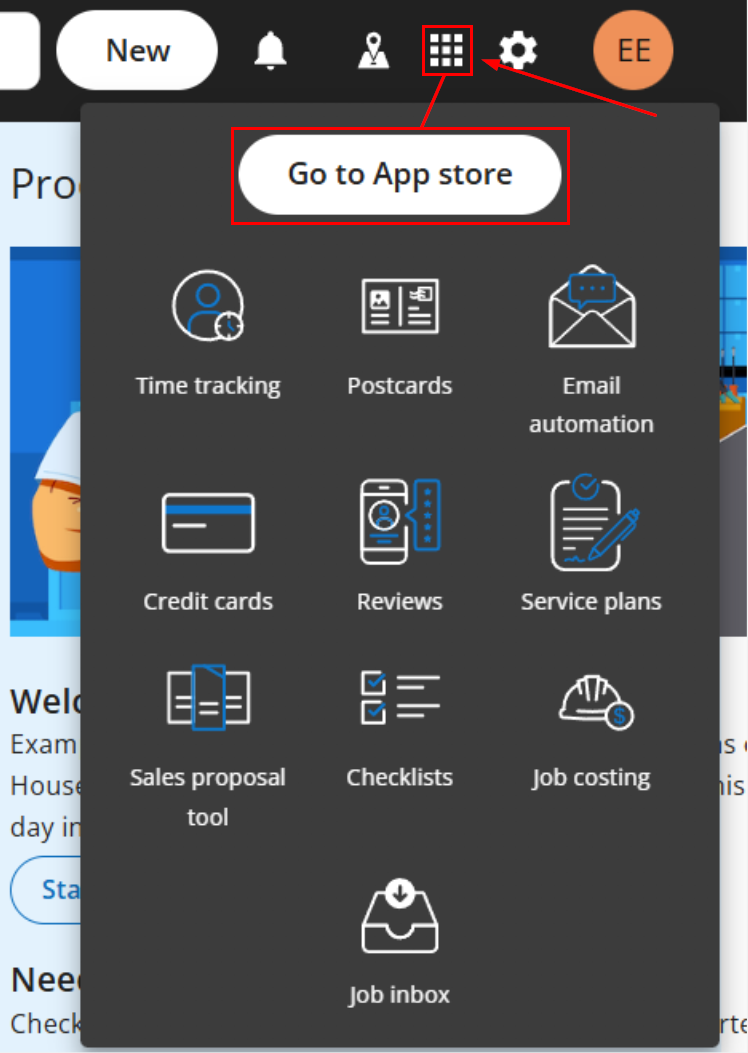
Log in to your Housecall Pro account and open My Apps, then click Go to App Store.
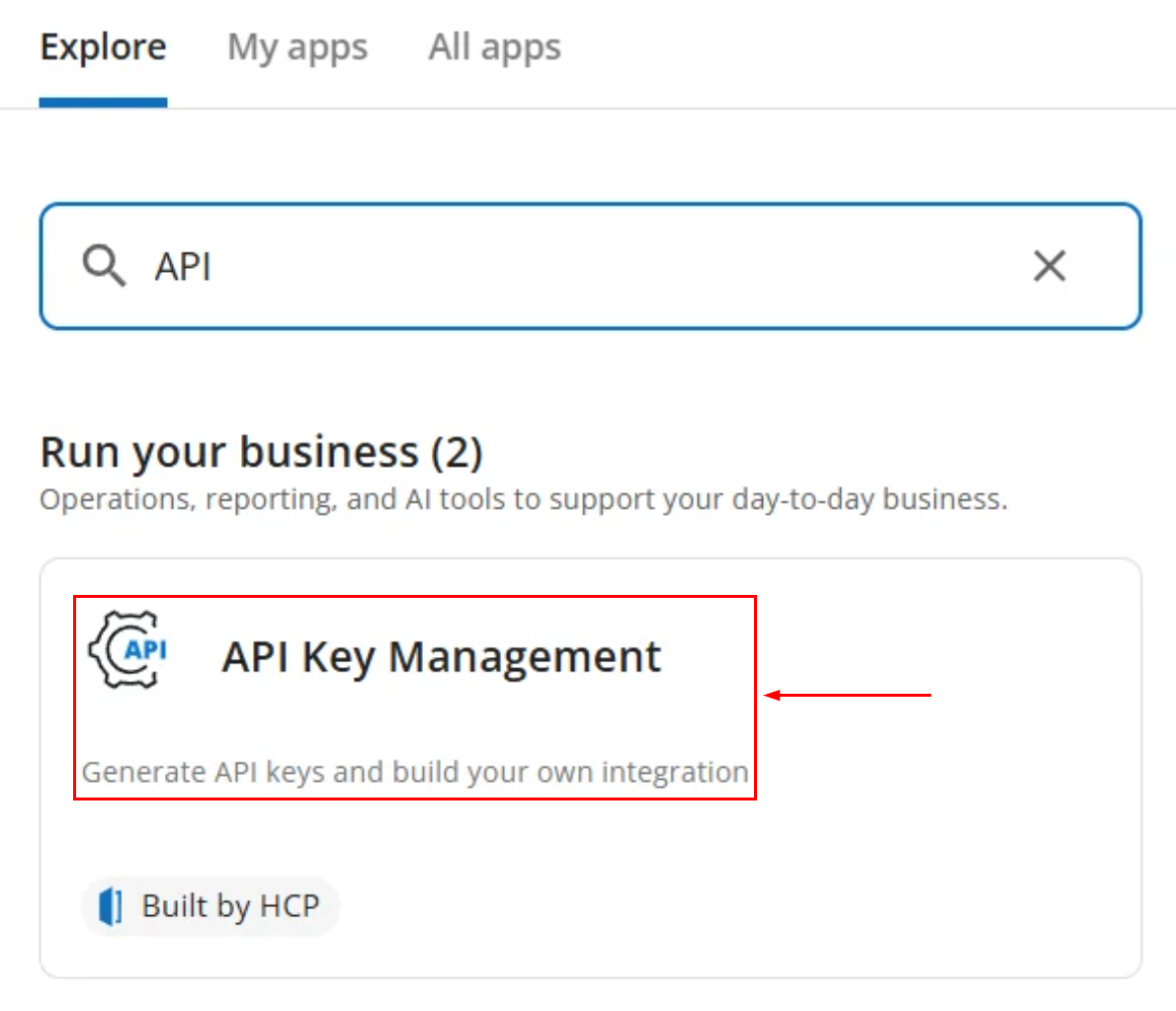
Head to API Key Management and generate an API Key with Full Access.
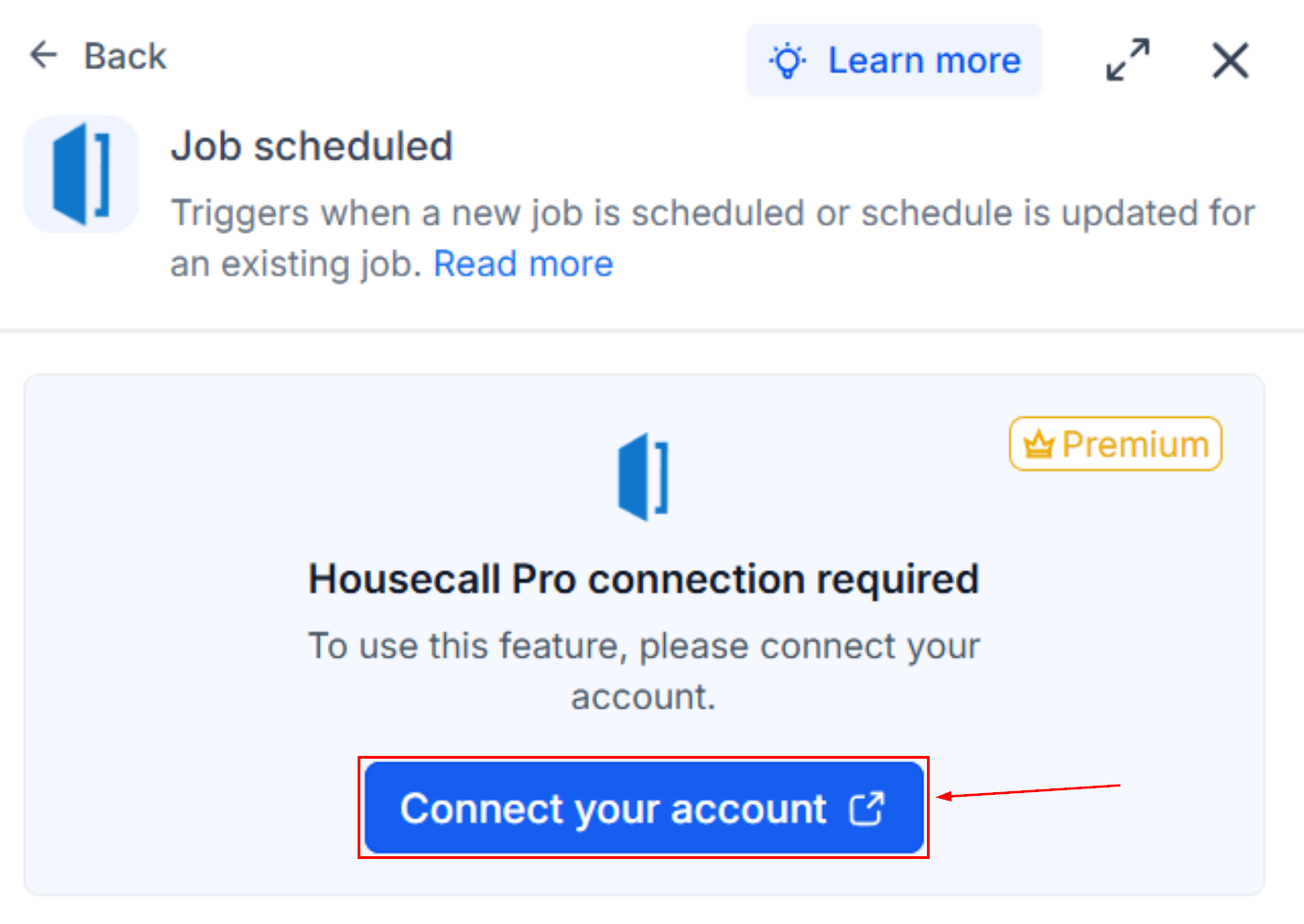
In Workflows, add a Housecall Pro trigger or action, then click Connect your account.
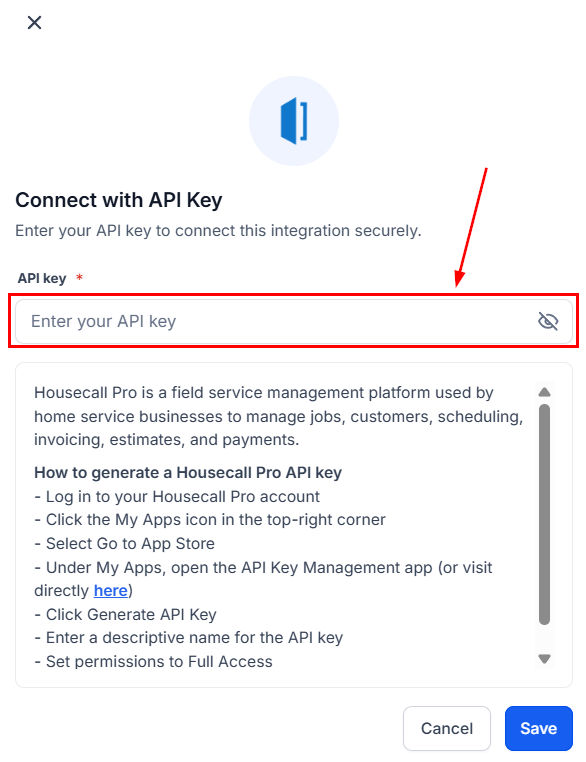
In the Connect with API Key modal, paste your Housecall Pro API key.
Using The Integration
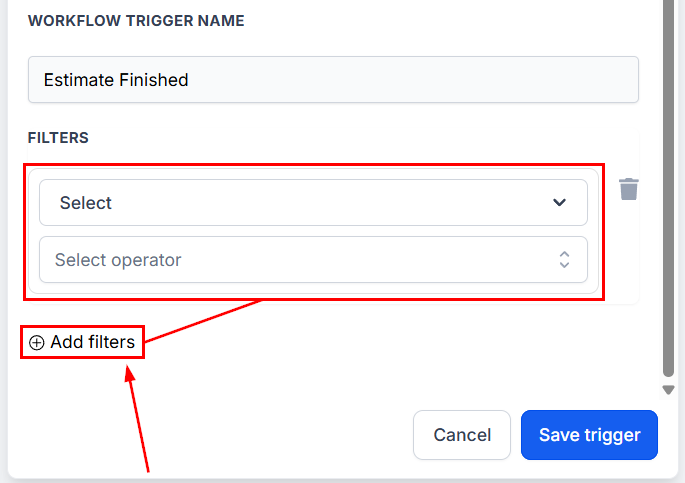
For the triggers: Optionally add filters to scope by customer, job tag, employee, or any captured field; then find new records to capture a sample payload.
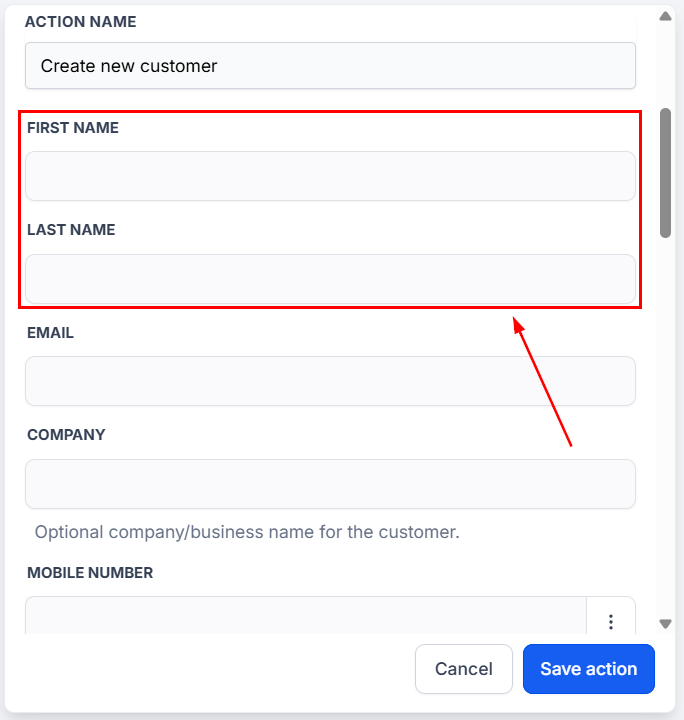
For the action: Fill in First Name and Last Name (required) and any optional fields (Email, Company, Mobile Number, 10 digits, Home Number); Test Action to validate.
Housecall Pro helps you manage the jobs, scheduling, and contract-facing side of the business, and keep lead capture, marketing, and cross-channel customer outreach inside your CRM for better management. We hope you enjoy it!