
Conversations SLA Trigger
Service Level Agreements (SLAs) help teams track how quickly conversations should receive a response. Instead of manually monitoring conversations that are approaching or have exceeded their SLA targets, you can use the Conversations SLA workflow trigger to automatically start a workflow when specific SLA events occur.
What Is the Conversations SLA Trigger?
The Conversations SLA trigger starts a workflow when one of the following SLA events occurs:
- Due Soon – The conversation is approaching its SLA deadline.
- Overdue – The conversation has passed its SLA deadline without meeting the required response time.
- SLA Dismissed – The SLA has been manually dismissed for the conversation.
These events allow workflows to respond automatically without requiring someone to continuously monitor SLA timers.
How to Configure the Trigger
To create a workflow that uses the Conversations SLA trigger:
Open Automation and create a new workflow.
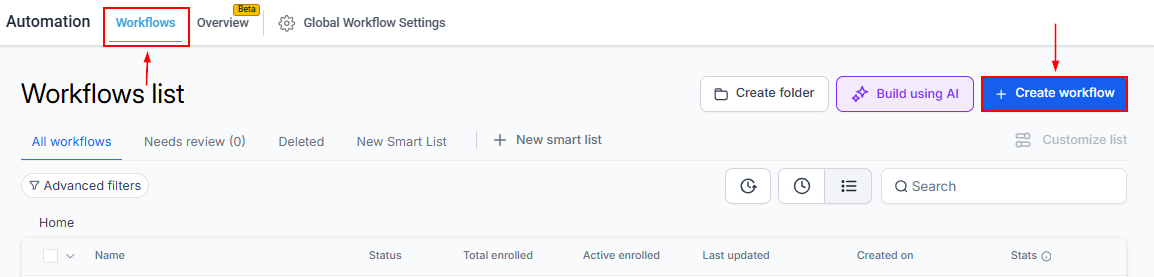
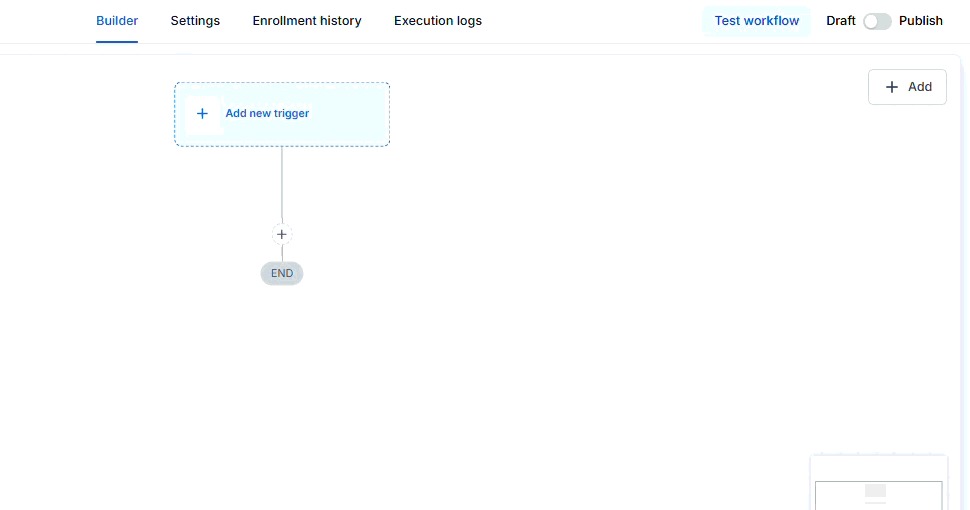
Select Conversation SLA as the workflow trigger.
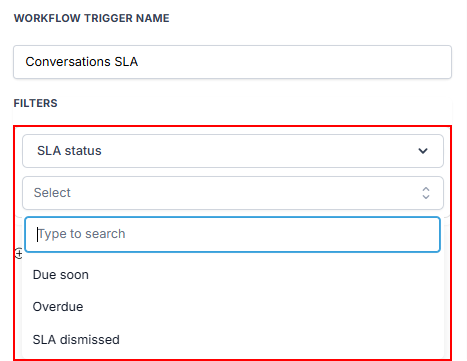
Choose the SLA event that should start the workflow:
- Due Soon
- Overdue
- SLA Dismissed
Optionally, add filters to control which conversations can trigger the workflow. Available filters include:
- Message channel
- Tags
- Conversation owner
- Custom fields
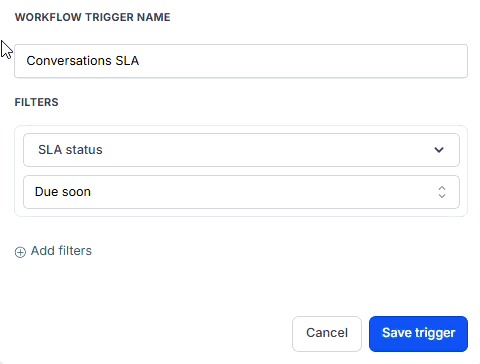
Save the trigger and add the workflow actions you want to perform.
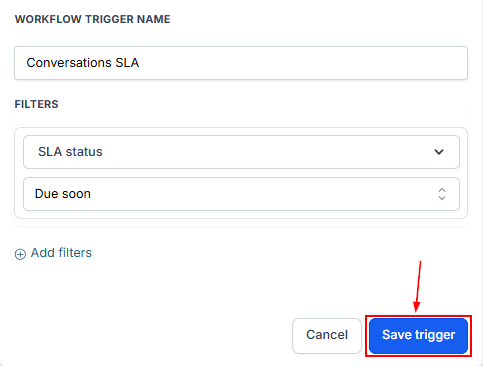
Save and publish the workflow.
How the Trigger Works
Once the workflow is active, it automatically monitors conversations for the SLA event you selected.
When the chosen event occurs, the workflow starts and performs its configured actions. Depending on your workflow, this could include:
- Sending a notification to a user or team.
- Reassigning the conversation to another owner.
- Adding tags or updating records.
- Starting additional automation for escalation or follow-up.
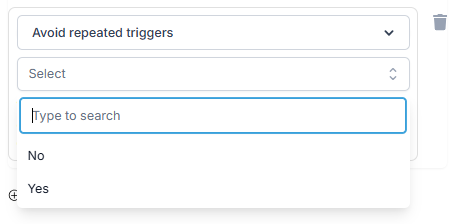
If you enable the Avoid Repeated Triggers filter, the workflow runs only once per conversation during a 24-hour period, even if additional messages generate the same SLA event. This helps reduce duplicate workflow executions and unnecessary notifications.
The Conversations SLA trigger helps automate actions based on important SLA milestones, making it easier to respond consistently as conversations approach or exceed their response targets. By combining SLA events with workflow actions, teams can improve response management, streamline escalations, and maintain better visibility into conversation activity.