
Making Groups Private/Public in Communities
Private groups are specialized, restricted-access communities designed for confidential discussions and collaboration. An integral part of community management, private groups offer a range of functionalities. Owners and admins can create and manage these groups, converting regular groups to private ones.
How to Set Group Privacy in Communities?
Joining a private group requires members to request access, which admins or owners must approve. Private groups allow for transitions between public and private statuses. Whether for internal communications within a business, exclusive community engagement, or focused collaboration, private groups provide a secure and organized space for members to connect and interact.
How to Use This Feature?
Accessing Your Group
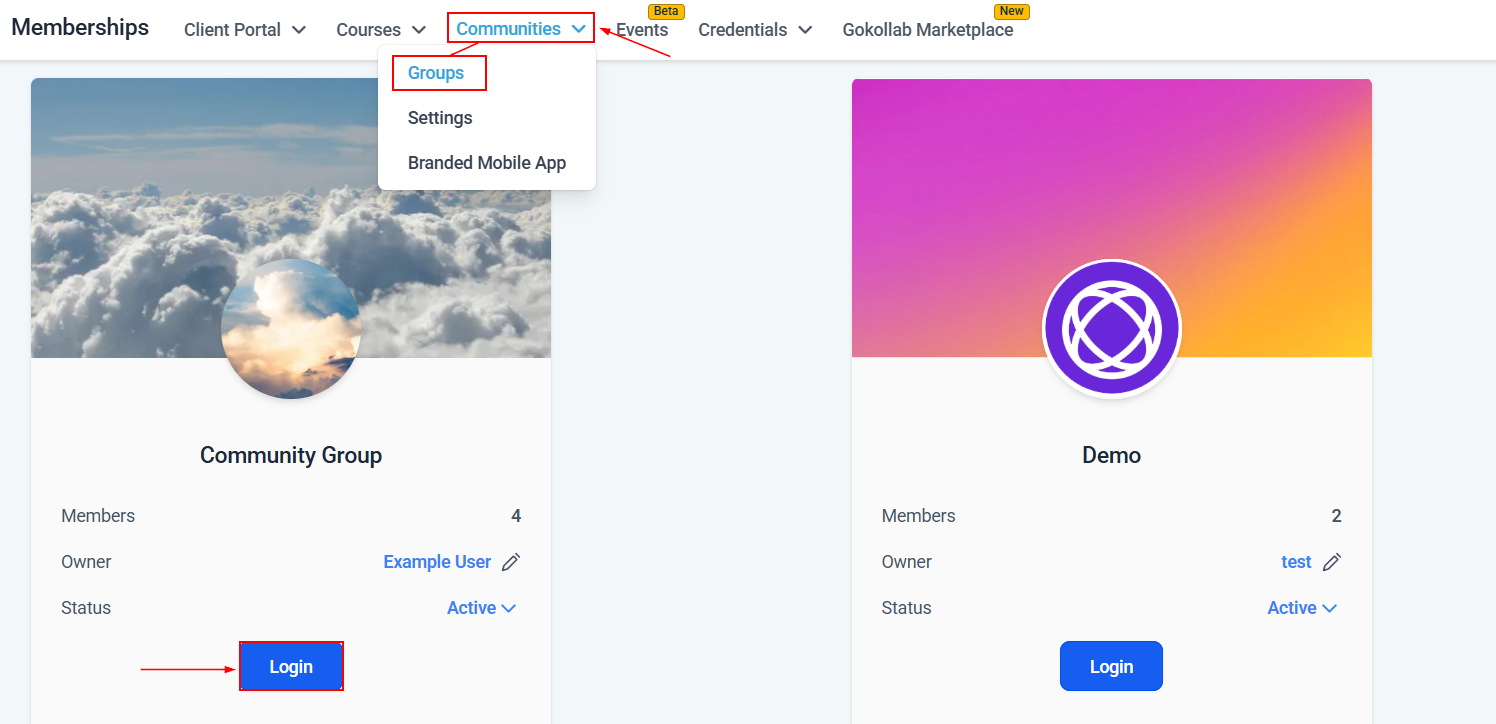
To access your group, head to the Communities section within the Memberships tab, then click the Groups option from the drop-down.
Next, click the “Login” button associated with your group.
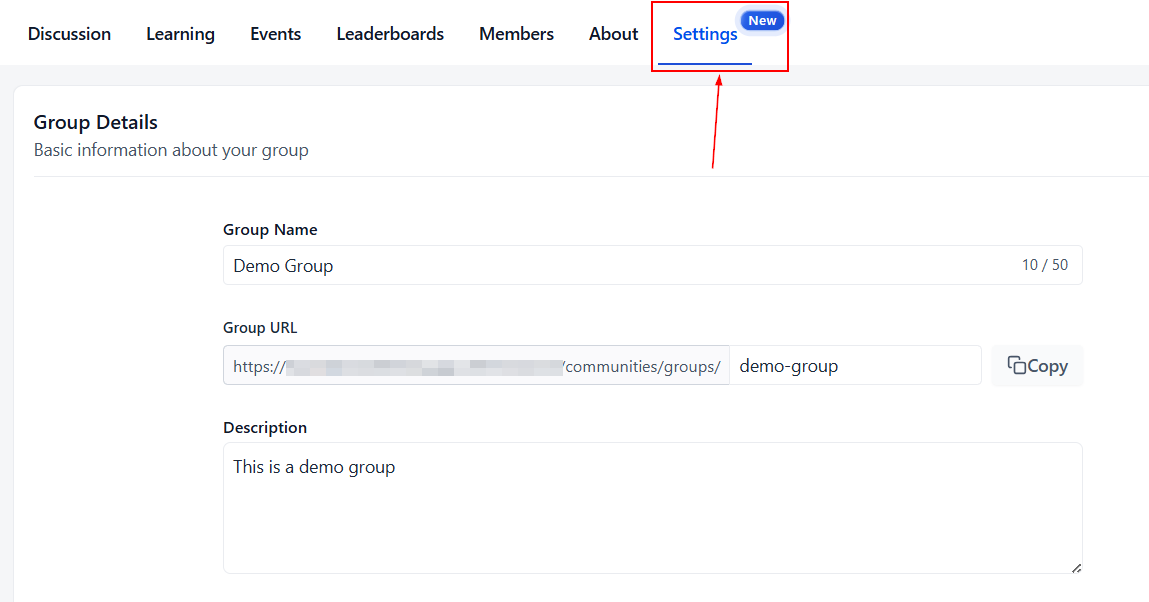
Inside your Group area, click the Settings tab.
In the Details section, you can switch your group to Public/Private by selecting the desired option and then clicking Save.
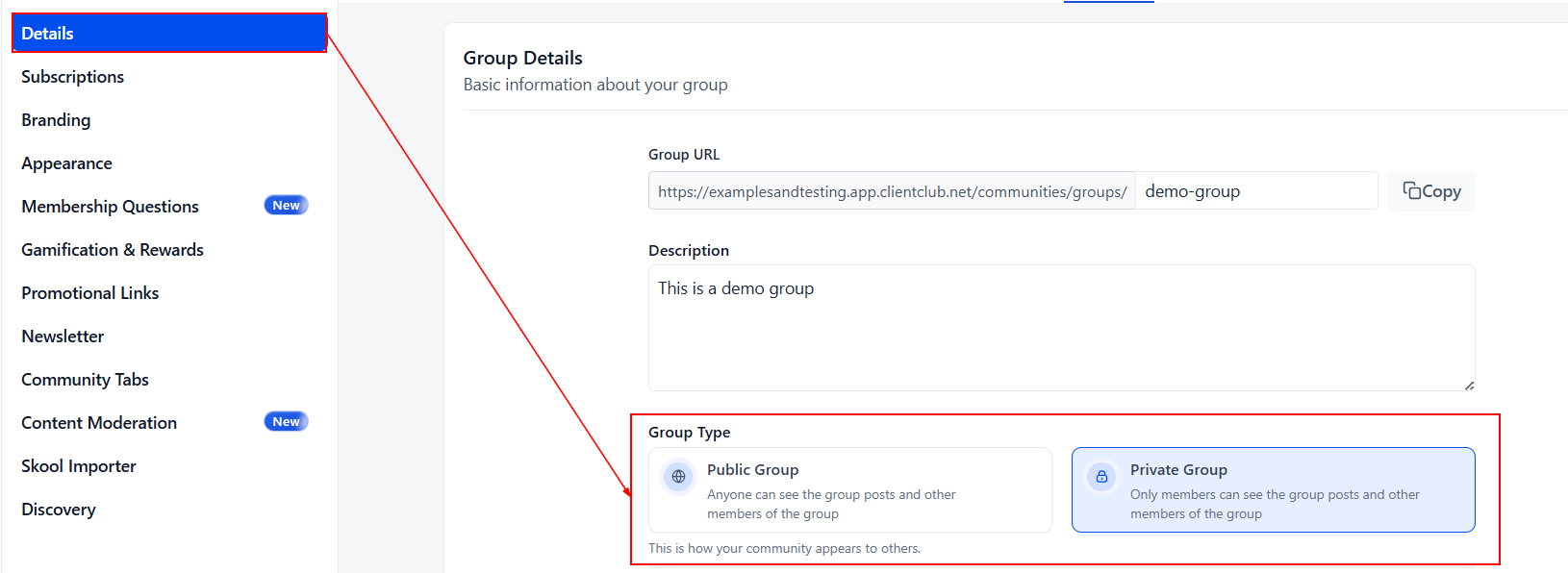
Switching from Public to Private ensures only current members can access previous content. Switching from Private to Public automatically accepts all requested members.
Group Visibility
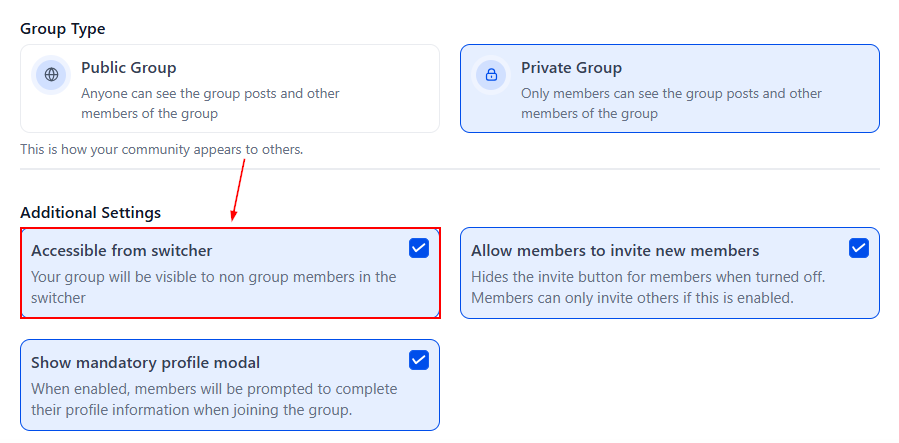
Access for Non-Group Members: You can choose to make the group visible to non-members. This setting controls whether non-members of this group, who have access to other groups can see your group in the group switcher on the top left or not.
Membership Management
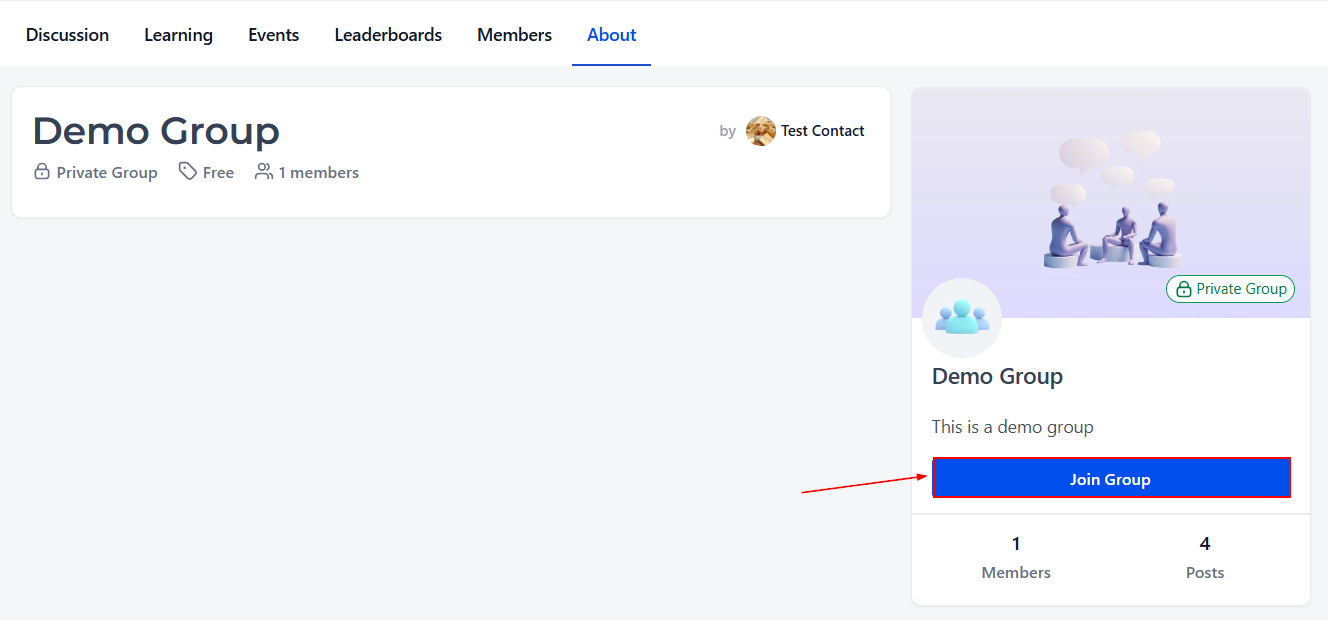
Interested members can click on the group URL and request to join.
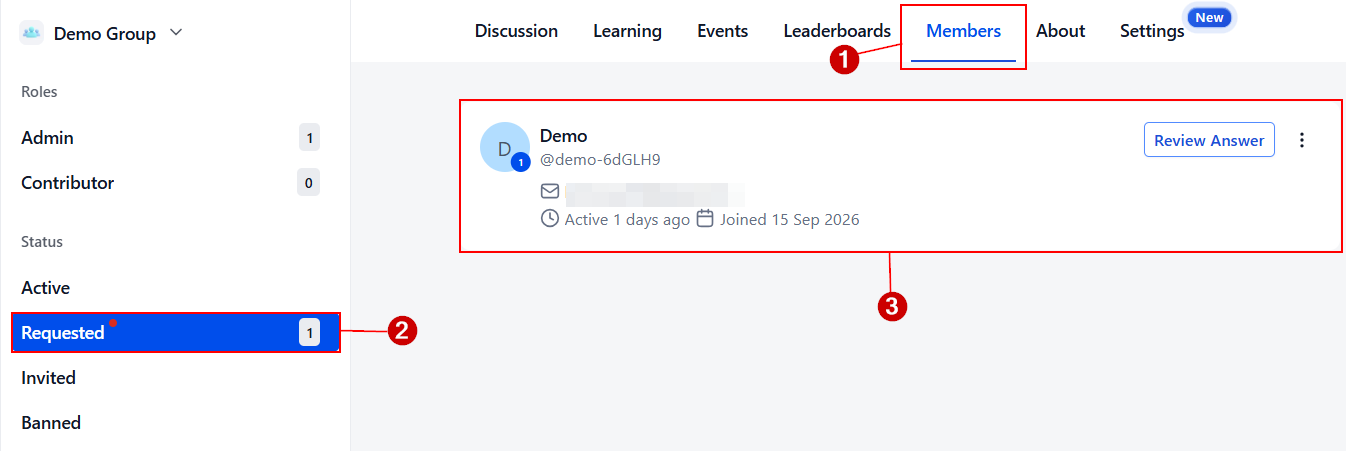
Admins and owners can review and accept or reject requests from the "Members" section under the “Request” tab.
Now that you know how to set a group to private, you can leverage them into research groups, use them for client collaborations, and more.
Practical Examples & Use Cases
Usage Case | Description |
|---|---|
Confidential Discussions | Private groups allow members to have confidential and secure discussions, ensuring only authorized individuals can access the shared content. |
Focused Collaboration | Ideal for focused collaboration among team members on specific projects, topics, or tasks where external distractions need to be minimized. |
Membership Request and Approval | Private groups allow for controlled entry, where interested members must request to join, and only admins or owners can review and accept these requests. |
Public to Private Group Transition | Groups can be converted from public to private, restricting future content to current members. Likewise, private groups can become public, automatically accepting all requests. |
Customized Role Management | With roles like Owner, Admin, and Contributor, private groups enable structured community management, allowing customization of permissions and responsibilities for members. |