
How to Set Up Membership Approval Questions
The way your community members interact and the energy your groups have can be easily controlled by managing who joins, and what better way to do it than using custom approval questions to obtain information on prospective members, helping you make informed decisions when managing member approval. We'll guide you through enabling the feature and reviewing responses. Let's get started!
Accessing Member Approval Questions
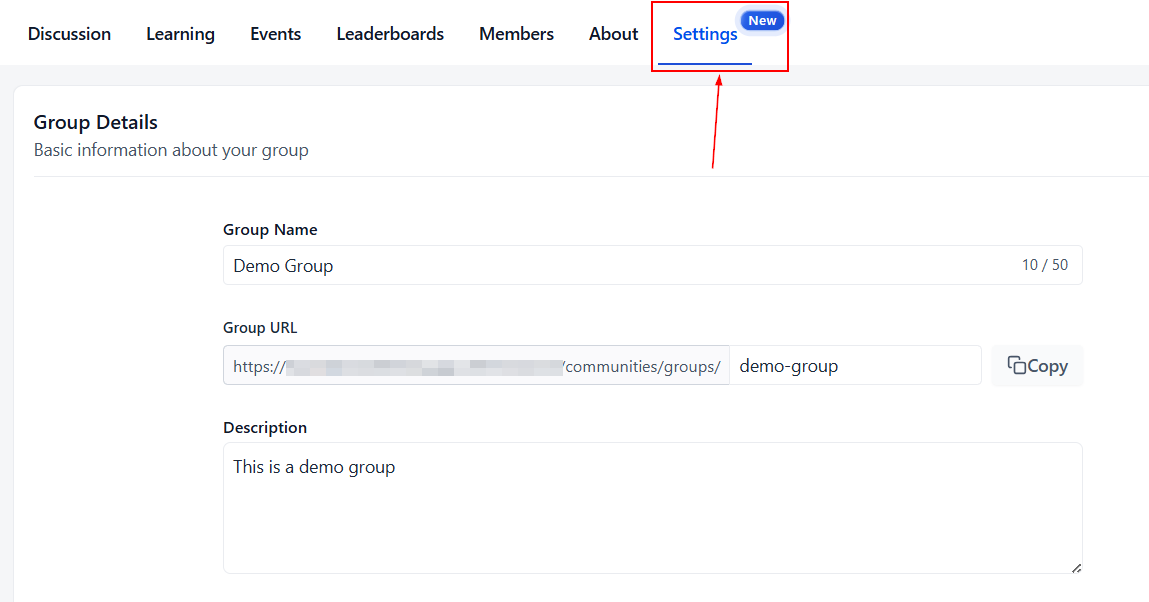
Begin by clicking the Settings button within your Membership Group.
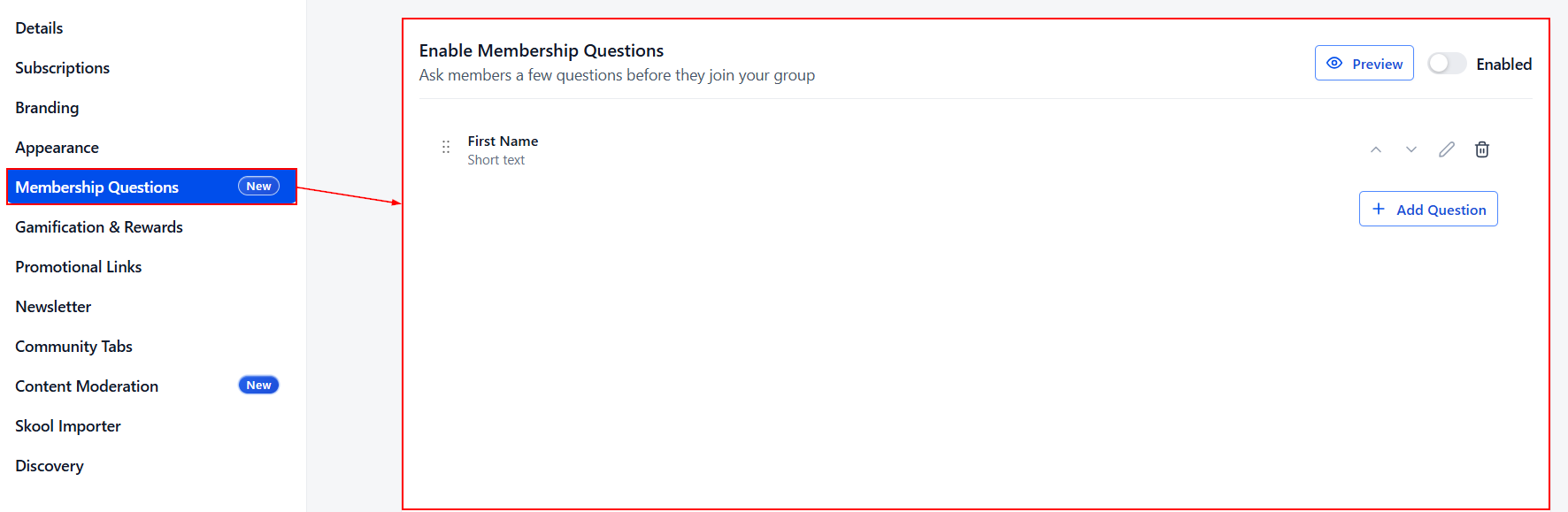
Switch to the Memberships Questions tab.
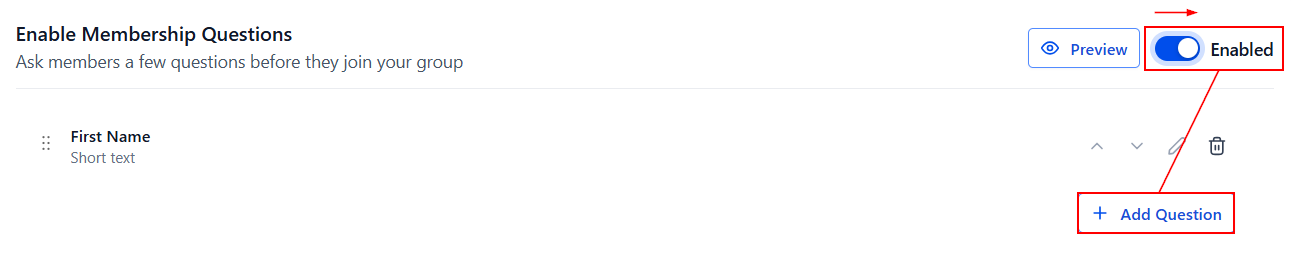
Then, enable Membership Questions and click on Add Questions within the section.
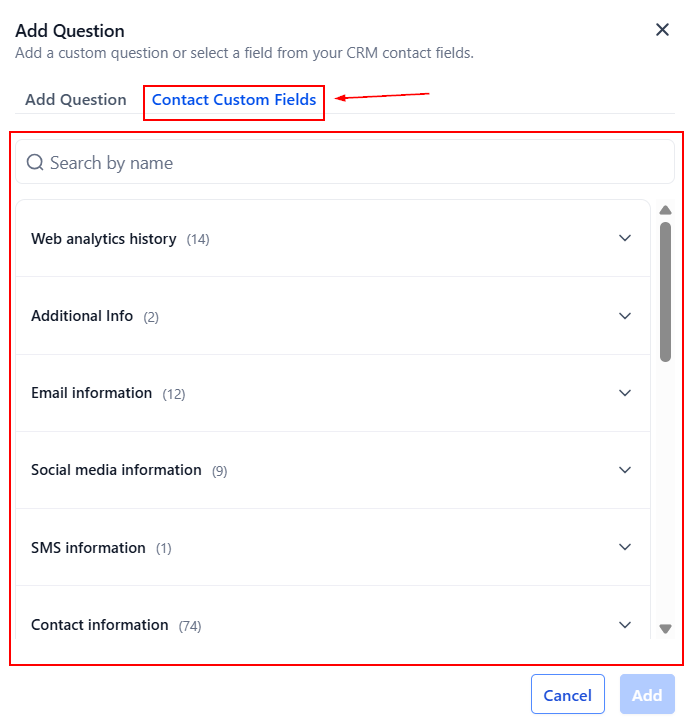
Here, you will see two windows: Add Question and Contact Custom Fields.
Add Questions
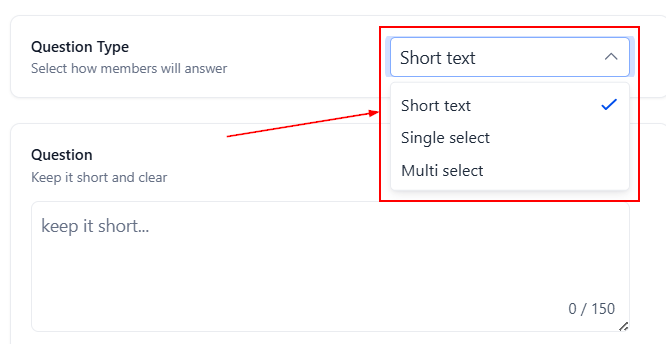
Use the “Add Question” tab to craft custom questions.
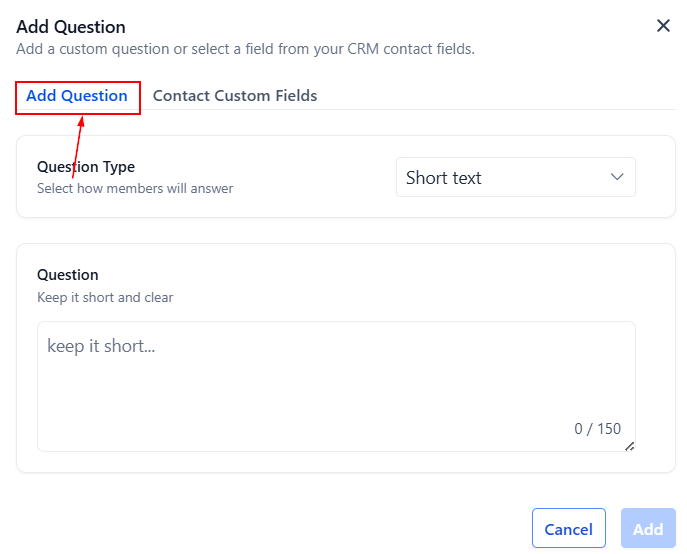
Select the appropriate type from Short Text, Single Select, or Multi Select, and enter your question. You can include up to three questions, so make them count! Remember, each question should be unique and serve a specific purpose.
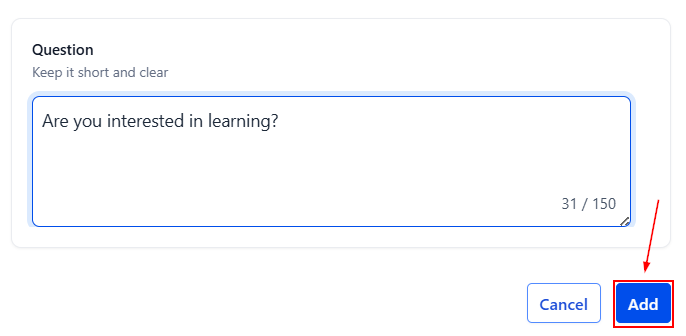
Once you have finalized your question, click the "Save" button to add it to the Membership Questions section.
Contact Custom Fields
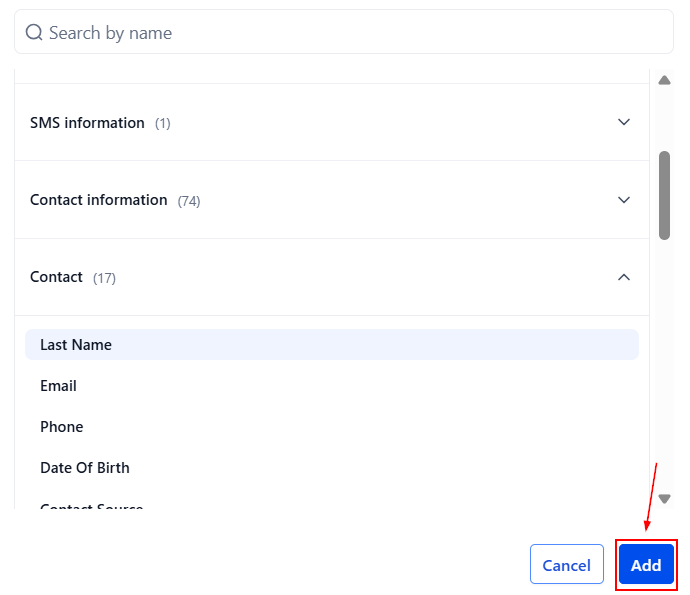
Switch to the contact custom fields tab to choose between standard fields or fields you have created within your account.
After selecting your question, click the "Add" button to add it to the Membership Questions section.
Once a member completes and submits their responses during the joining process, the associated fields are updated automatically. The submitted information can be found in the Contact Details section within the corresponding custom field folder.
Managing Responses
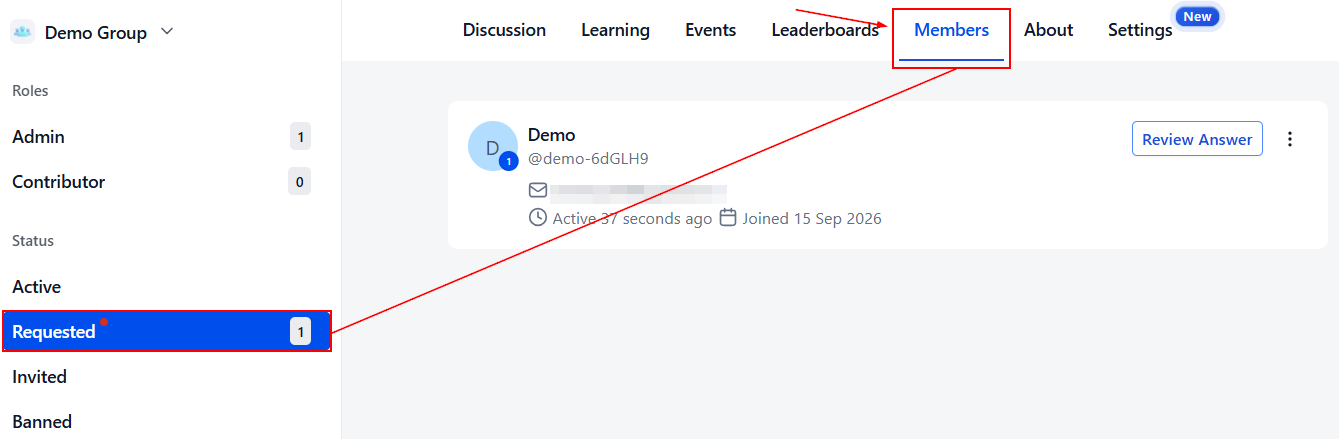
Once viewers request to join your Community, you can monitor their responses by navigating to the Members tab and selecting the "Requested" option.
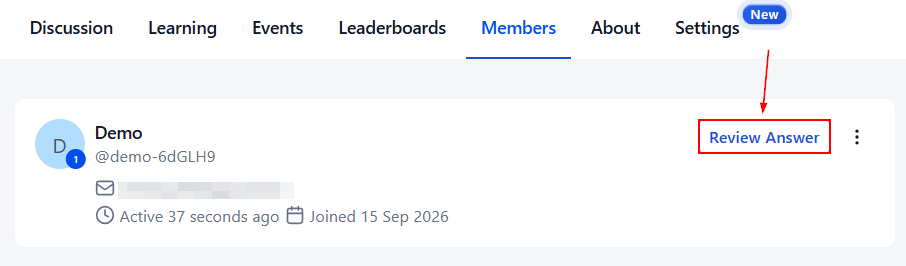
Click the Review Answer button next to a member's name to access their Membership Answers.
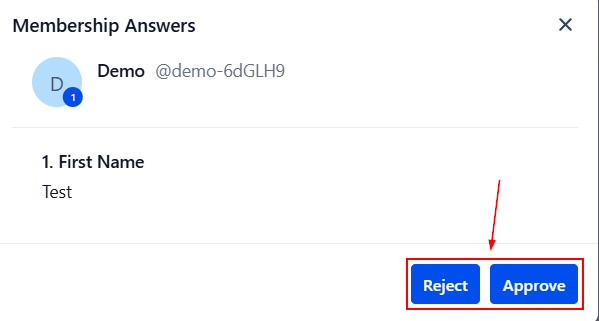
Based on their responses, you can choose to Approve or Decline their membership request.
By leveraging custom member approval questions, you can collect valuable information from prospective members, ensuring alignment with your community's values and standards. Follow these steps to enhance your member approval process and contribute to fostering a thriving, cohesive community.