
Learning Tab (Courses)
The learning tab gives you another point of contact with your communities; this added connection can turn a regular group lurker into a proactive brand advocate. Your courses let you create learning opportunities for your clients, offer extra value to your audience, and, with paid offers, even turn your audience's attention into revenue.
Adding a Course
Admins and Owners can easily add courses to the Learning Tab by clicking on the "Add Courses" option. This process is straightforward and user-friendly. To start, click on +Add Course; this will open a pop-up window.
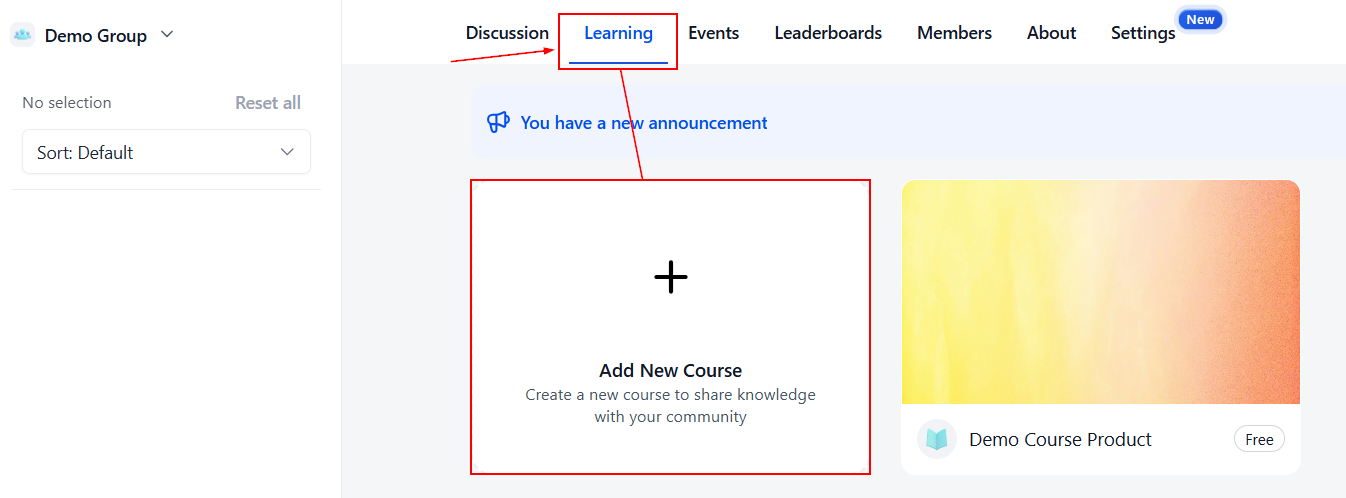
Select the Course you want to add from the dropdown menu.
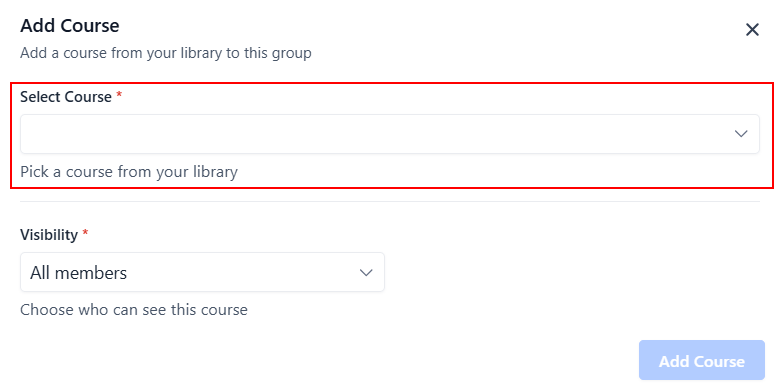
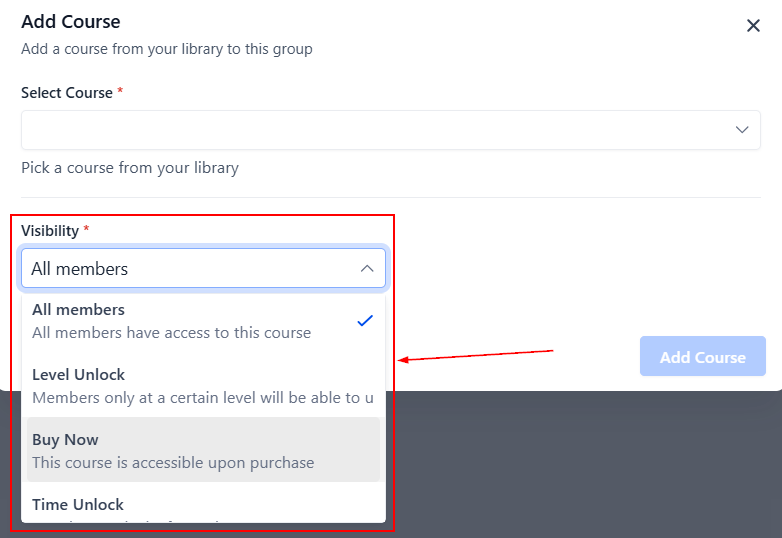
Define the course visibility- whether you will allow all members to have open access to the community, require members to reach a specific leaderboard level, make a one-time payment or subscription, or wait for a predefined duration after joining to unlock access.
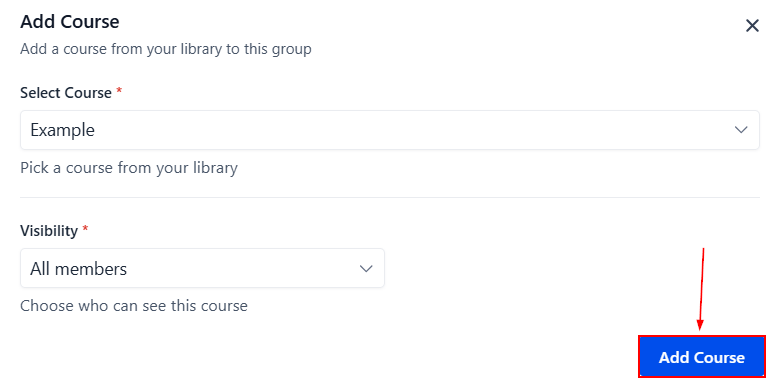
After completing the steps above, click the “Add Course” button. This will add the course to your group for all your community members to be able to access it.
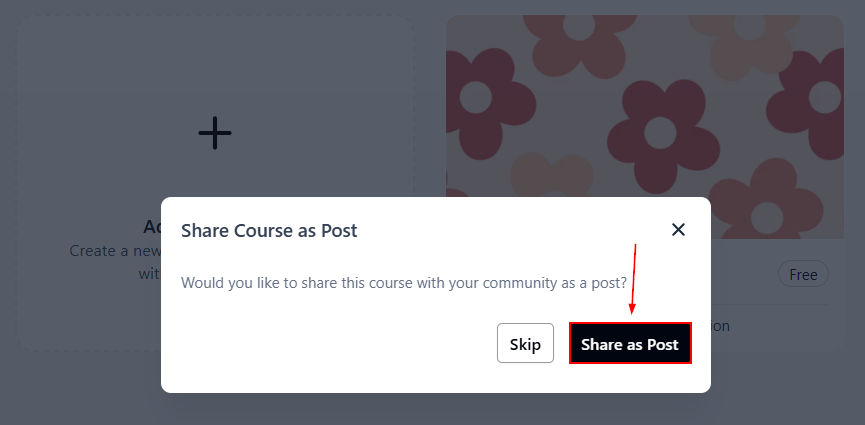
Share as Post
To ensure that no one misses the exciting learning opportunities, you can inform your members about the new course offering by clicking the “Share as Post” button.
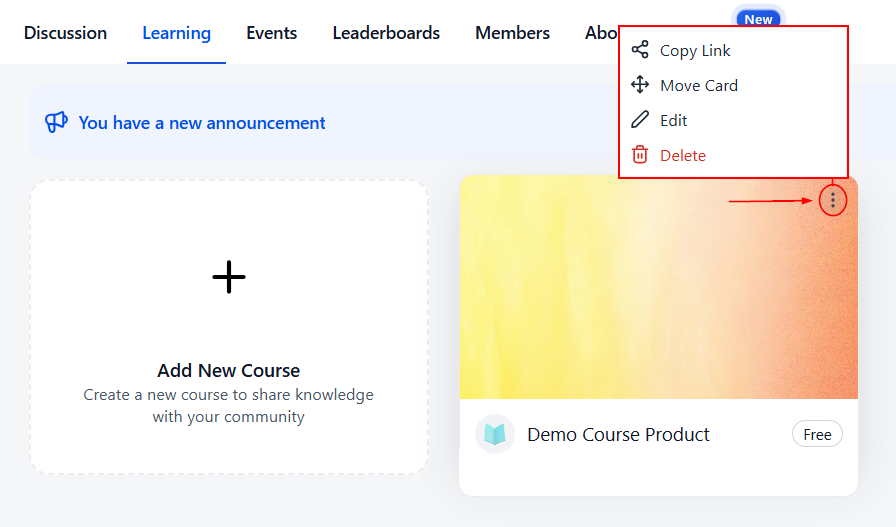
Option Menu
Sometimes course offerings may need to be updated, changed, or even removed. Clicking the ellipsis icon on top of a course will open the options menu, so you can manage the selected course.
That's all there is to know about the Learning tab! Gain more lasting customers today by taking advantage of this feature.