
Featured Posts (Pinned Posts)
The "Featured Posts" feature grants community admins and owners the ability to highlight essential content within channels and on the home timeline. By elevating the visibility of key posts, this tool ensures that important information is prioritized and easily accessible to all users. This feature not only enhances content management but also improves communication by making sure critical updates, announcements, or discussions are prominently displayed where they can be easily seen.
Pinning a Post
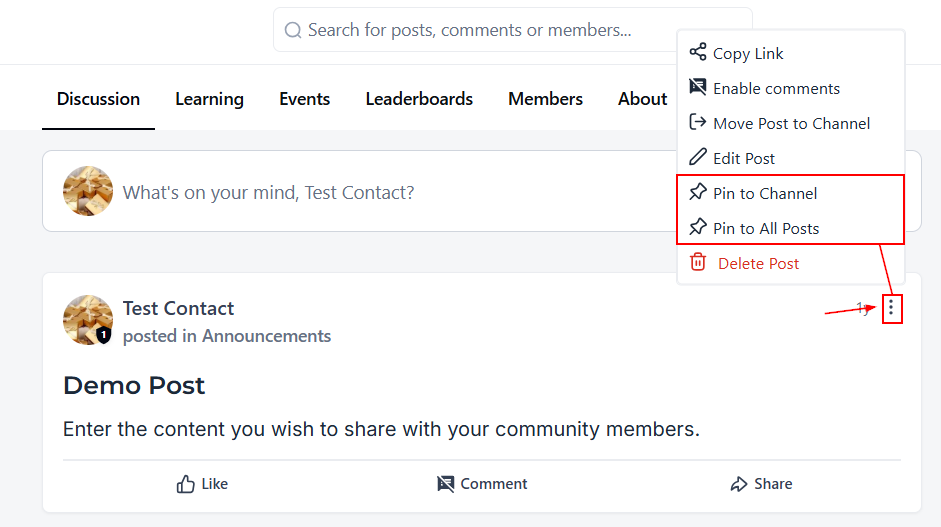
Start by locating the post you want to highlight, then clicking the three-dot menu in the upper-right corner of the post.
You’ll see two options:
- Pin to Channel – Places the post at the top of the channel where it was originally posted.
- Pin to All Posts – Places the post at the top of the home timeline, making it visible as a featured post across the main feed.
Choose the option that best fits where you want your members to see the post.
Pin to Channel
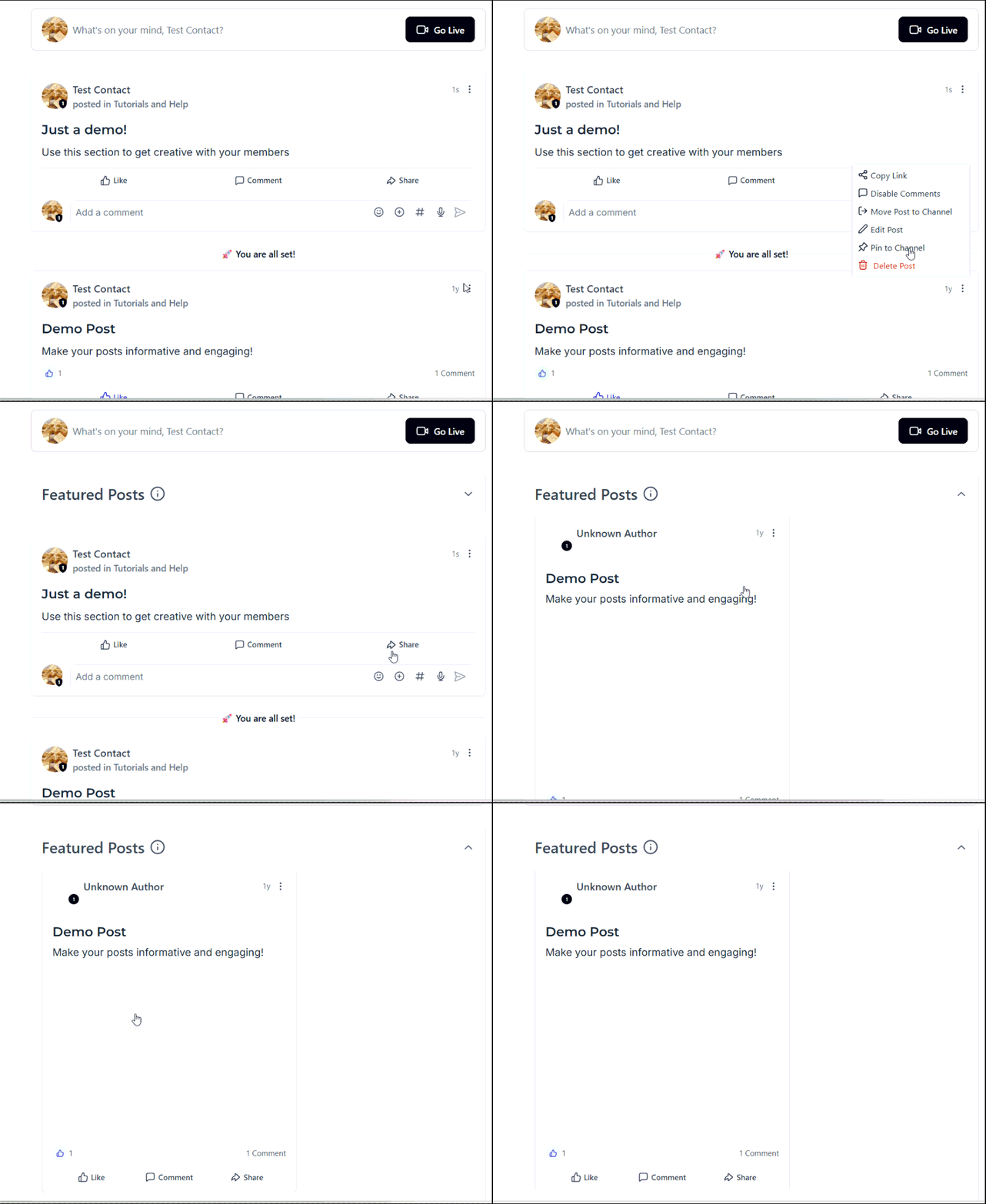
When you choose Pin to Channel, the post will appear at the very top of that channel’s content feed.
This is useful when you want to highlight information that is specifically relevant to members of that channel, such as a channel announcement, important discussion, or course-related update.
Pin to All Posts
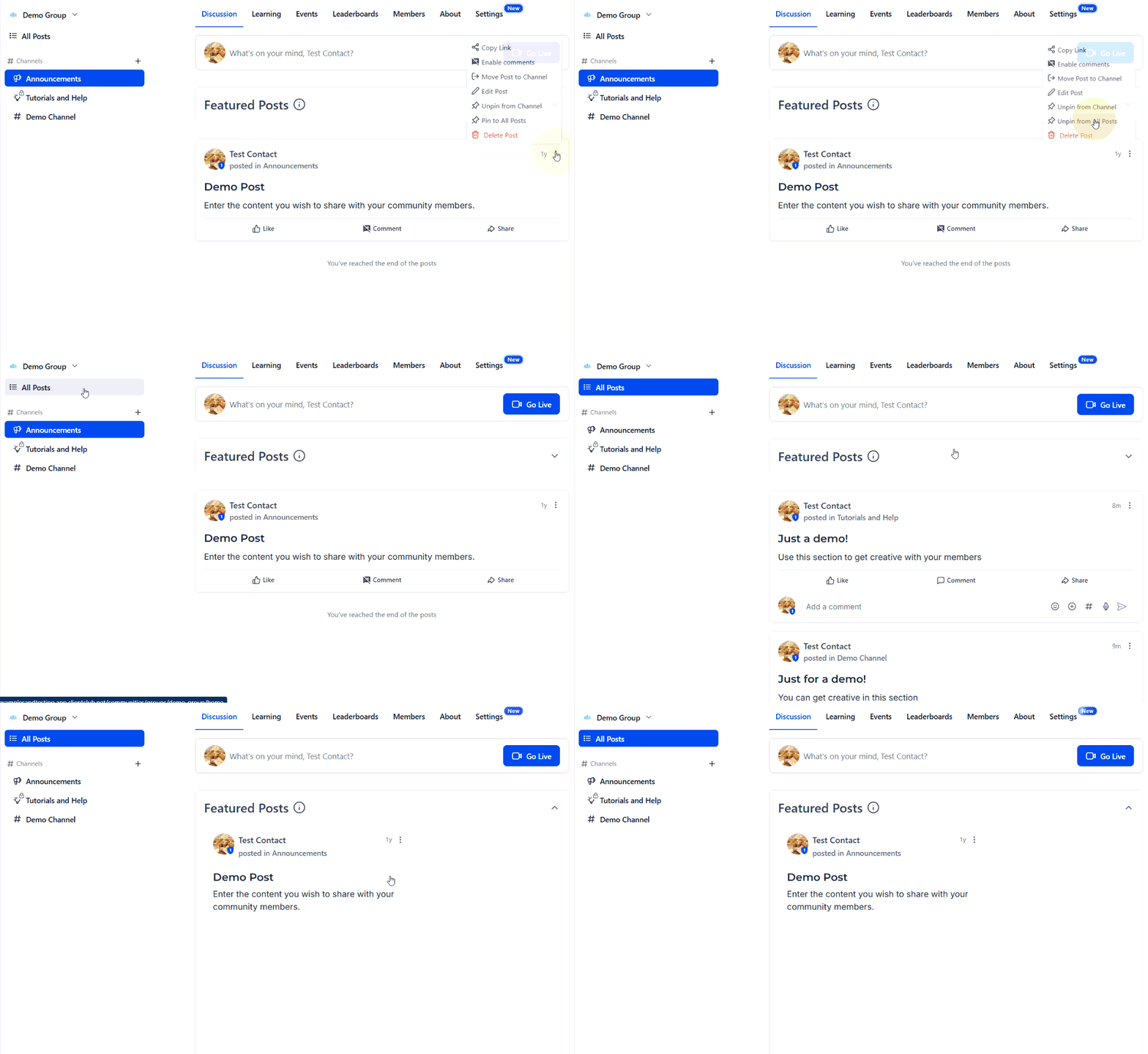
When you choose Pin to All Posts, the post will be displayed at the top of the home timeline.
This makes the post more visible to members as they browse the main feed and is useful for important updates that you want to bring to everyone's attention.
How to Unpin a Post
You can remove a post from its pinned position at any time. To do so, find the pinned post you want to remove, then click the three-dot menu in the upper-right corner of the post and select Unpin.
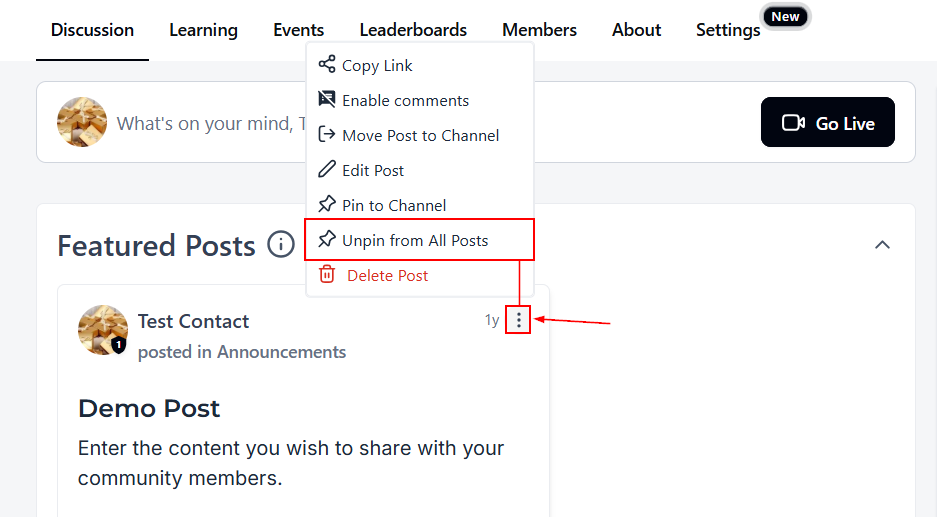
The post will no longer appear at the top of the channel or home timeline, depending on where it was pinned. It will remain in its original location and can be accessed normally.
With these options, you can keep important updates easy to find while making sure the right content gets visibility in the right place.