
Content Moderation in Communities
Content moderation helps community administrators maintain a safe and respectful environment by identifying potentially inappropriate posts and comments before they become visible to other members. With keyword filtering, member reporting, and moderation notifications, community guidelines can be managed more efficiently.
Configure Content Moderation
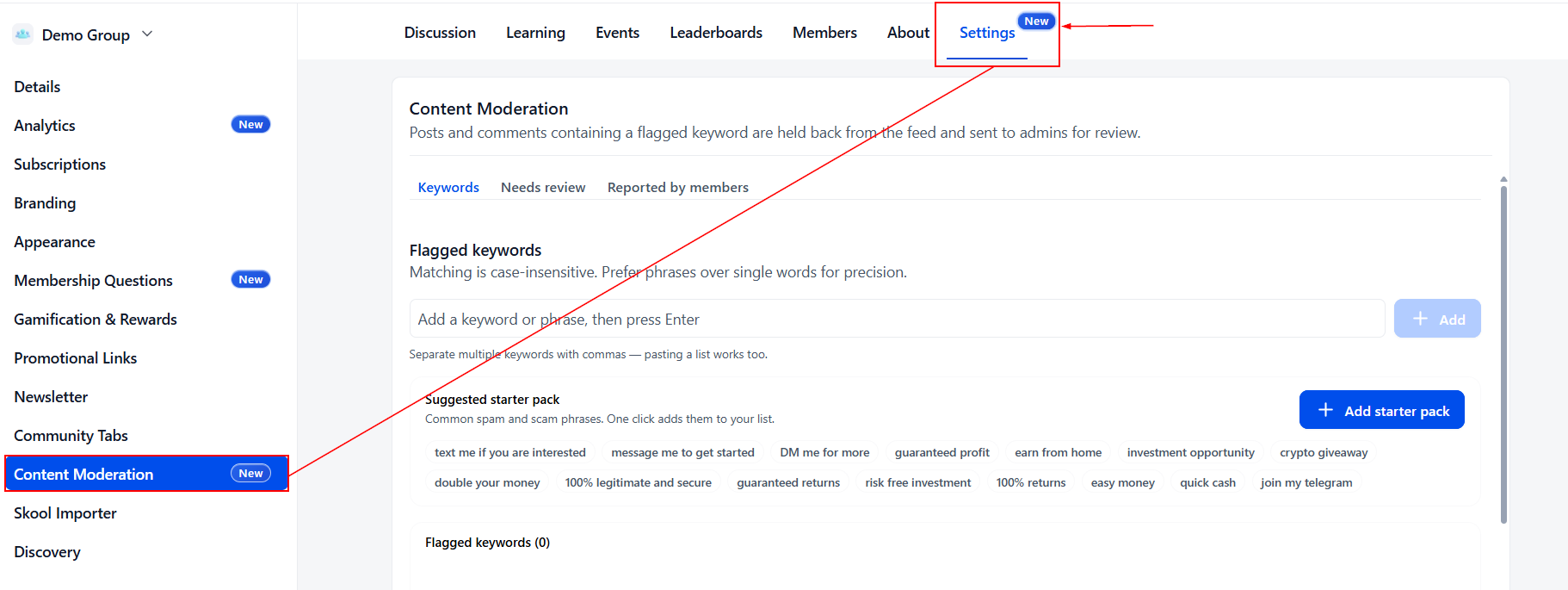
Navigate to Settings → Content Moderation to configure your moderation rules.
Keywords
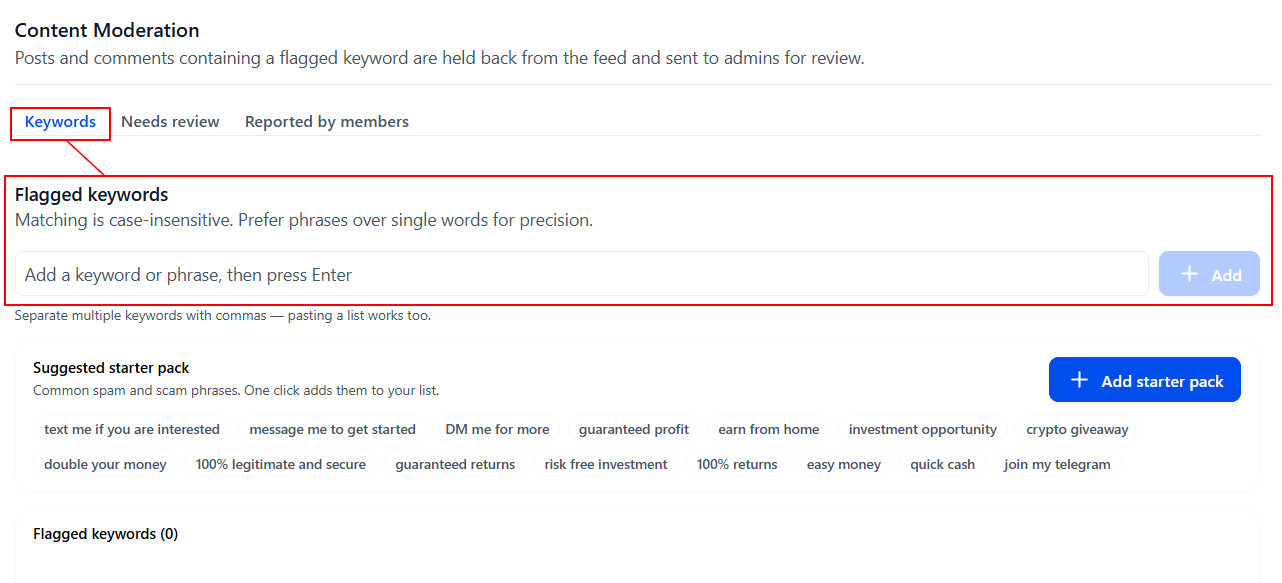
In the Keywords tab, you can enter words, phrases, or domains that should trigger a review. Matching is case-insensitive, so uppercase and lowercase variations do not require separate rules.
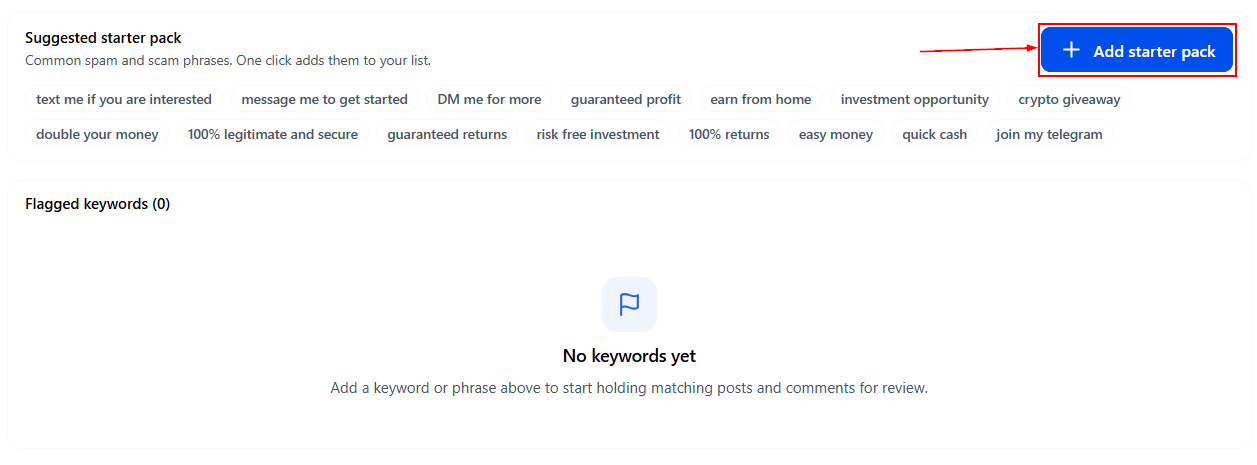
Click the “+Add Starter Pack” button to load suggested keywords commonly associated with spam and scams to get started quickly.
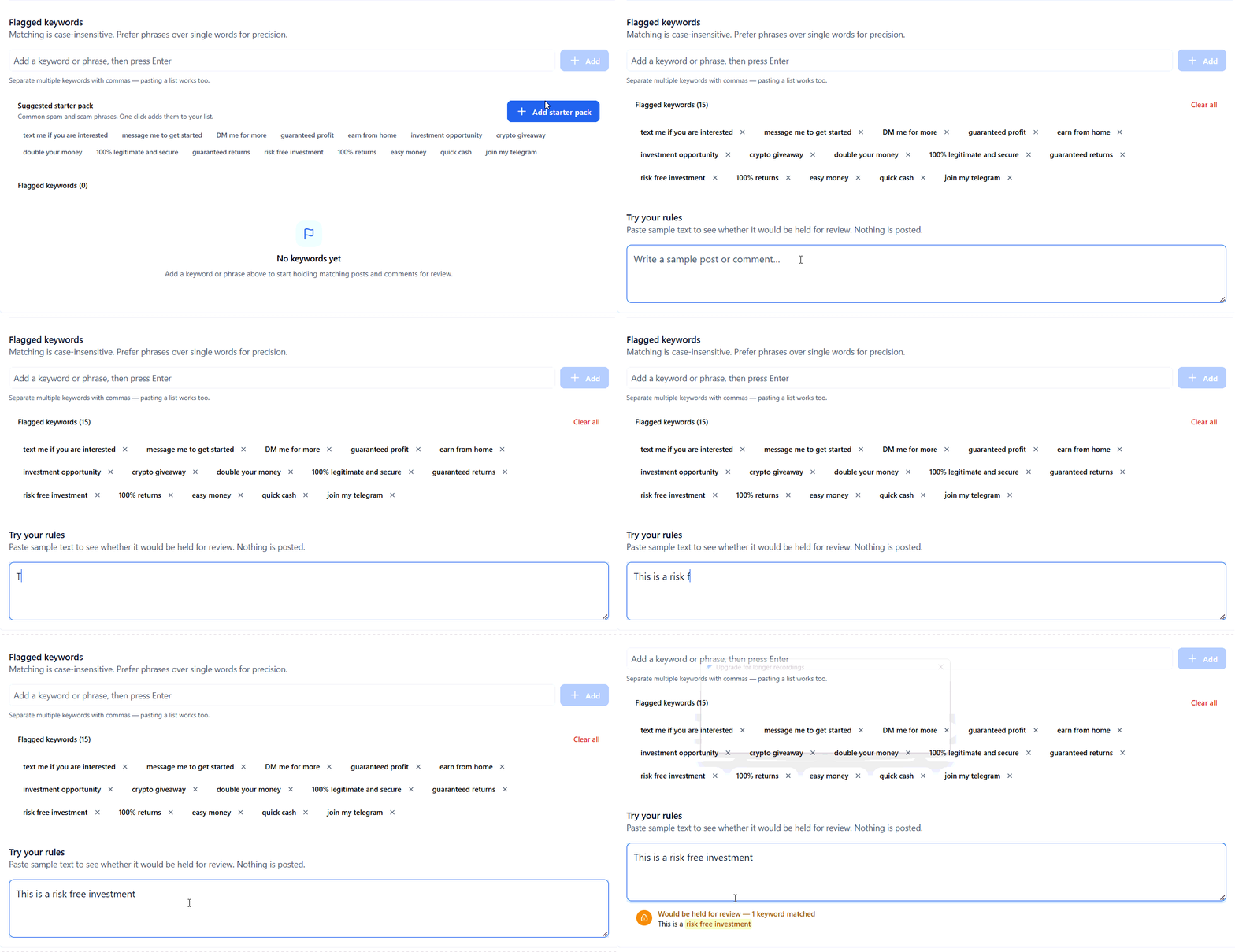
Then, try your rules by pasting sample text into the testing tool to check whether your keywords would flag the content before applying them in your community.
Review Flagged Content
When a member's post or comment matches a moderation rule, it is automatically held for review and appears in the Needs review tab.
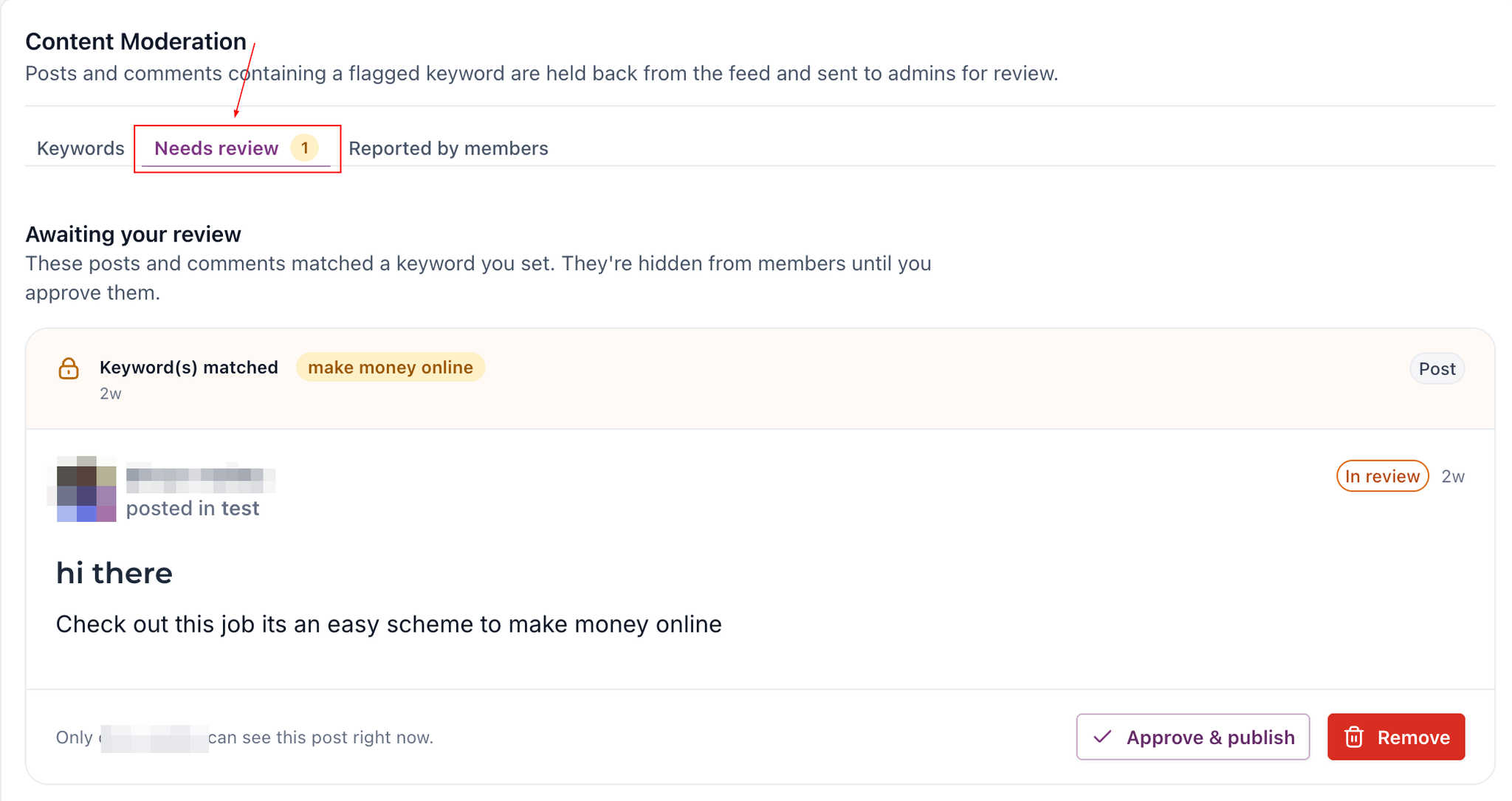
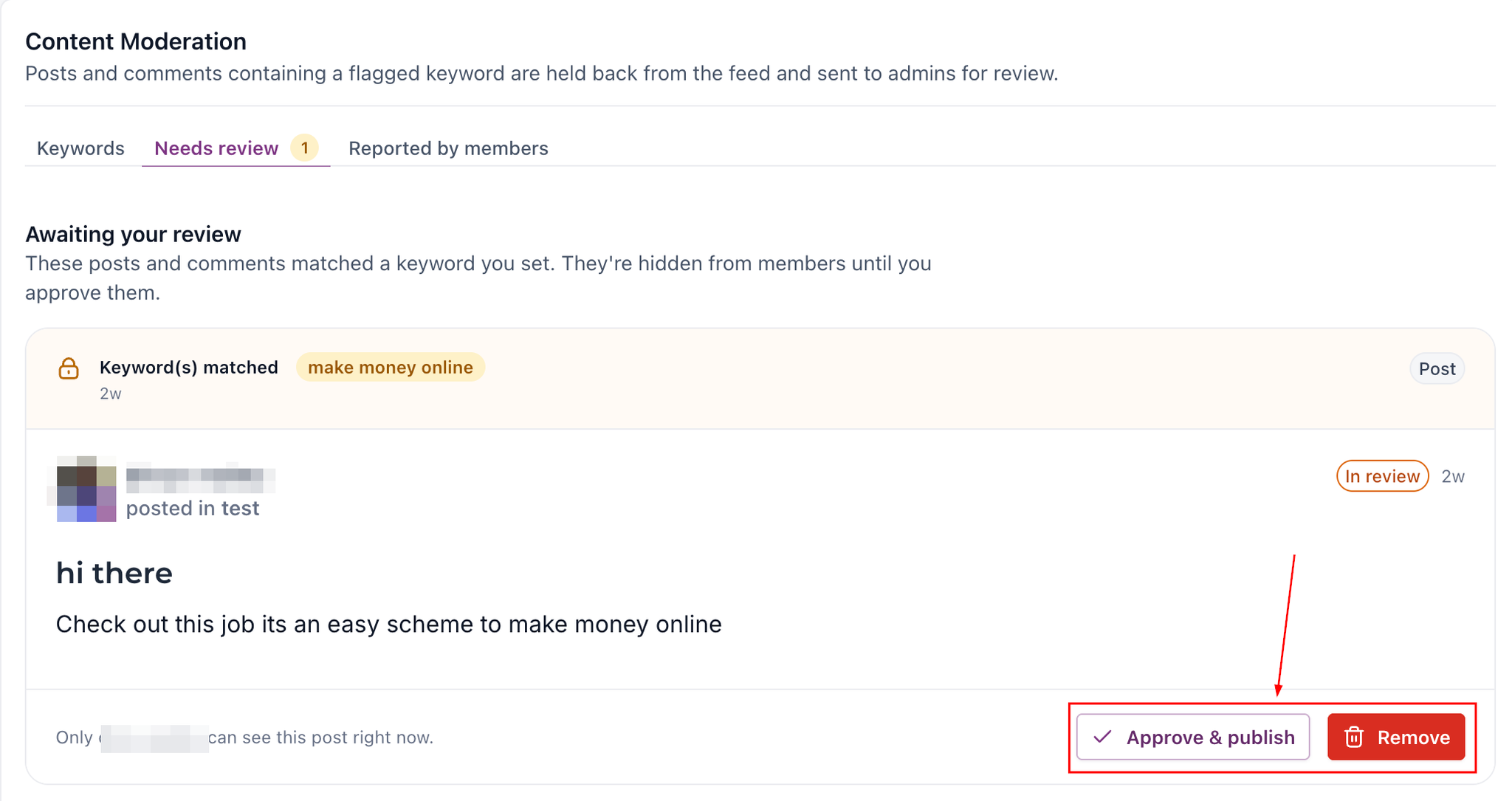
To review a submission, open it to preview the full content and identify the keyword that triggered the flag. You can then choose to:
- Approve & publish: Make appropriate content visible to the community.
- Remove: Prevent content that violates your community guidelines from being published.
While a submission is pending, it remains hidden from other members, but the author can see it on their timeline with an In review status.
Manage Content Reported by Members
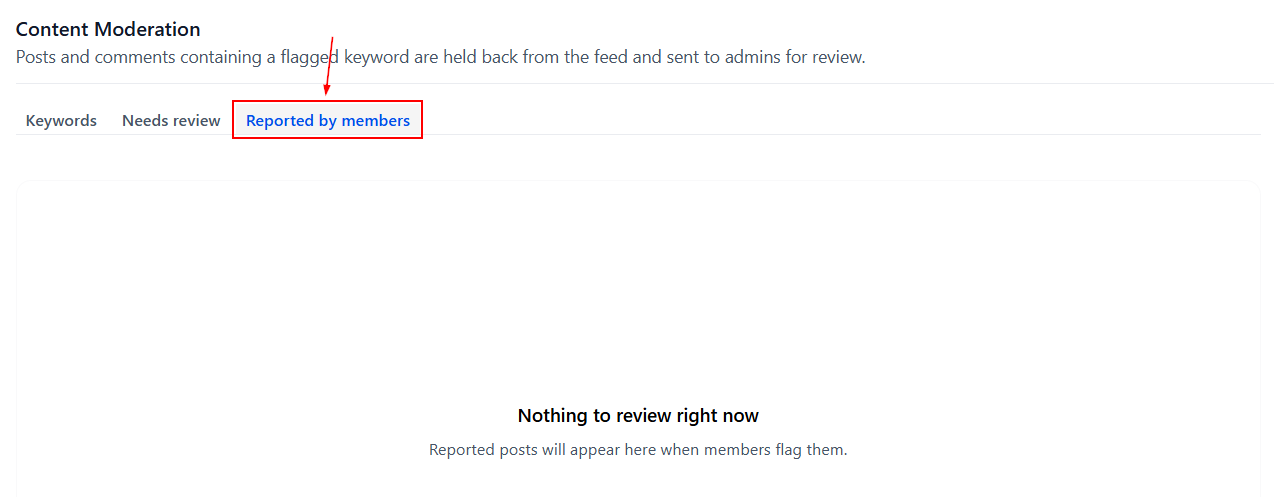
Open the Reported by members tab to review posts and comments flagged by community members.
Examine the reported content and its context before deciding whether action is necessary. You can then select:
- Keep: Leave the content available in the community.
- Remove: Remove content that violates your community guidelines.
A member report is a request for review, not automatic proof of a violation.
Receive Moderation Notifications
Administrators receive notifications through email, in-app alerts, and push notifications when content is flagged. These alerts help you stay informed and review pending submissions promptly.
Note: Keyword moderation rules apply to member-generated content. Posts and comments created by community administrators and owners are not held for review by these rules.
By reviewing flagged content carefully and responding to reports consistently, administrators can protect their community while allowing meaningful conversations to thrive.