
How to Rearrange Channels in Communities
Communities promote interaction with your audience and help you build a connection with like-minded individuals interested in your business. Having a community allows you to create aware and interested clients who get your products/services and serve you as brand ambassadors who expand your audience even more.
One of the most important things to keep those communities alive and thriving is to prioritize common interests. Is your audience more interested in learning, or maybe they are more interested in interacting with each other? By arranging the Channels, you can highlight the most important aspects for everyone in your community.
How To?
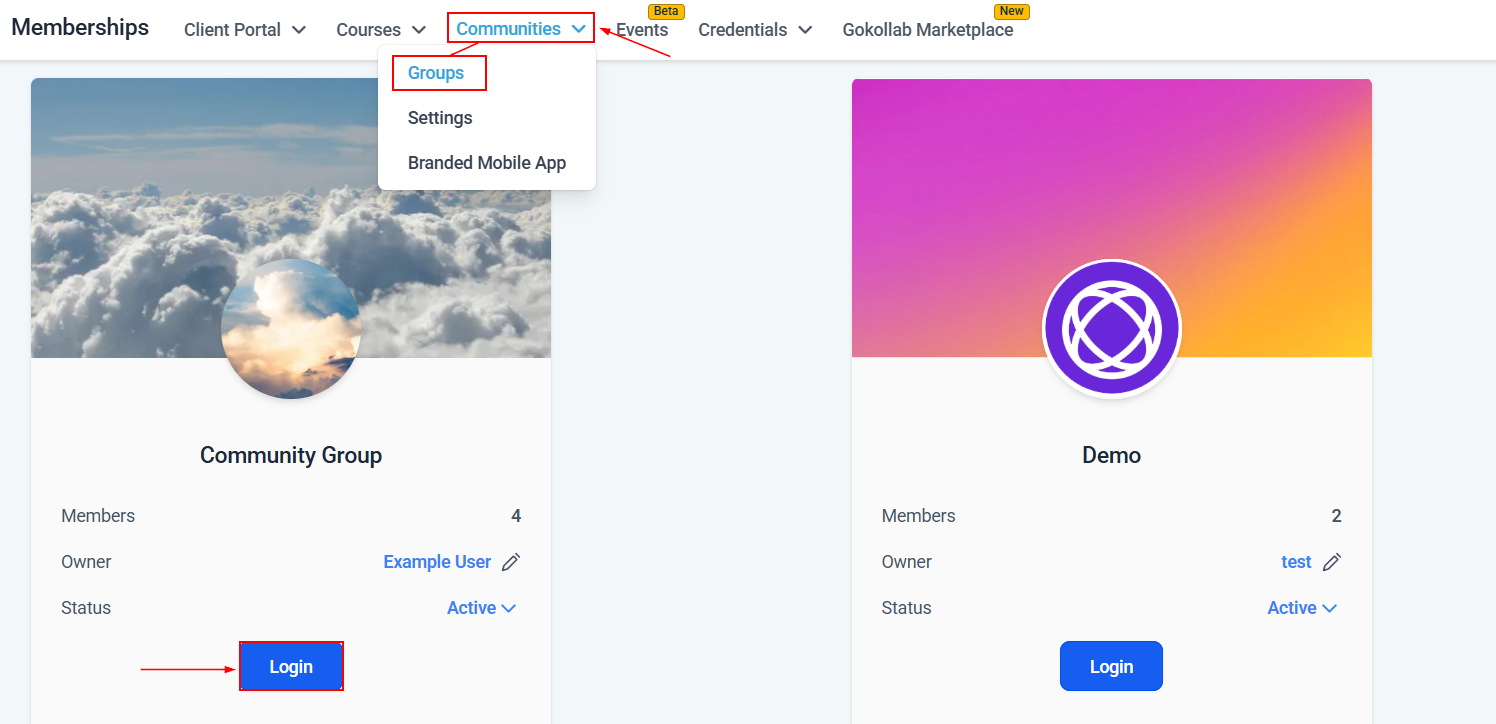
To open your group, access the Community Groups tab inside the Memberships section and click the Login button.
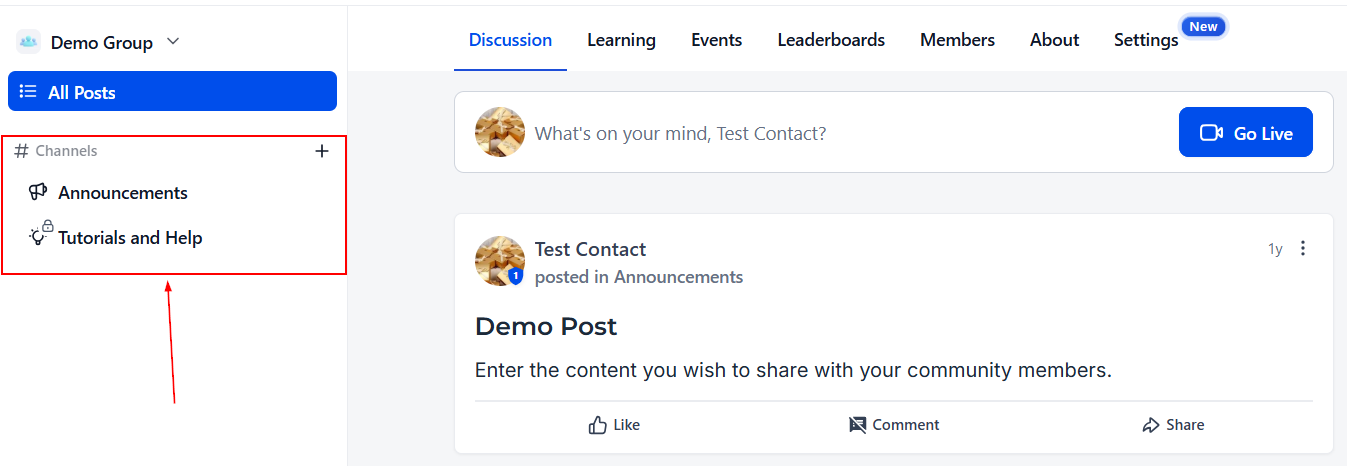
Inside your Group, go to the left sidebar, where your channels are.
To reorganize them, click the channel you want to move, and then drag and drop it into the new position.
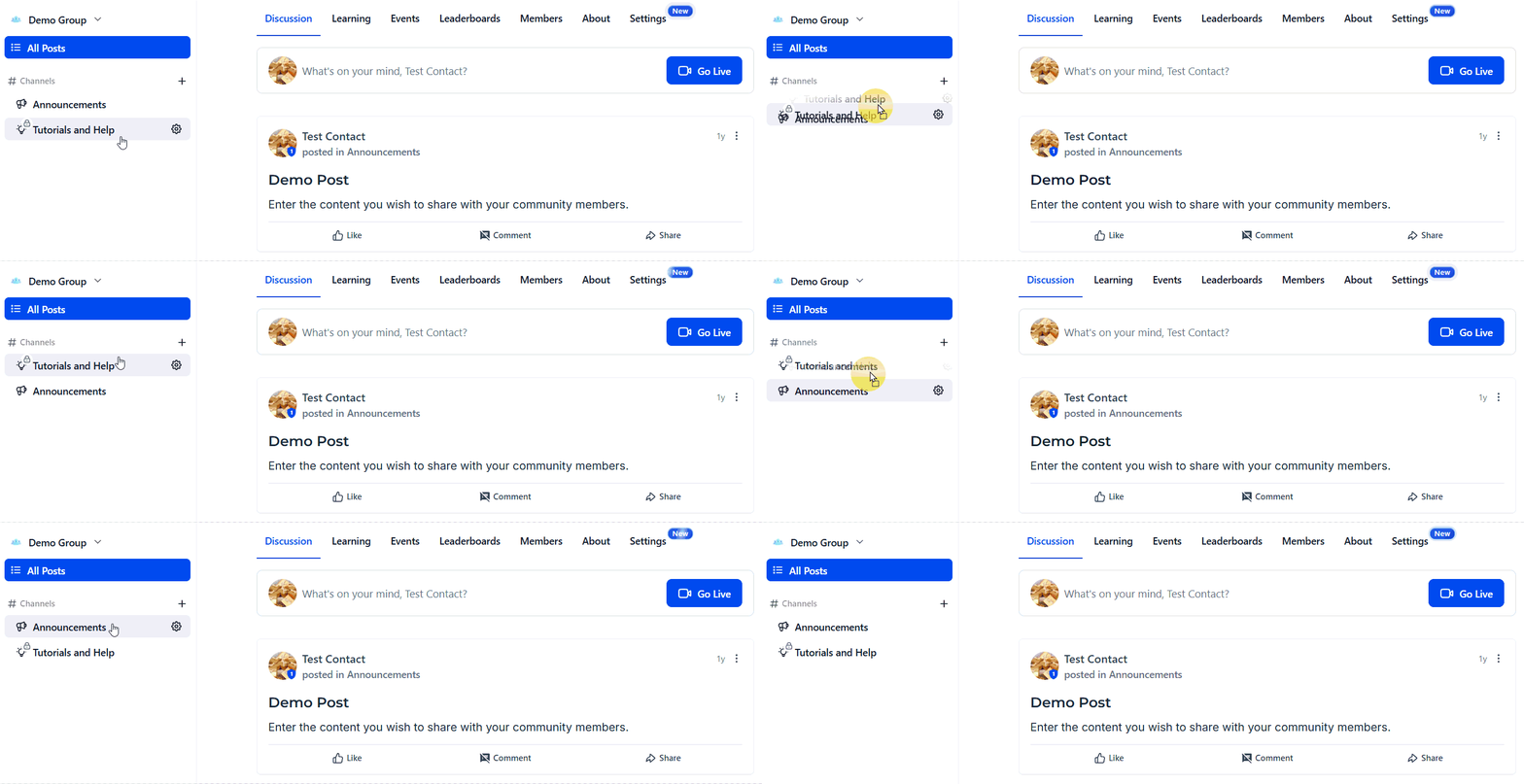
Your new order will be automatically applied for all members, ensuring they see what matters the most in your Community.
By organizing your channels around shared interests and priorities, you create a more meaningful experience for your members. Use this structure to guide interaction, deepen connections, and turn your community into a powerful driver of growth for your business.