
Task Widget
The Task Widget is designed to enhance your task management experience, offering a range of features to ensure your workflow remains organized and efficient. Whether you're tracking tasks or prioritizing your to-do list, this widget provides an intuitive interface and valuable insights. By leveraging its real-time visibility and improved user controls, you will be able to manage your tasks effortlessly and stay on top of your daily activities with ease.
Benefits of the Task Widget
- Effortless Task Management: The intuitive user interface simplifies the process of tracking and managing tasks. You can easily link tasks with objects, set due dates, and manage task descriptions without hassle.
- Enhanced Visibility: The widget offers a streamlined display, showcasing important task details such as the task title, due date, contact name, and assigned user at a glance. This allows for efficient task prioritization.
- Improved User Control: With actions such as edit and delete, along with additional options for viewing more details and filtering tasks based on users, you have more control over your task management, ensuring a more organized and user-friendly experience.
Using the Task Widget
Access the Task Widget
Head to the dashboard within your account, then locate the task widget.
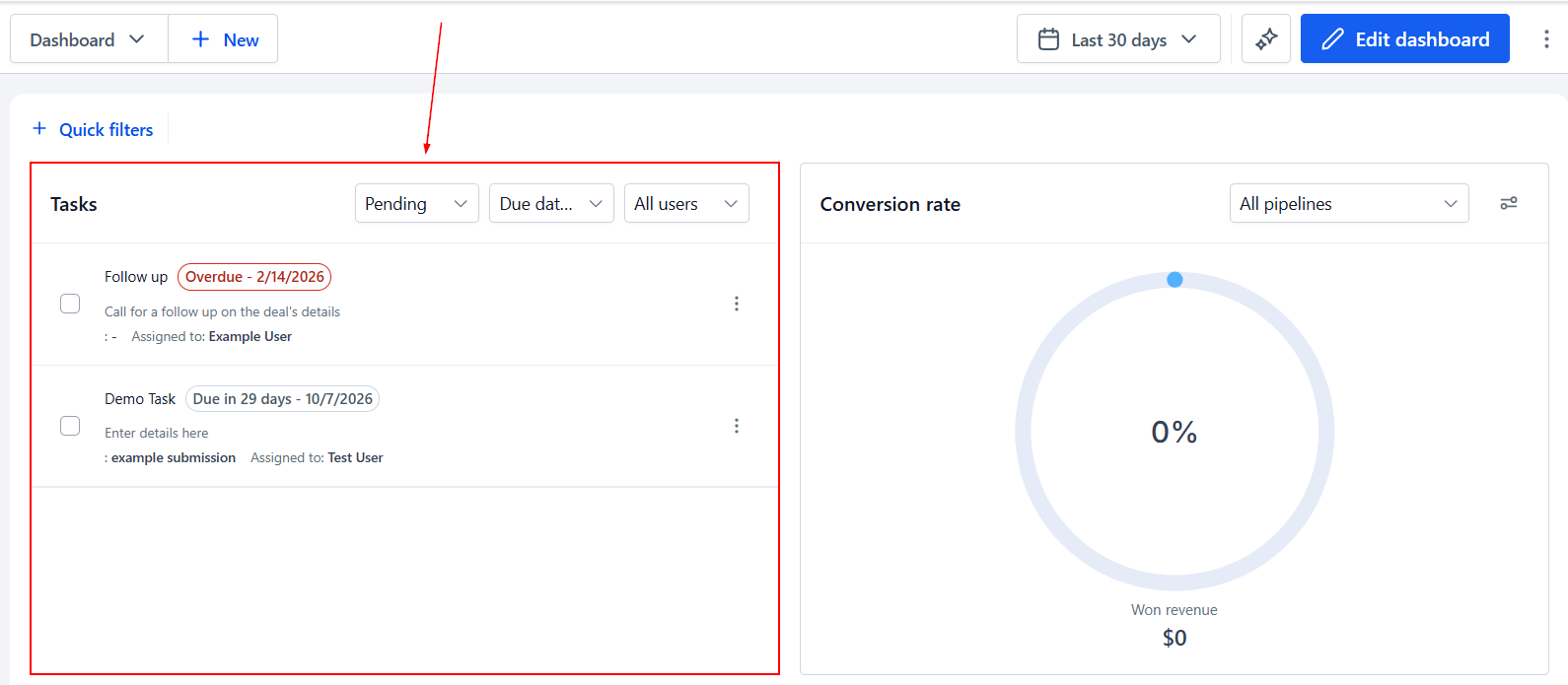
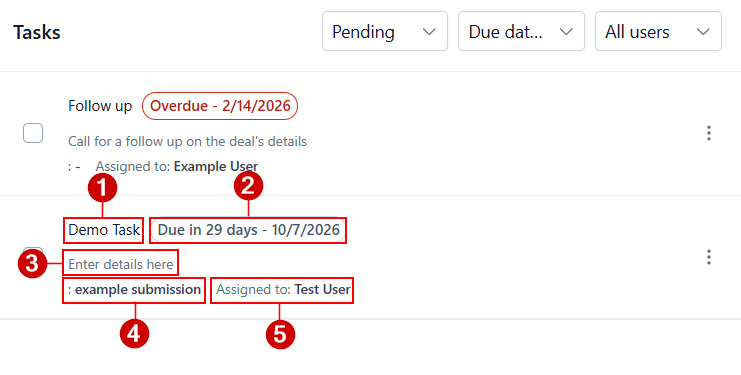
Easily identify key details of each task, including its:
- Title
- Due Date
- Description
- Associated object (if any)
- User it is assigned to
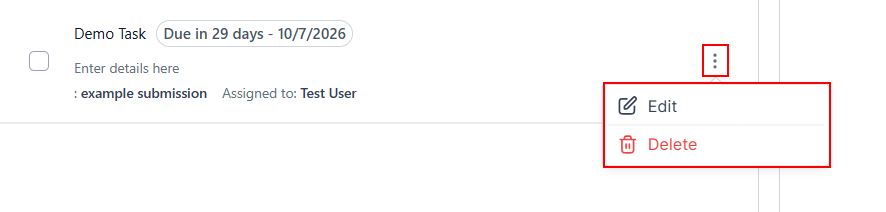
Actions
By clicking on the three dots next to each task, you can edit or delete tasks as needed, giving you flexibility in managing your tasks.
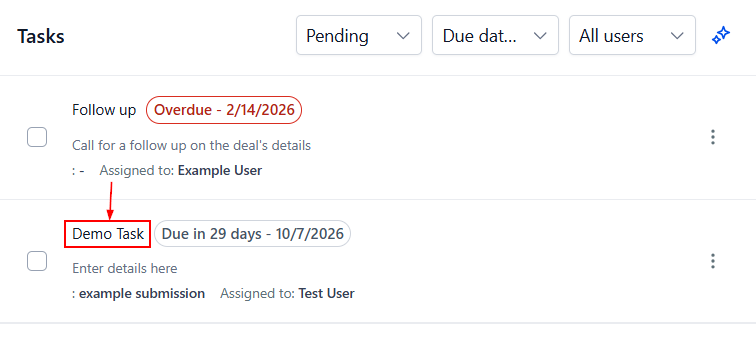
Clicking the task title lets you navigate directly to the related page, linking tasks and associated objects seamlessly.
Filtering and Sorting
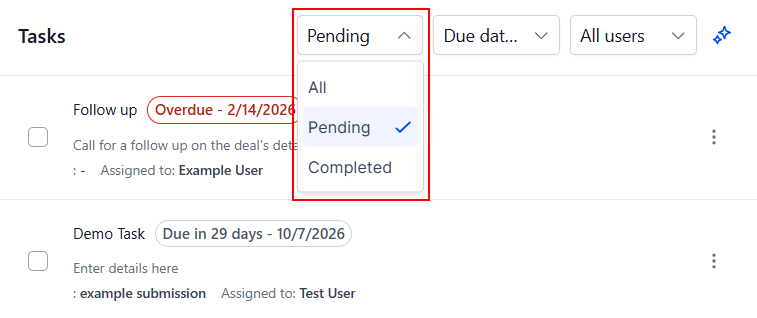
Filter tasks by their pending or completed by selecting the appropriate option from the Status dropdown menu.
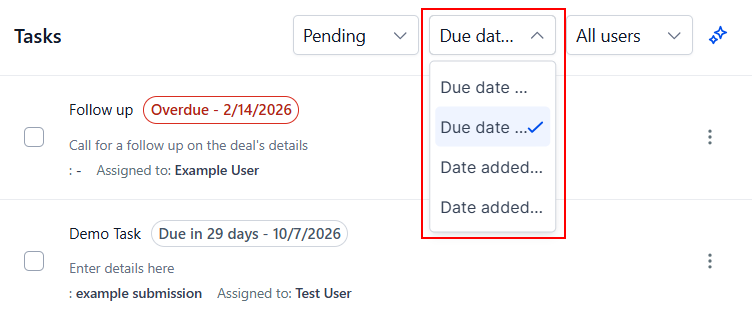
You can also adjust the sort order to your preferences, choosing ascending or descending by due date or date added.
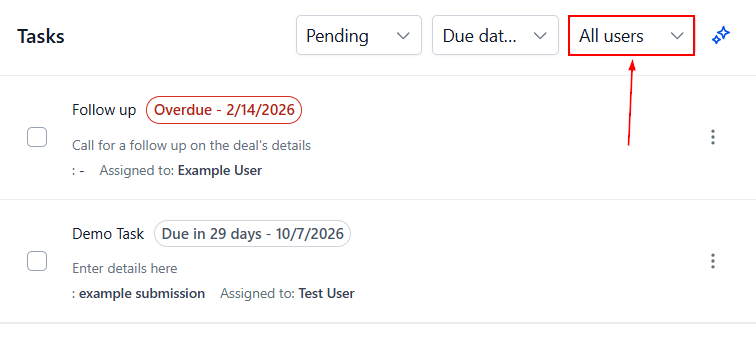
Select the Users dropdown to filter tasks by team members.
Marking Tasks as Completed
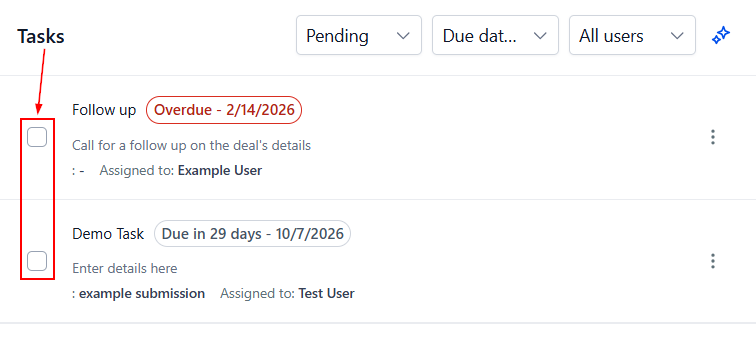
Finally, mark tasks as completed by checking the box next to it.
With the Task Widget, you can optimize your task management, ensuring greater efficiency and clarity in your daily operations. From streamlined task visibility to enhanced user control, this tool empowers you to stay organized and in control of your responsibilities.