
Dashboard Opportunity Date Filter
The Opportunity Date Filter is a dashboard feature that allows users to refine and analyze opportunities based on three critical dates: the opportunity's creation date, the date of the last update, or the newest status change date. This functionality is essential for customizing your dashboard to better support your business strategies and objectives.
Key Benefits
- Customized Performance Insights: Tailor your dashboard to display opportunities and sales data that reflect your strategic priorities.
- Enhanced Sales Tracking: Select between the creation date and the closing date to more effectively assess sales performance.
- Efficient Decision-Making: Obtain valuable insights into your sales metrics directly from your dashboard, enabling more informed decision-making.
Accessing the Dashboard
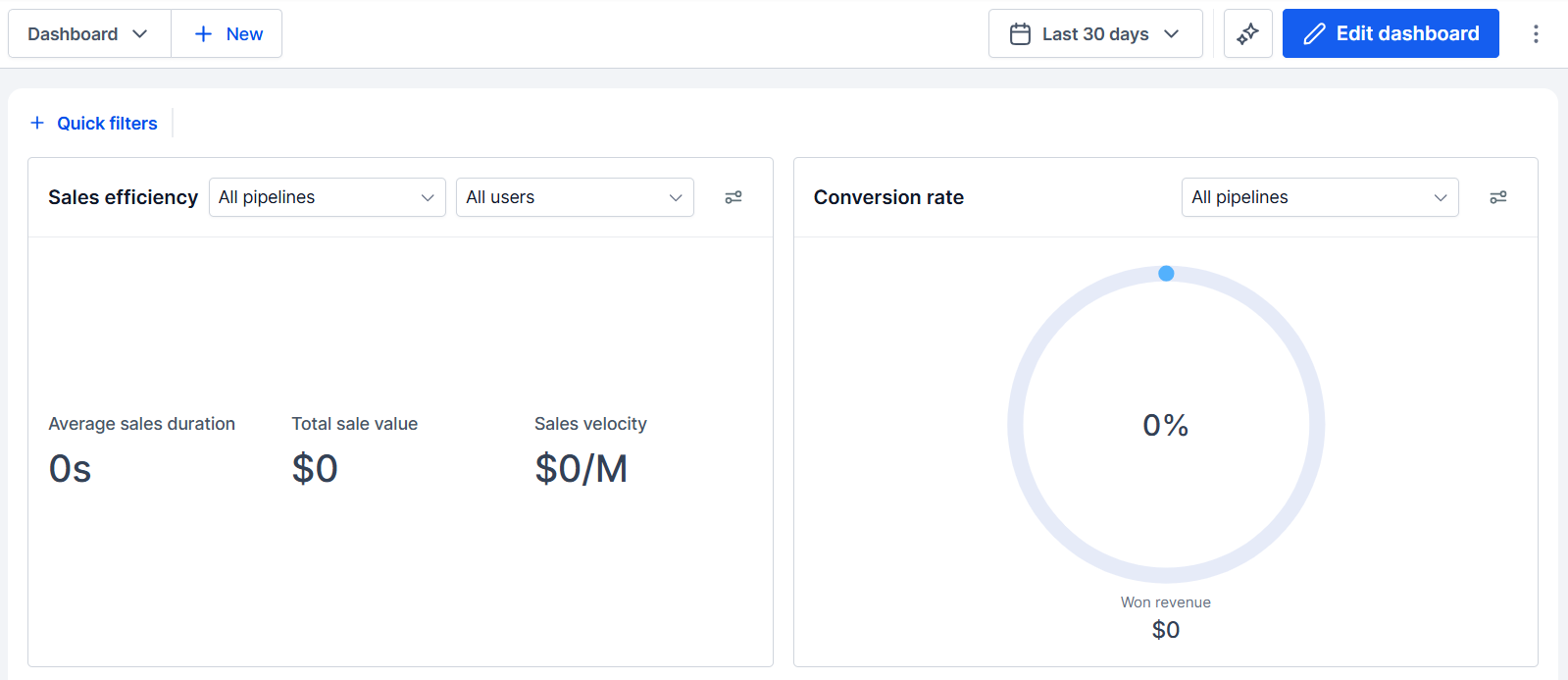
Begin by clicking the dashboard tab in the left sidebar menu. This will bring you to your main dashboard view.
Applying the Filter
Add the Opportunity Status or Opportunity Value widget to your Dashboard.
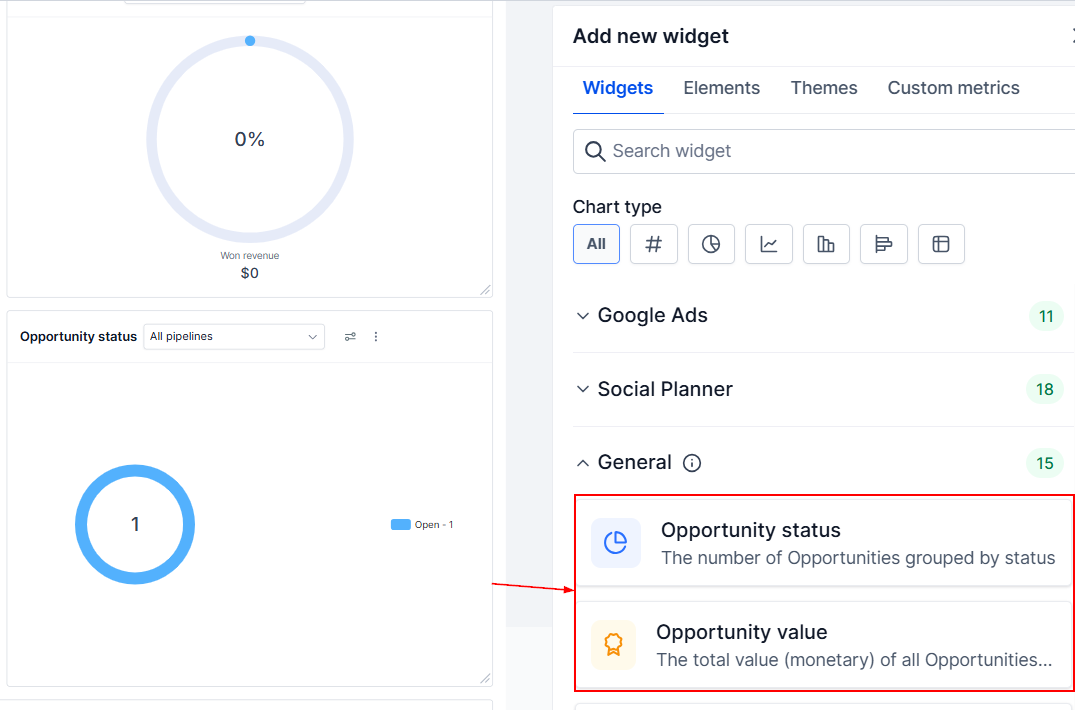
Then, locate the filter icon. You will be presented with three choices: "Status Change," "Created On," and "Updated On."
- Status Change: Use this when you want to analyze opportunities based on their most recent status change, such as when an opportunity moves to Won or Lost.
- Created On: Use this when you want to analyze opportunities based on when they first entered your pipeline.
- Updated On: Use this when you want to track opportunities based on the most recent modification to the opportunity record.
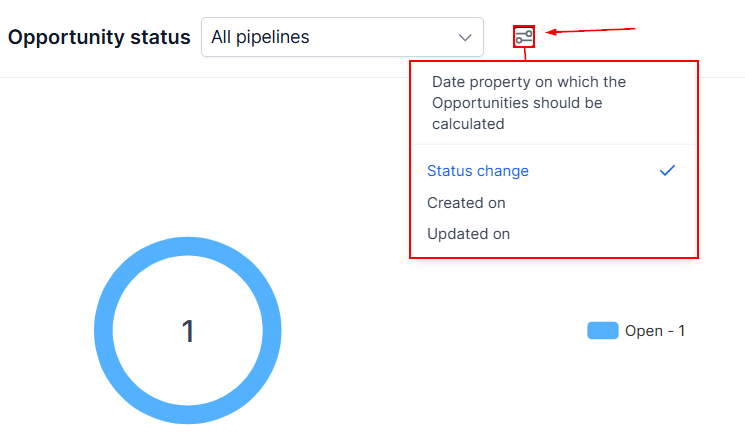
These options enable you to select the date property by which opportunities should be calculated or filtered.
Note: The filter will be applied to all opportunity cards displayed on your dashboard.
By leveraging this feature, you can gain deeper insights into your sales performance and make more strategic business decisions.
Practical Applications and Use Cases
- Sales Performance Analysis: Sales managers can utilize the filter to compare the number of opportunities created within a specific month against those that reached a closing status. This comparison helps in identifying trends and areas for improvement in the sales process.
- Strategic Business Reviews: Business owners can apply the filter based on the last status change to evaluate the effectiveness of recent sales strategies or marketing campaigns. This analysis aids in refining strategies and optimizing business performance.
Frequently Asked Questions
Q: What if the filter does not display any data?
- A: Ensure that you have opportunities recorded that meet the criteria of the selected filter. If the issue persists, refresh the dashboard.
Q: Can I apply multiple filters simultaneously?
- A: No. Currently, the Opportunity Date Filter allows the selection between the creation date and the last status change individually. For more complex filtering, consider using custom reports.