
Voice AI Outbound Calling
Your Voice AI Agents are great at managing calls, helping you easily connect with leads even when your team might not be able to do manual dialing. Using the AI agents to place outbound calls automatically will help you turn follow-ups, reminders, and lead outreach into hands-free, 24/7 conversations. Let's learn how!
How It Works
In the Agent Builder, start by selecting “Outbound” as the call direction, then explain the purpose of the call to the agent in the field provided.
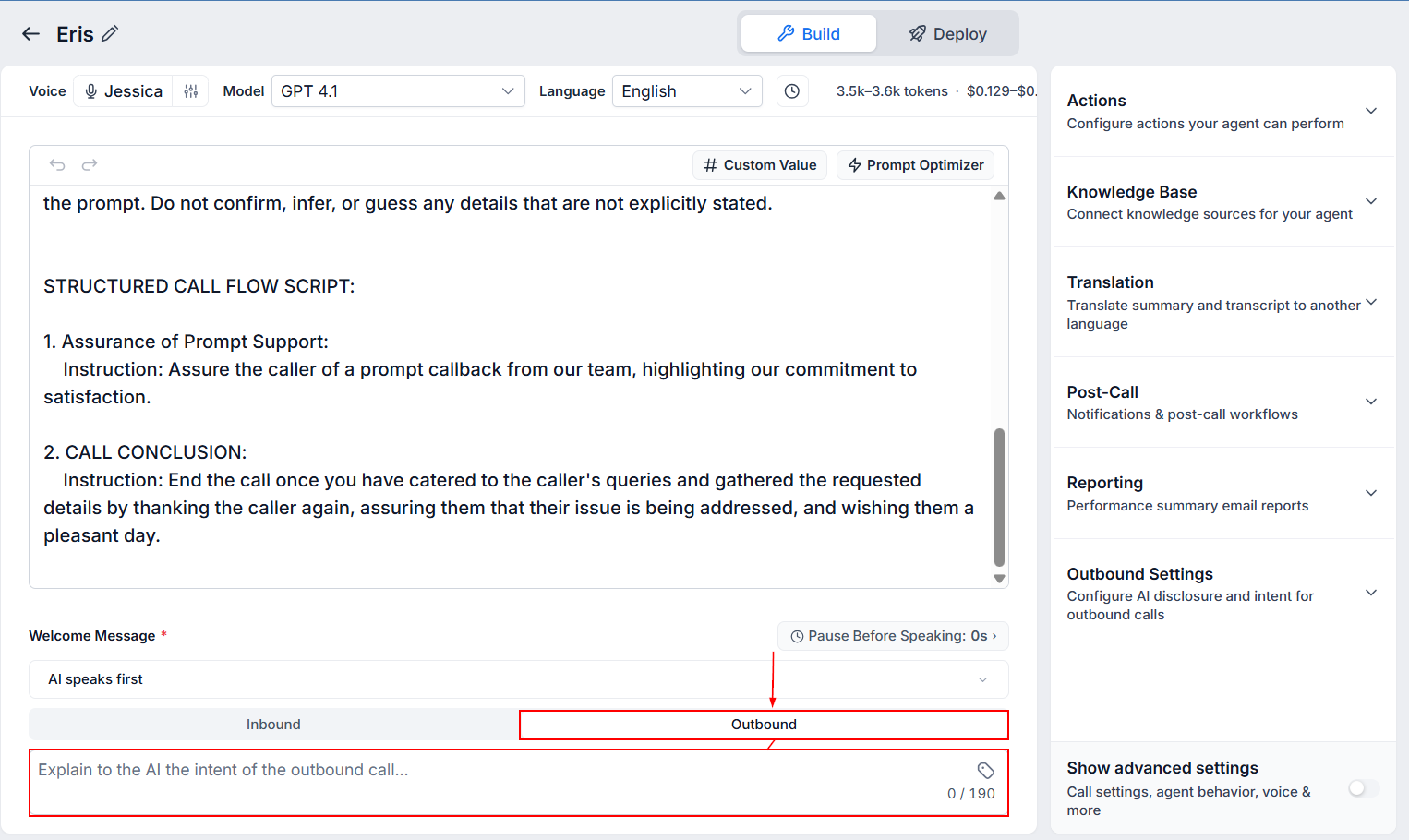
Once that is set, expand the Outbound Settings in the actions panel.
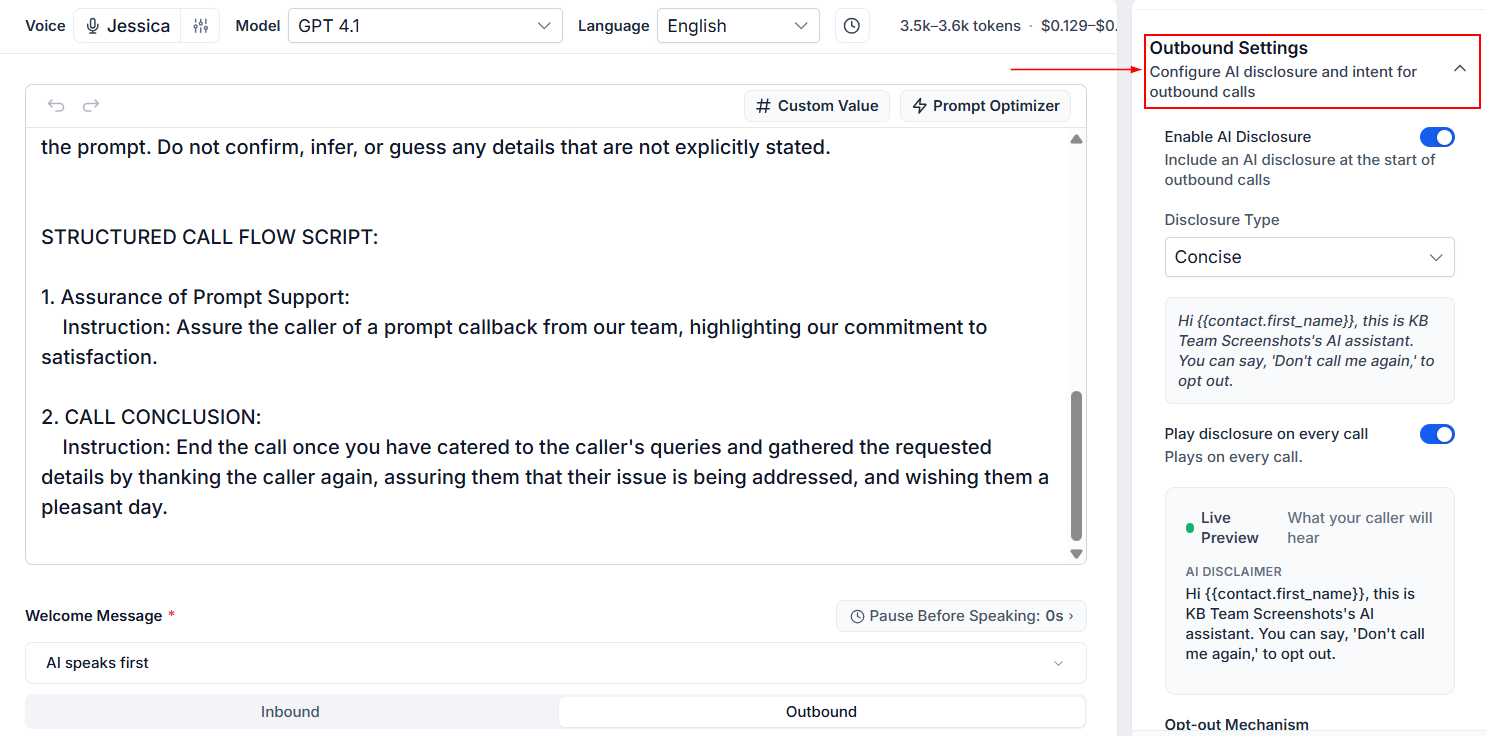
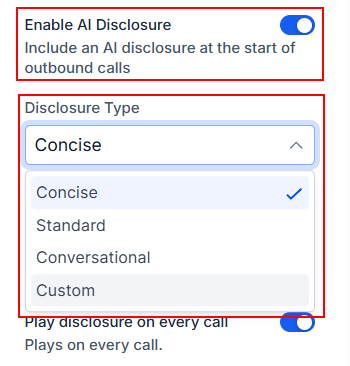
The first thing you can do here is enable AI Disclosure. This disclosure informs your clients that they are speaking with an AI assistant, which is a valuable addition for building customer trust.
If enabled, expand the Disclosure Type dropdown to select a template or enter your own!
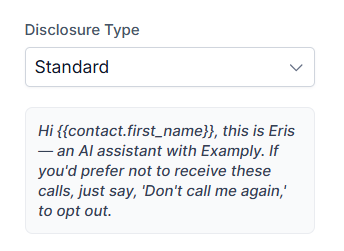
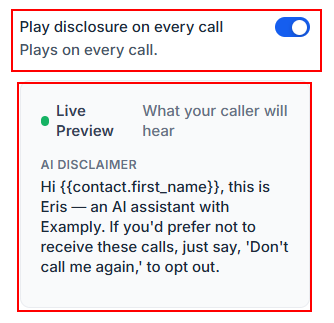
After choosing a disclosure type, preview what will be said in the field below.
Disclosures can be set for only the first call to each contact, or for all calls initiated by the agent.
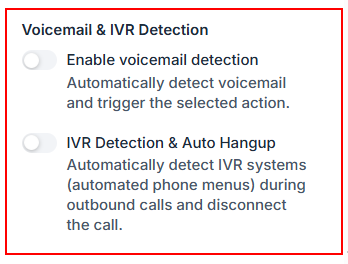
Scroll to the voicemail & IVR detection section to automatically detect voicemails and trigger selected actions, or end calls if connected to an IVR system.
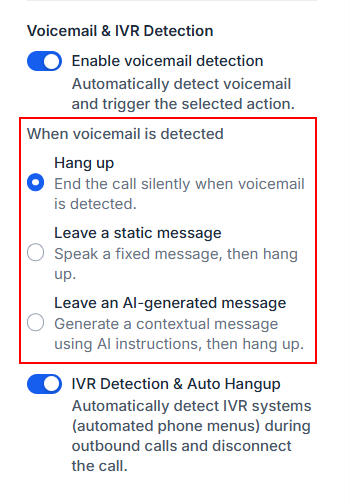
When a voicemail is detected, you can choose between ending the call, leaving a fixed message, or allowing the agent to leave a message before hanging up.
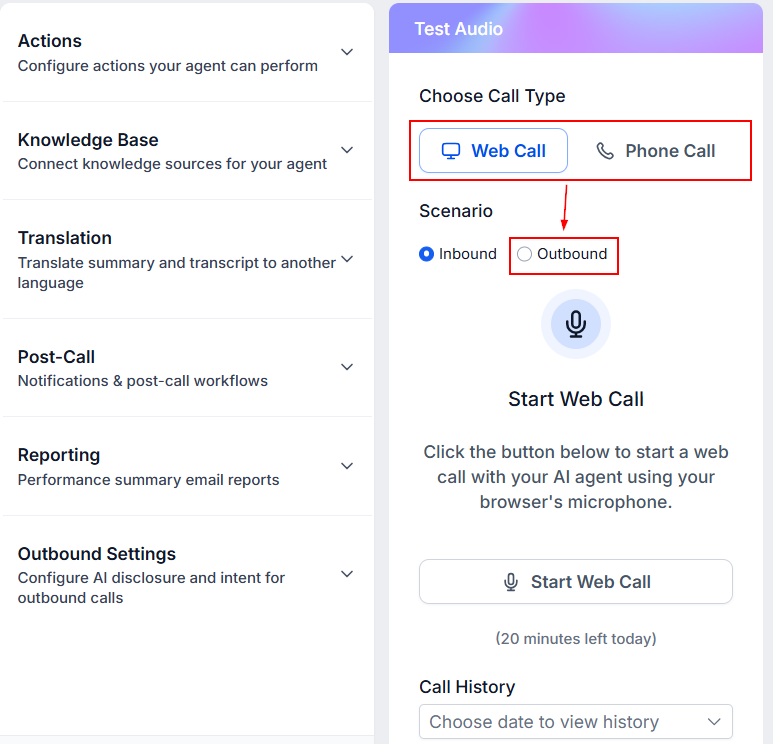
After configuring all those sections, save the agent and run an outbound test call to ensure that all the features work as intended.
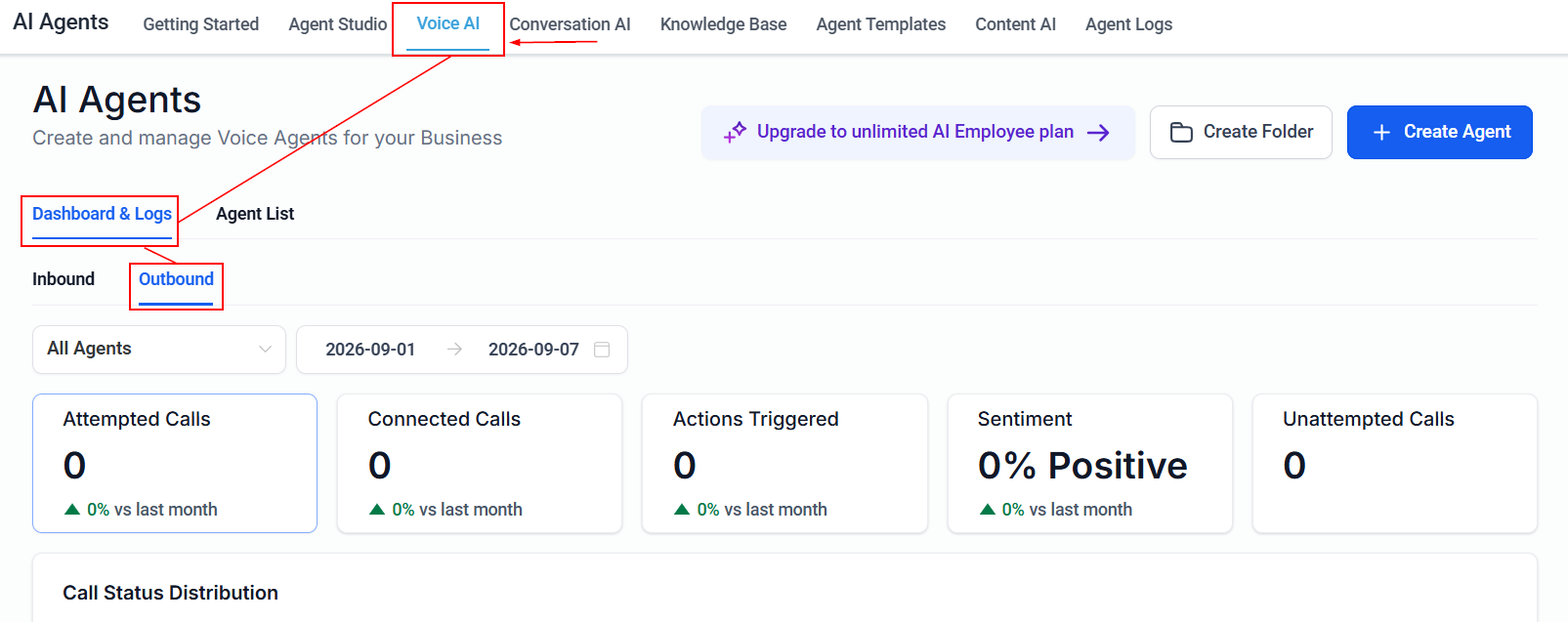
Once you begin using your agent, you can view your Attempted Calls, Connected Calls, Actions Triggered, Sentiment and Unattempted Calls for all your Outbound calls in the Dashboards and Logs section of the Voice AI tab.
Outbound calling is the lifeblood of your business, helping you seize opportunities and grow your business. With the help of your AI Agents you can automate outreach at the exact right moment, reducing lost hours to manual dialing and missed timing.