
How to Use Appointment Booking in Voice AI
Most customers are used to booking their appointments over the phone. And since old habits are hard to change, having an easy way to manage these requests is essential. The Voice AI agent can help you handle over-the-phone bookings for any selected calendar.
First, in the “Voice AI Agents” section of your account settings, create or edit an AI Agent.
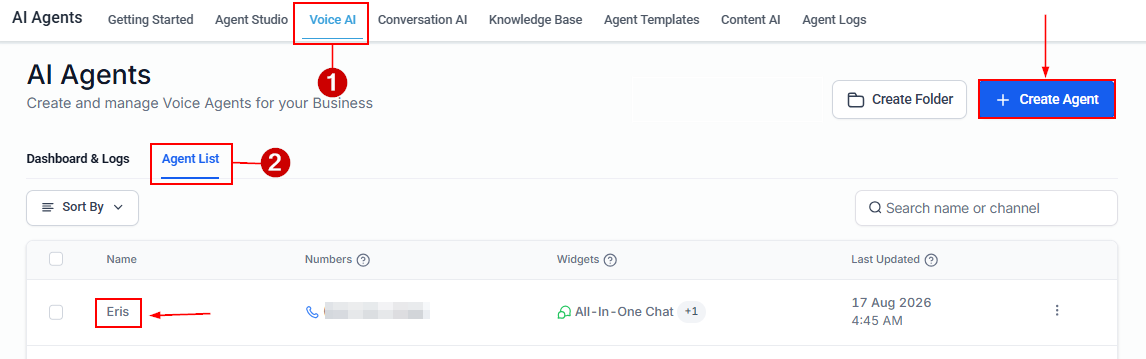
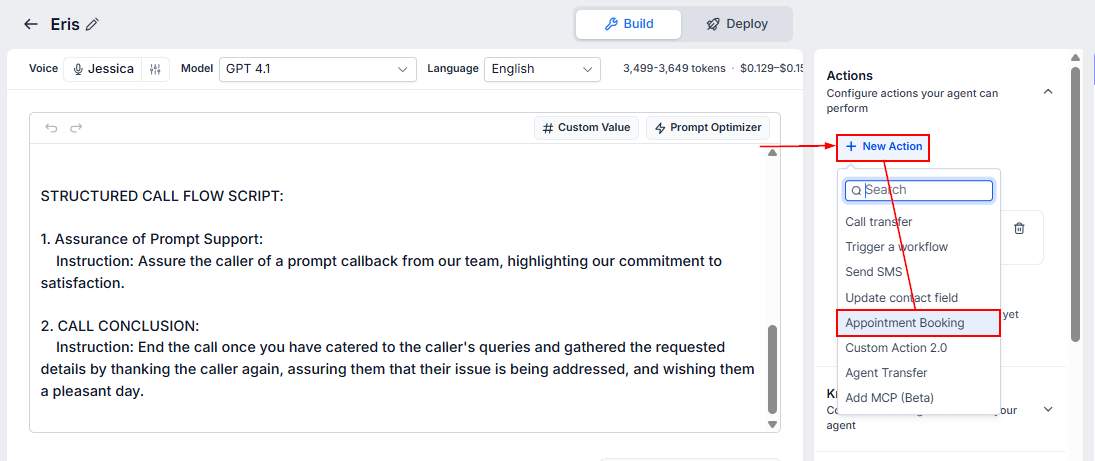
Under Setup Your Actions, click “+ New Action” and select AppointmentBooking.
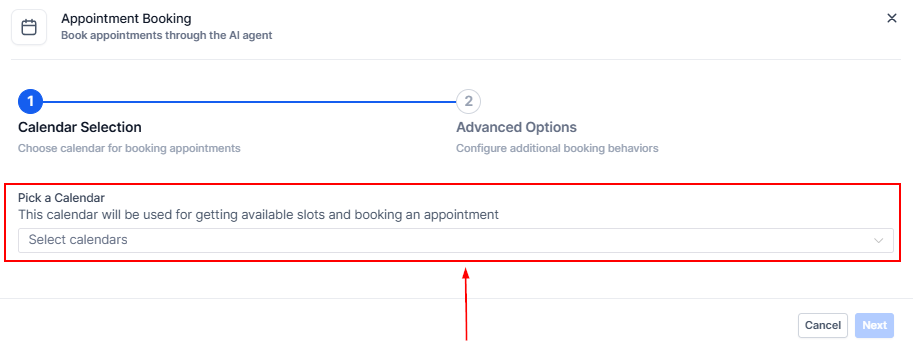
Select the Calendar to use.
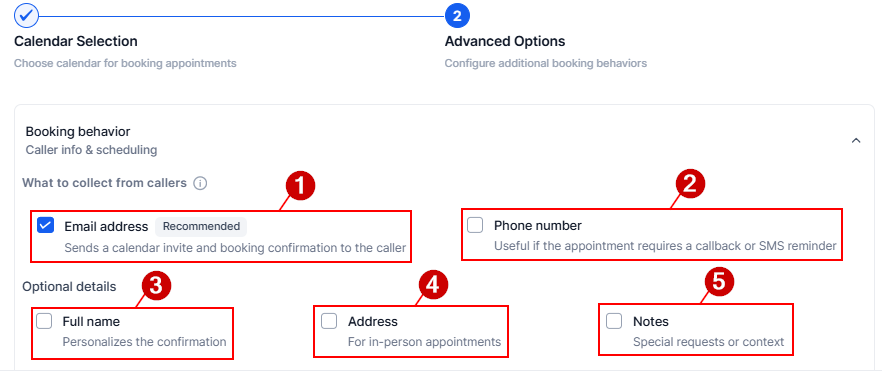
Set what should be collected from callers:
- Email addresses to send a calendar invite and booking confirmation to the caller
- Phone numbers for calls or SMS reminders
- Their full name to personalize the appointment confirmation
- Address for in-person appointments
- Notes to record any special requests or context
Be sure to also customize the appointment scheduling window!

Finally, expand the Booking behavior section to allow the agent to confirm, cancel, or reschedule appointments. Click Save after verifying the action details.
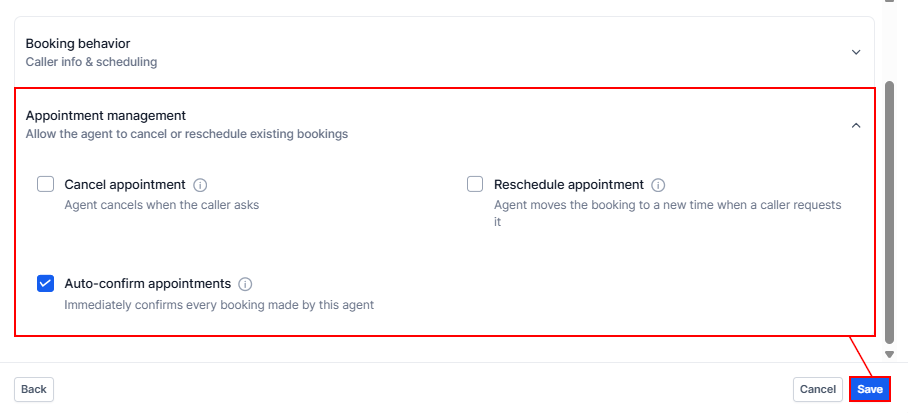
Continue setting up your Voice AI as normal, and you're done! Now you can offer and confirm appointments without leaving the call. Your Voice Agent will collect any information needed for the appointment if it’s not already part of the contact's details, reducing manual input while increasing your appointment scheduling.