
Voice AI Agent Logs
Voice AI Agent Logs allow you to review individual calls and test interactions in detail. They provide insights into conversations, recordings, execution timelines, triggered actions, and technical details, helping you understand agent behavior, troubleshoot issues, and improve the overall calling experience.
Access Voice AI Agent Logs
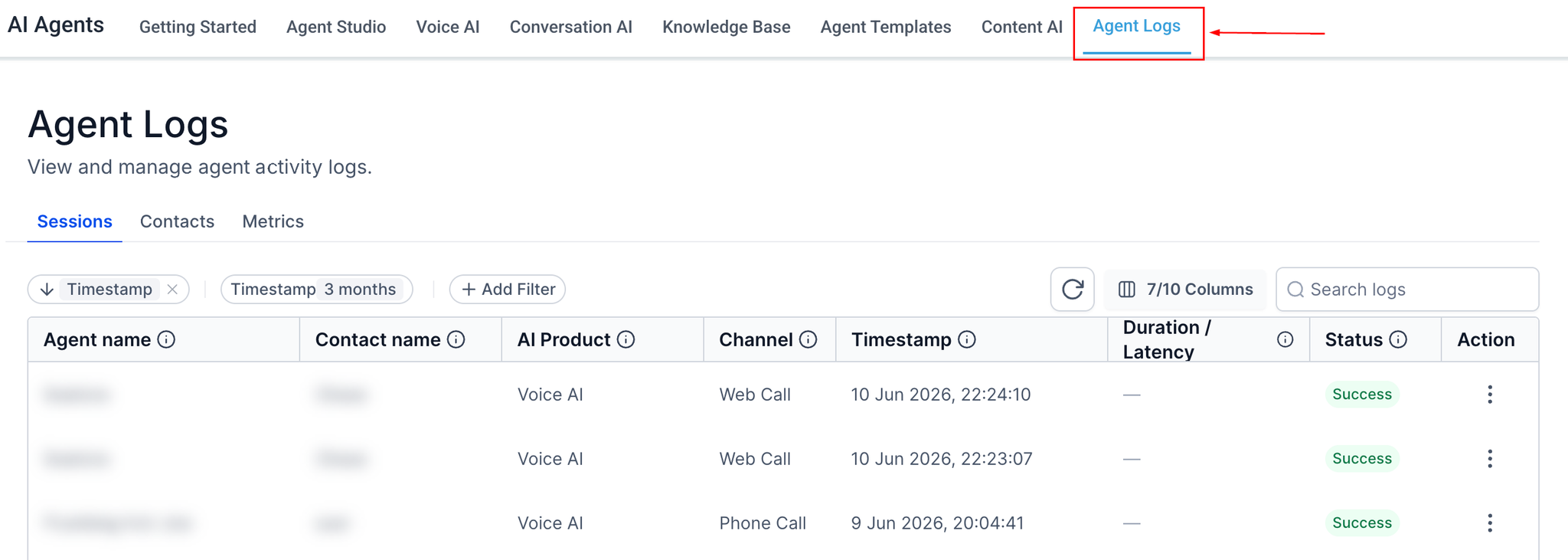
Navigate to the AI Agents section and select Agent Logs from the top menu.
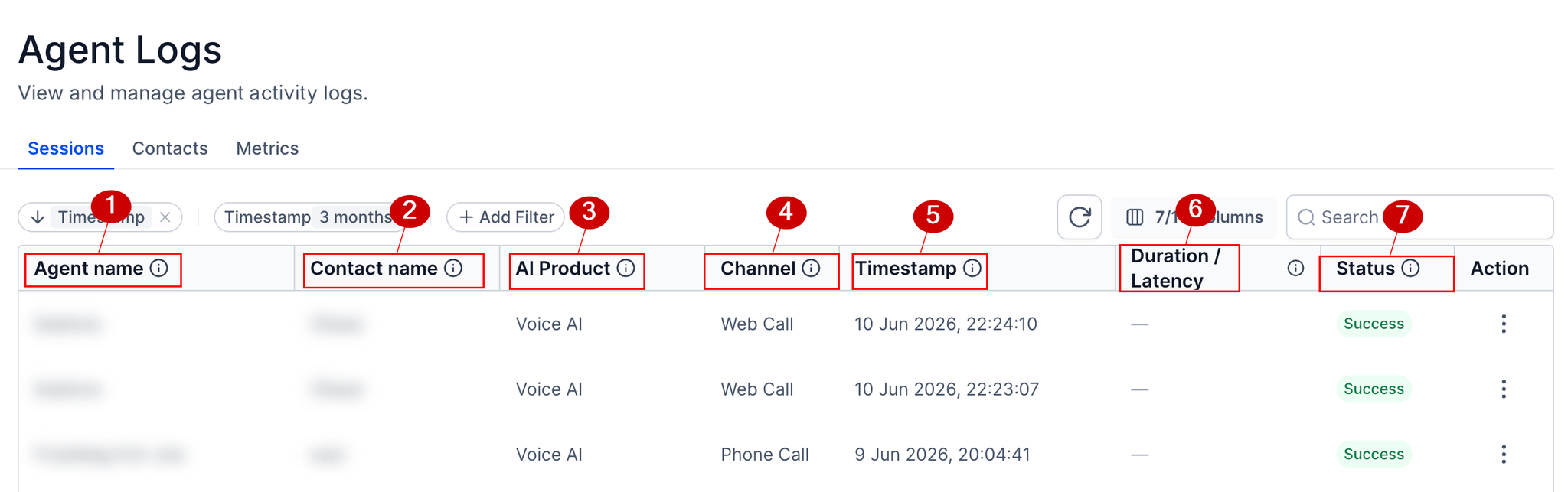
The logs table displays individual interactions, including the agent name (1), contact name (2), AI product (3), communication channel (4), timestamp (5), duration/latency (6) and status (7).
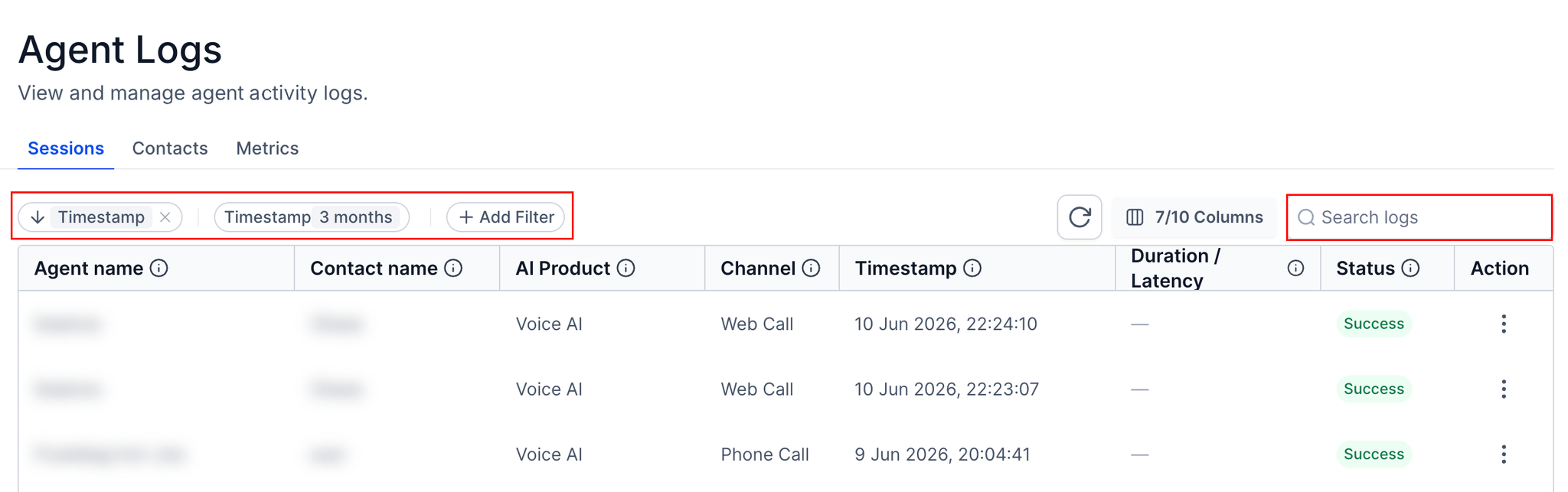
You can use the available filters to narrow down the results and locate a specific interaction.
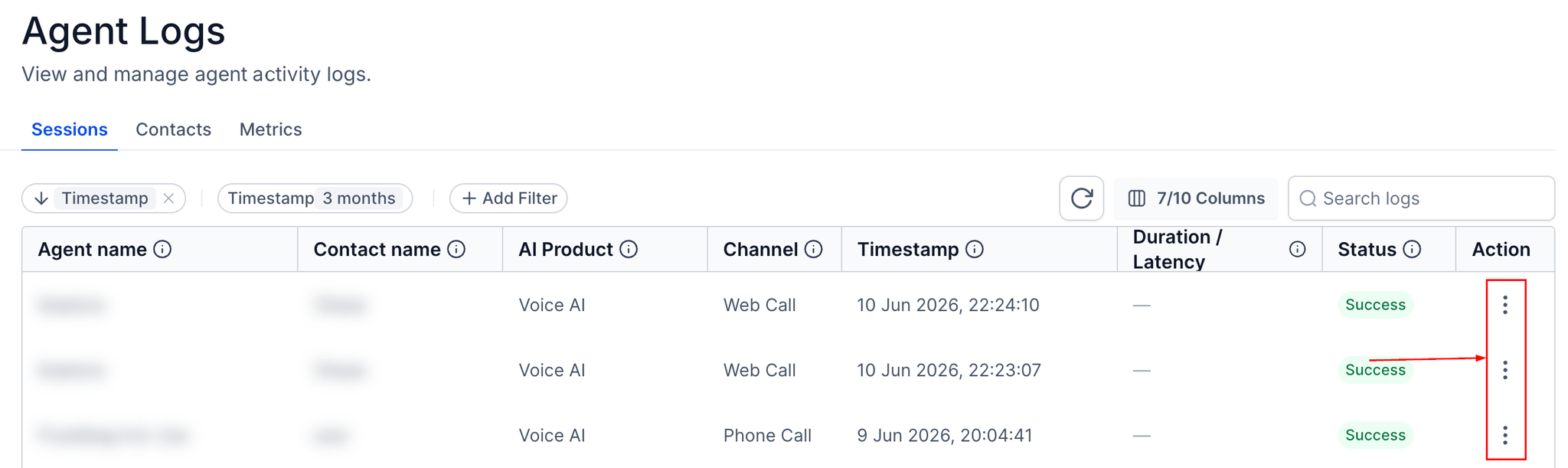
Once you find the call you want to review, click the agent name or open the three-dot action menu and select View Details to access the full log.
Review Call Details
The detailed log view provides a closer look at the interaction between the AI agent and the caller. You can review the conversation messages, interaction context, and call recording when recording is enabled and available.
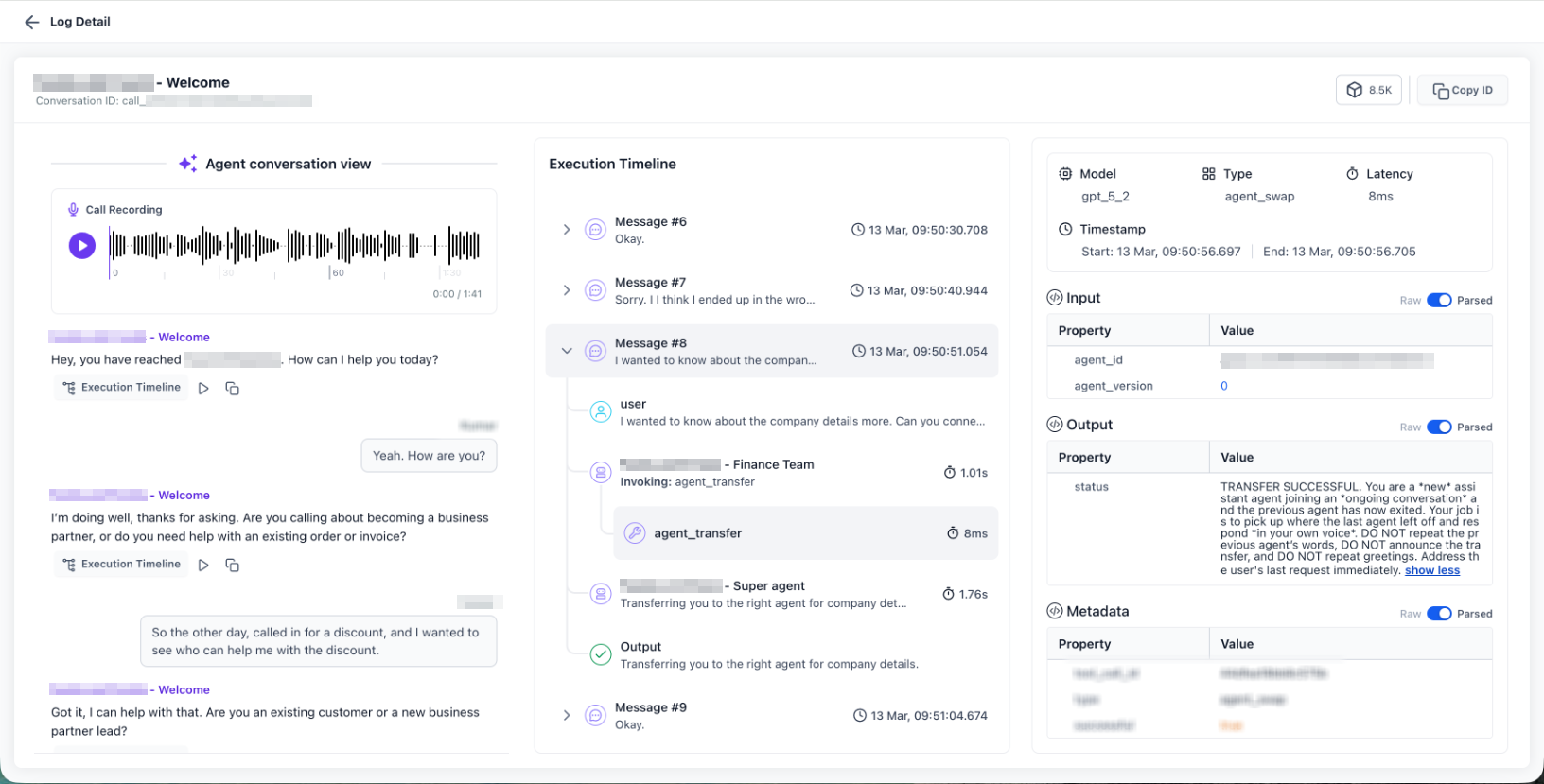
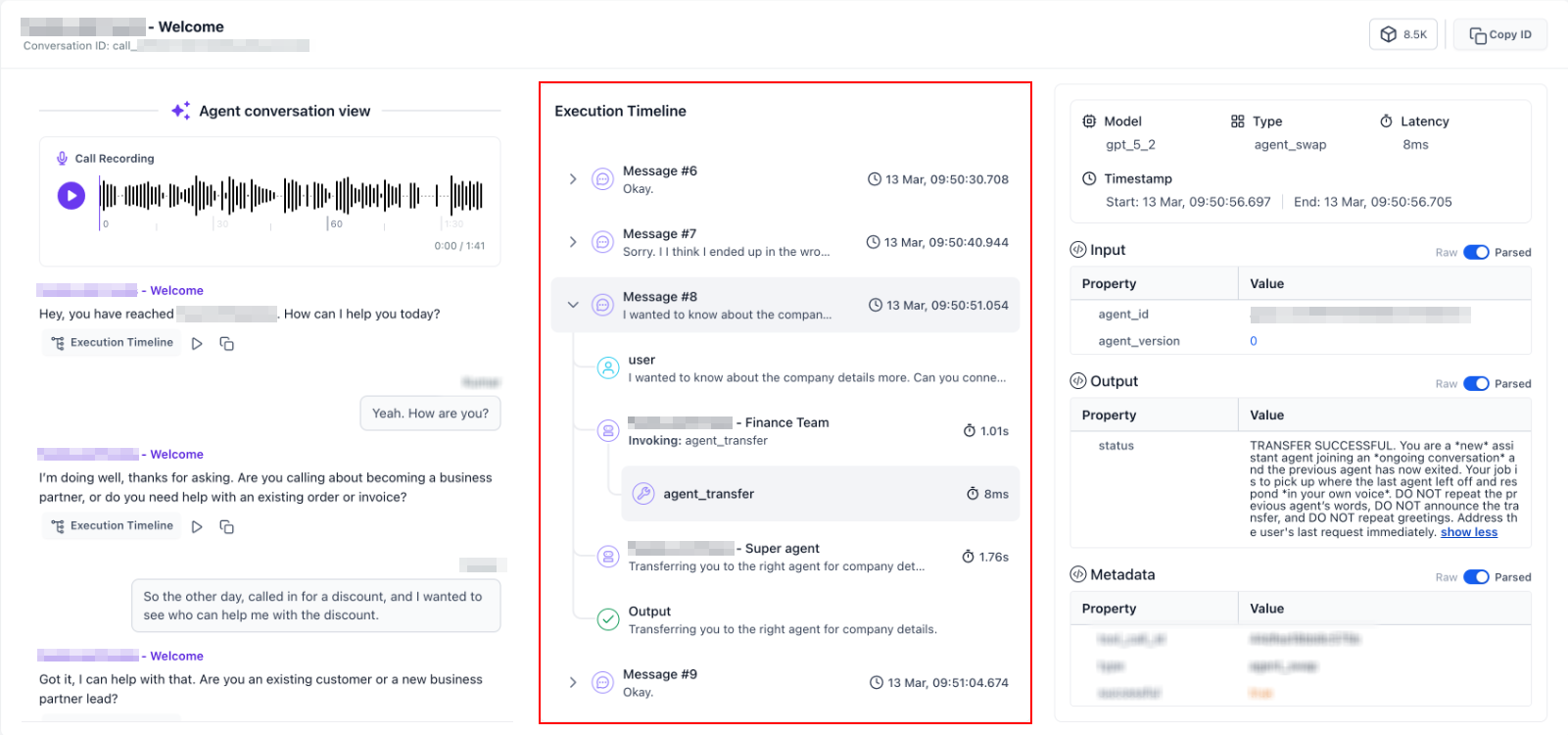
The execution timeline shows the sequence of events that occurred during the interaction, including agent responses, triggered actions, delays, transfers, and errors. Reviewing these events in chronological order helps you identify where an issue occurred and understand why a particular action or transfer may not have worked as expected.
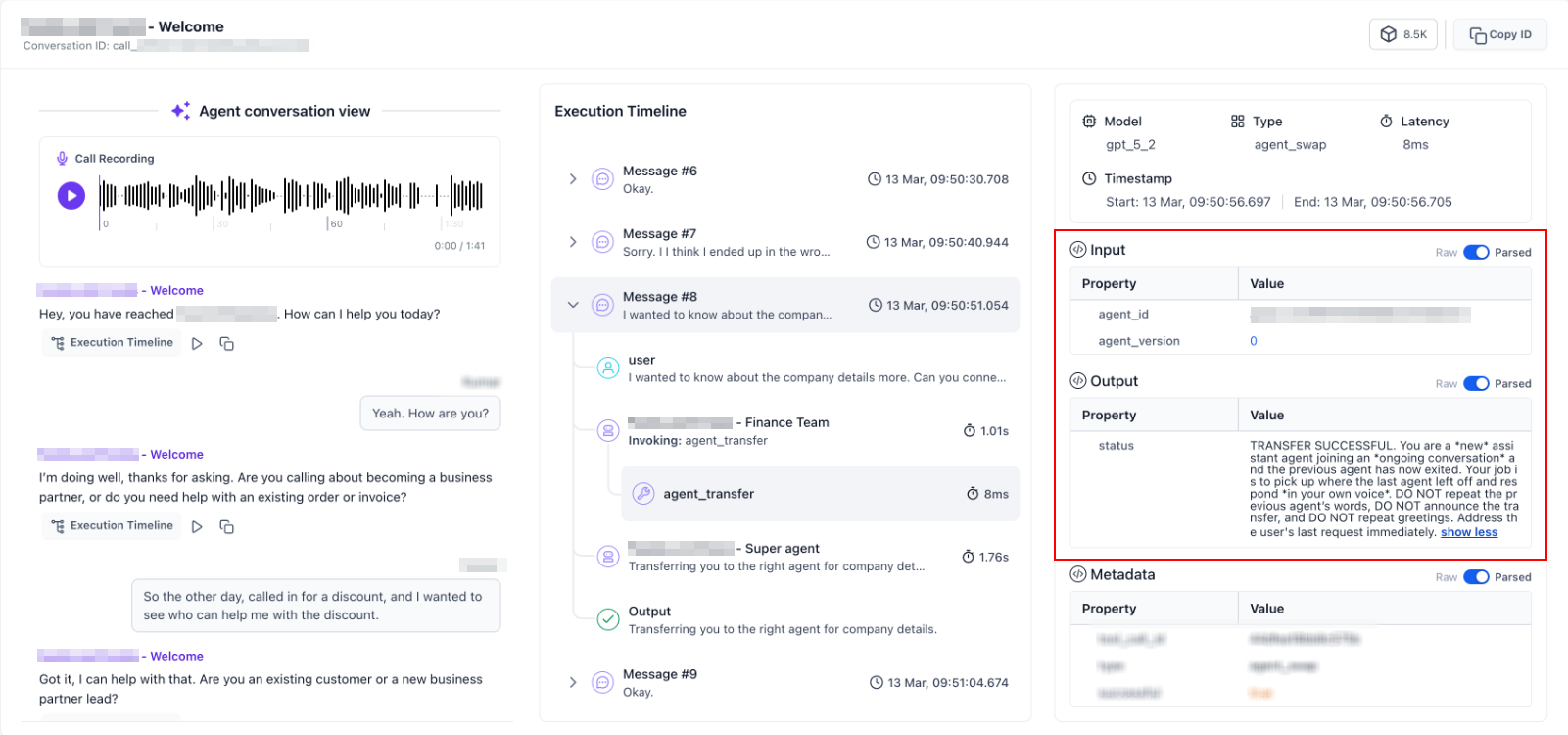
Inspect Input and Output Data
The Input and Output Data section allows you to examine the information exchanged during each step of the interaction. You can switch between Raw and Parsed views to review the original technical data or a more readable version.
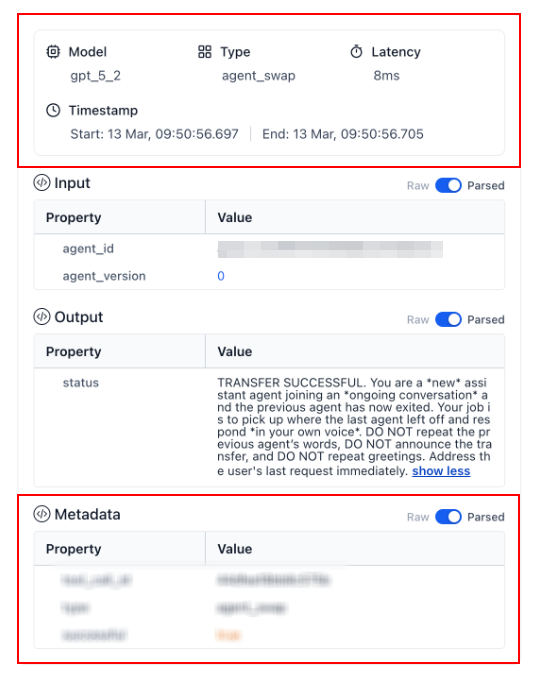
The Technical Details section provides additional information, including the model used, execution type, latency, and metadata. These details can help you investigate slow responses, troubleshoot unexpected behavior, and understand how the agent processed a request.
Voice AI Agent Logs are useful when reviewing customer calls, testing agent configurations, or investigating incomplete interactions. By examining transcripts, recordings, execution events, and technical data, you can identify issues with prompts, workflows, actions, or transfer conditions and make adjustments before deploying changes to live calls.