
WhatsApp Messaging Limits & Message Links
If you aim to reach a global audience, WhatsApp is an essential tool for your business. With nearly 2 billion users worldwide, many leads will contact you through this channel. Let's learn how to improve your messaging limits and profile sharing to engage customers more effectively.
Managing Your Number
Each WhatsApp phone number has its own profile, which includes its limits and related links. To view these settings, first navigate to the WhatsApp section of your sub-account settings. In there, select the Numbers tab.
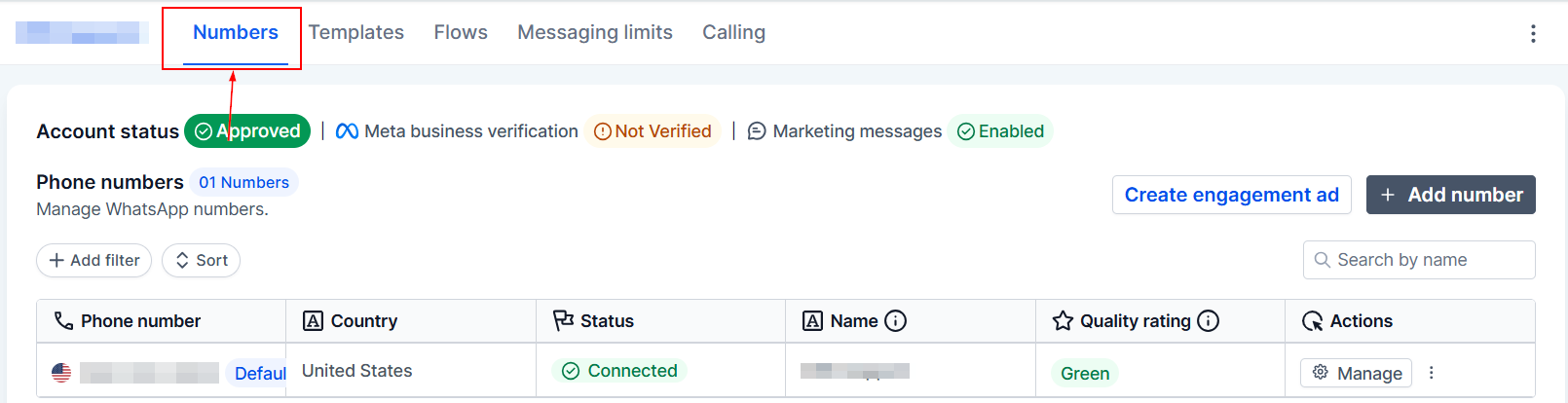
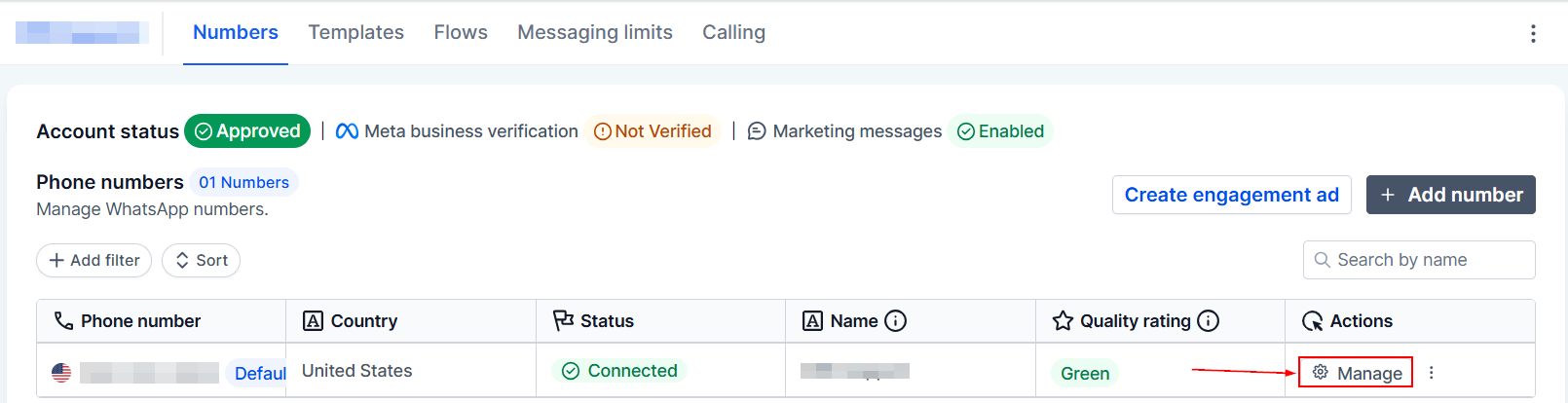
This tab lists all your available phone numbers, where you can view their status and limits. To view details, click Manage next to the desired phone number.
Message Links
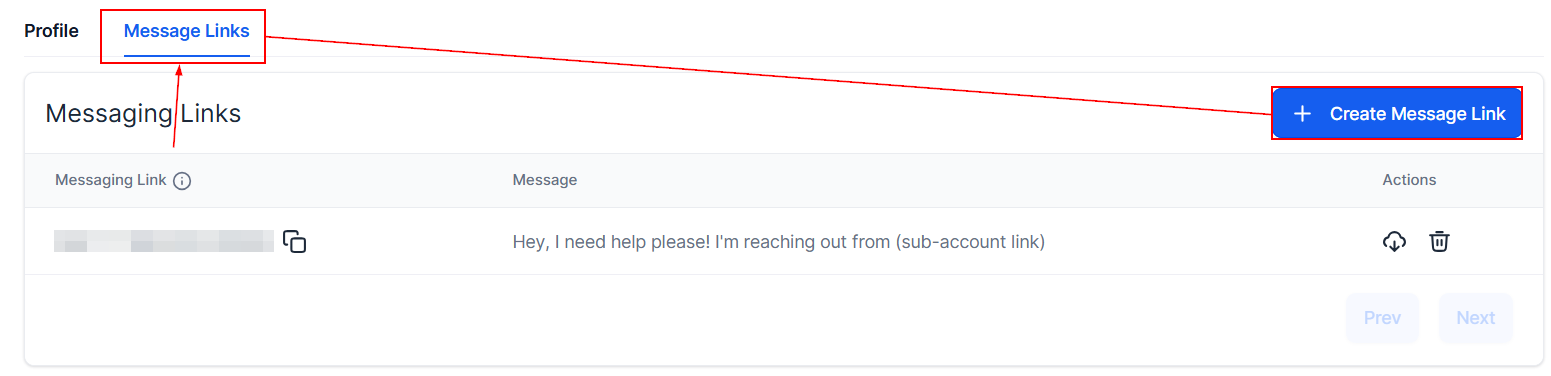
You might be familiar with WhatsApp messaging links, which allow people to quickly start a conversation with your business by scanning your QR code or opening the messaging link. To create your own, switch to the Message Links and click “+ Create Message Link”
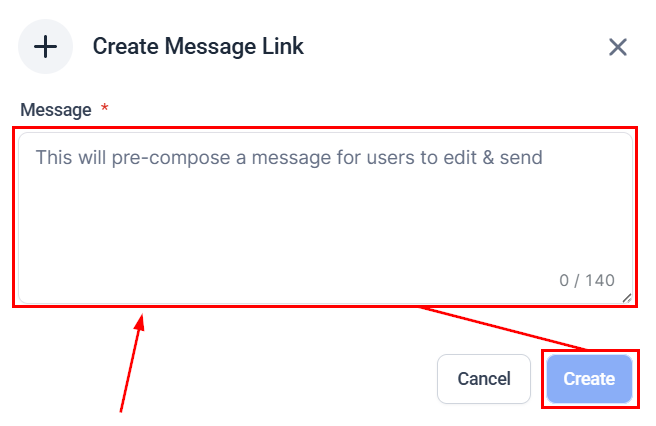
Enter a text suggestion for the customer's first message, which they can change once they contact you. Then click Create.
Once created, click the two-square icon to copy the link. This can be added to your social media profiles for easy contact.

Click the cloud icon (1) to download a PNG version of your QR Code or the trash can icon to delete it (2).

Messaging Limits
Return to the main page of the Phone Number Settings, then click Messaging Limits to get a detailed view of the maximum number of messages you can send to other WhatsApp customers that have not contacted you first within 24 hours.
Note: This daily limit is the total number of messages that can be sent by all numbers in your account.
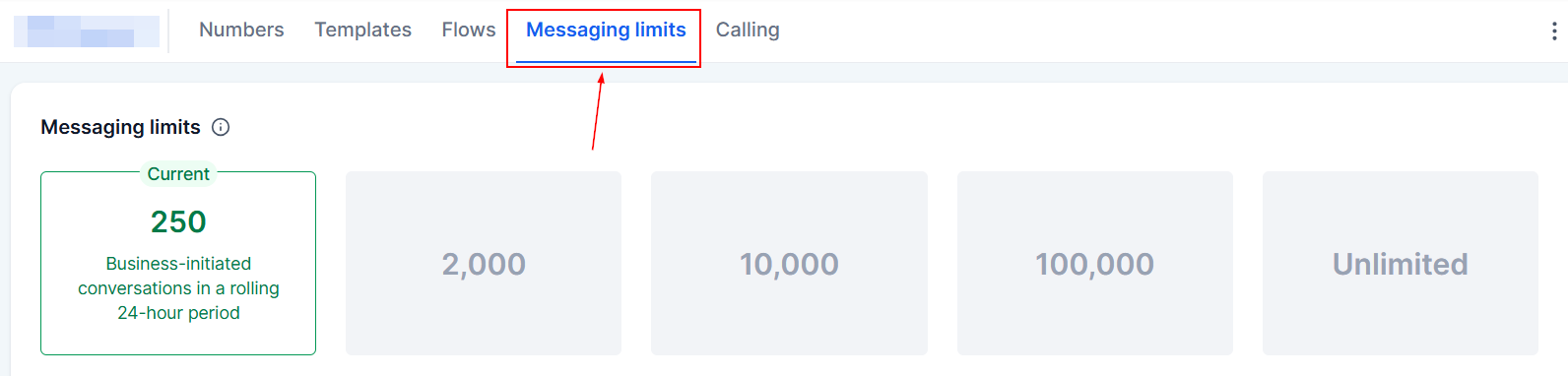
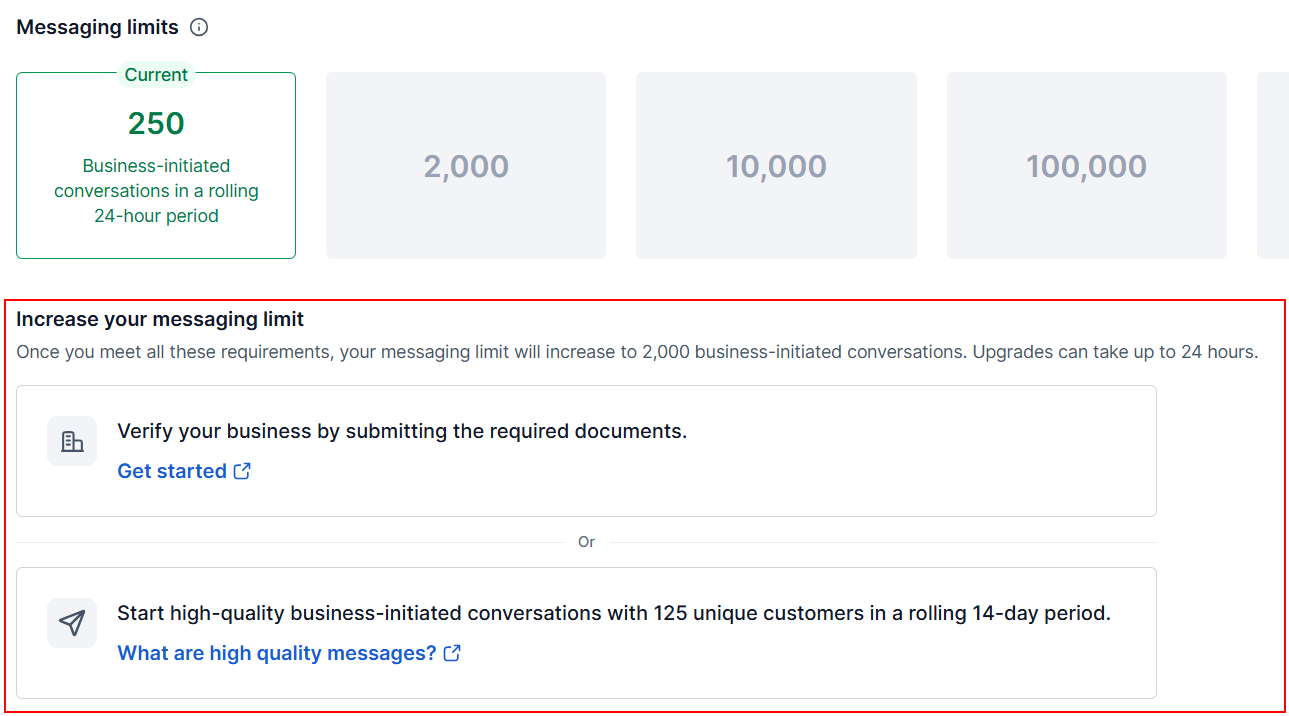
Along with the limit, you will see recommendations on how to improve the limit. If you want more information, click the links, which will redirect you to the Facebook help guide that explains that element in detail.
Use this information to make the most of your WhatsApp Business Profile, simplifying communications and helping you connect with people all across the globe!