
Setting Up Shopify Integration
If you have a Shopify store, you may be wondering if you can view customer orders in your account, manage payment processing, trigger automation for follow-up actions, and more. The Shopify integration allows you to do just that.
Connecting Shopify to your CRM System
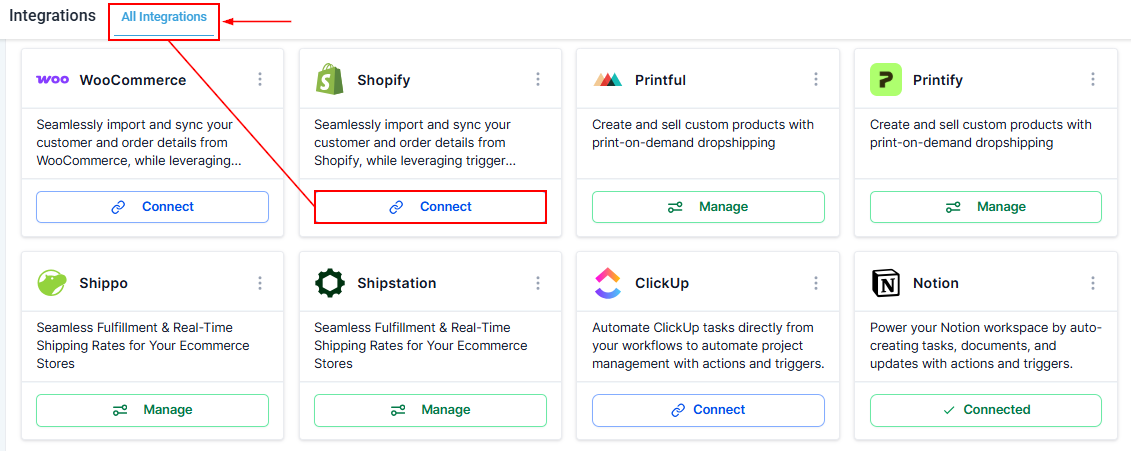
Setting up Shopify is a rather straightforward process. Start by accessing the Integrations section of your account via the Settings window, then click the "Connect" button.
Setting up the Store
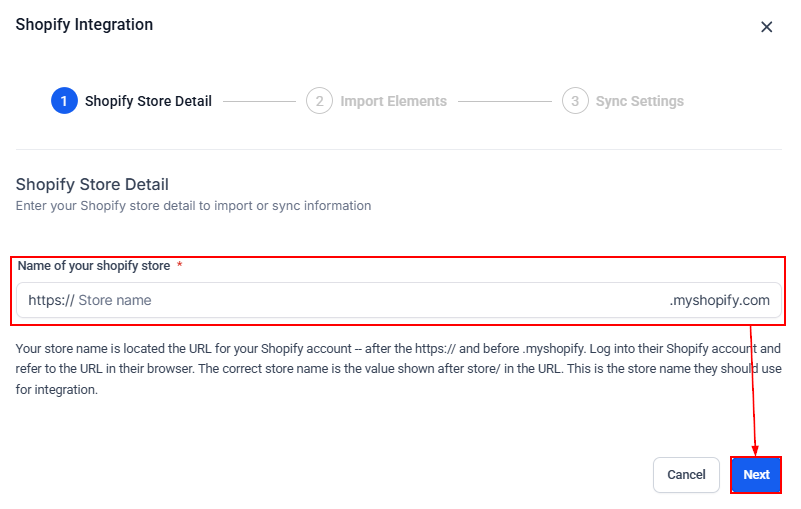
Enter the "Name of your Shopify store," and click "Next."
Import Elements
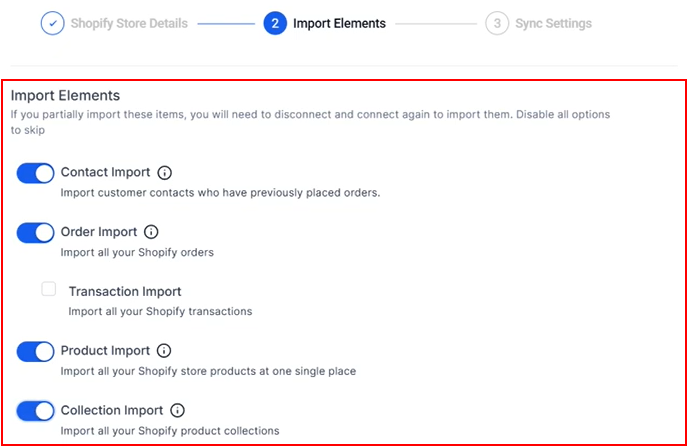
Toggle the switches on the features you want to import to the “ON” position.
Sync Settings
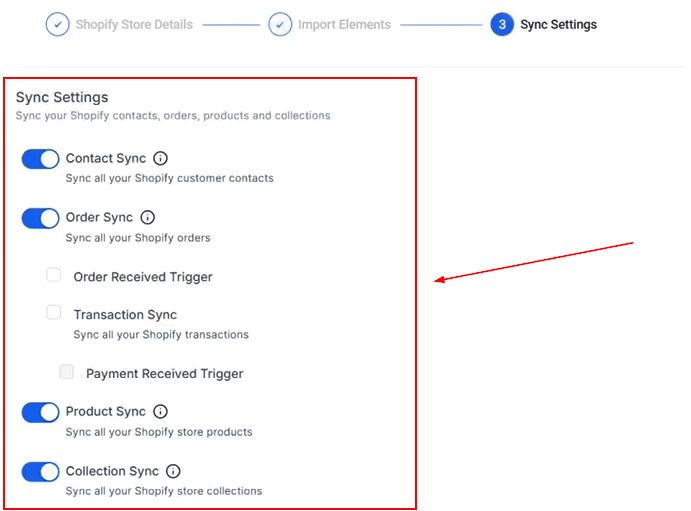
Choose between syncing orders, contacts, products, or collections to the platform, and select the triggers that can be used for automation.
Click Save to finalize the integration.
Now that you have connected your store, you can use Shopify workflow triggers to send emails, SMS messages, and more.
To learn more about other tools you can connect to, visit the other articles in this section.