
How to Integrate Instagram
Instagram is one of the most effective platforms for connecting with customers, answering questions, and generating leads. By integrating your Instagram account with your CRM, you can manage conversations, automate responses, and keep customer interactions organized in one place.
How to Connect Your Instagram Account
Start by heading to the Integrations section of your account. Next, click “Connect” within the Instagram tile.
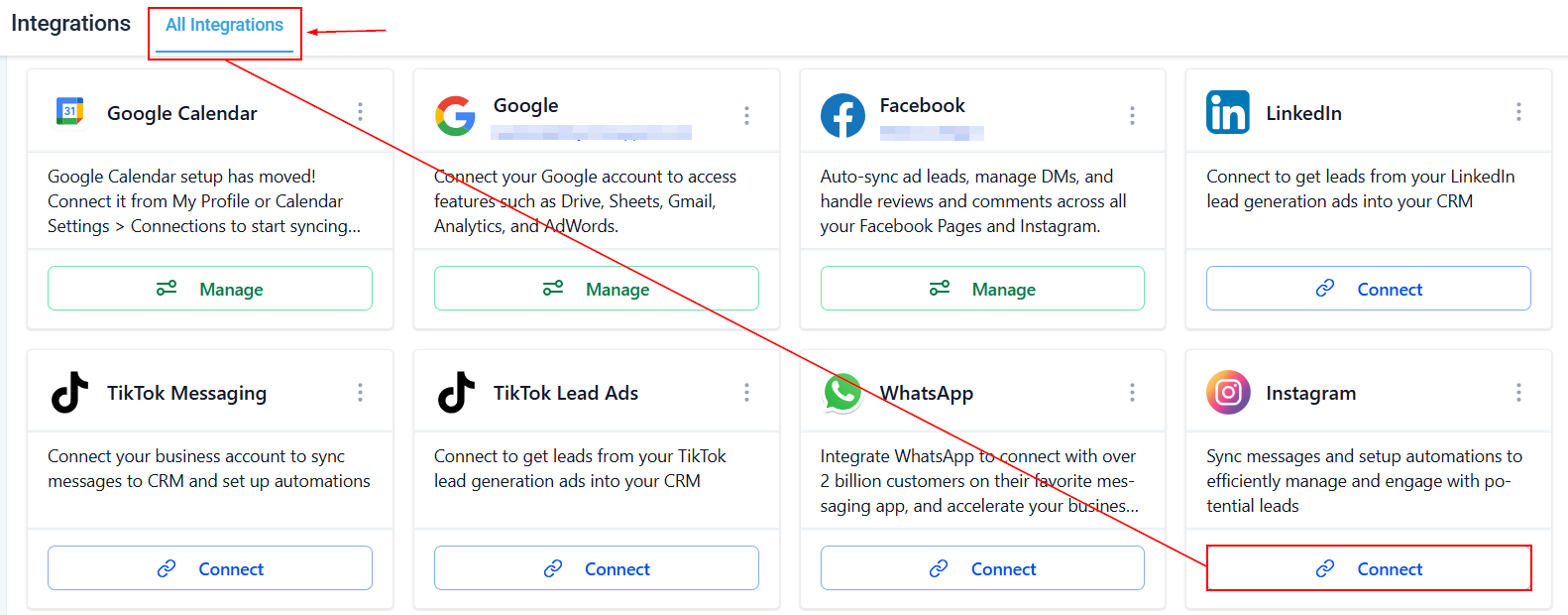
📌Note: An Instagram account connected through the integration page is also connected to the Social Planner automatically. Likewise, connecting an account through the Social Planner makes it available in the integrations section, allowing both features to use the same Instagram connection.
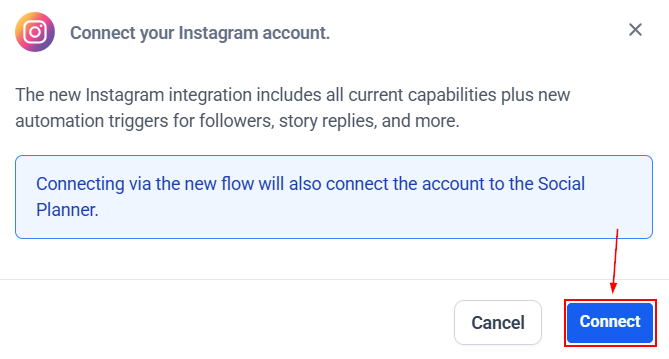
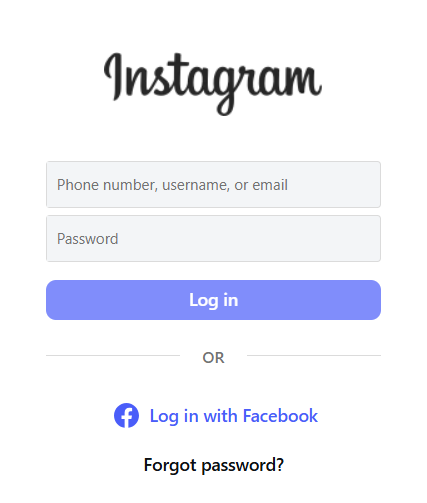
Choose how you want to connect your account:
- Connect your Instagram account directly using your phone number, email, or username, and the associated password.
- Connect through a linked Facebook Page.
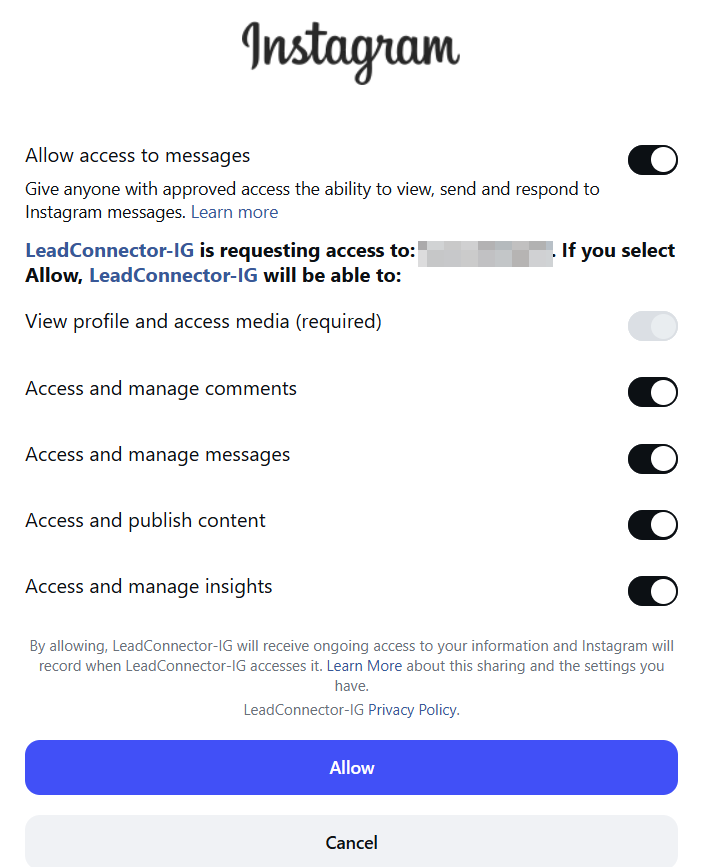
Choose the features the platform should have access to, then authorize the connection.
Once connected, your Instagram account will appear in the list of connected accounts. You can manage all connected Instagram accounts from this page.
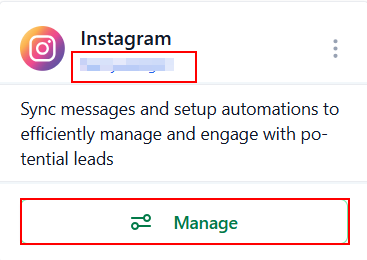
Managing Messaging and Automations
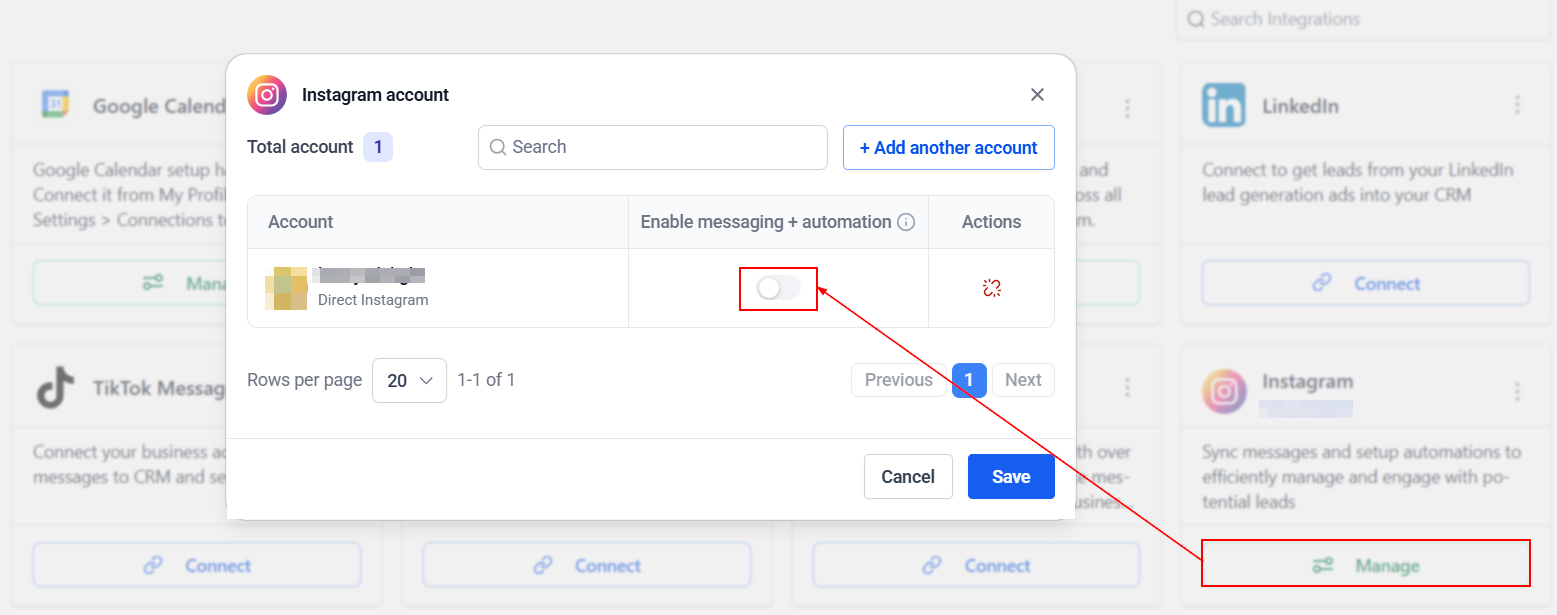
Each connected Instagram account includes a Messaging & Automations toggle.
When enabled, you can:
- Sync Instagram Direct conversations into your CRM.
- Create contacts automatically from Instagram conversations.
- Trigger workflows based on Instagram interactions.
If you disable the Messaging & Automations toggle, both Instagram messaging and automation features will stop working for that account until the toggle is turned back on.
That’s all there is to it! Connecting Instagram makes it easier to manage customer conversations and automate repetitive tasks without switching between multiple platforms. With this connection, you can organize conversations, build automations, and keep your customer communications in one place.