
Prospecting Tool Settings
The prospecting tool allows users to search for and analyze potential clients based on their online presence and digital needs. Let's explore the Settings section to tailor its functioning to your needs.
Accessing The Settings
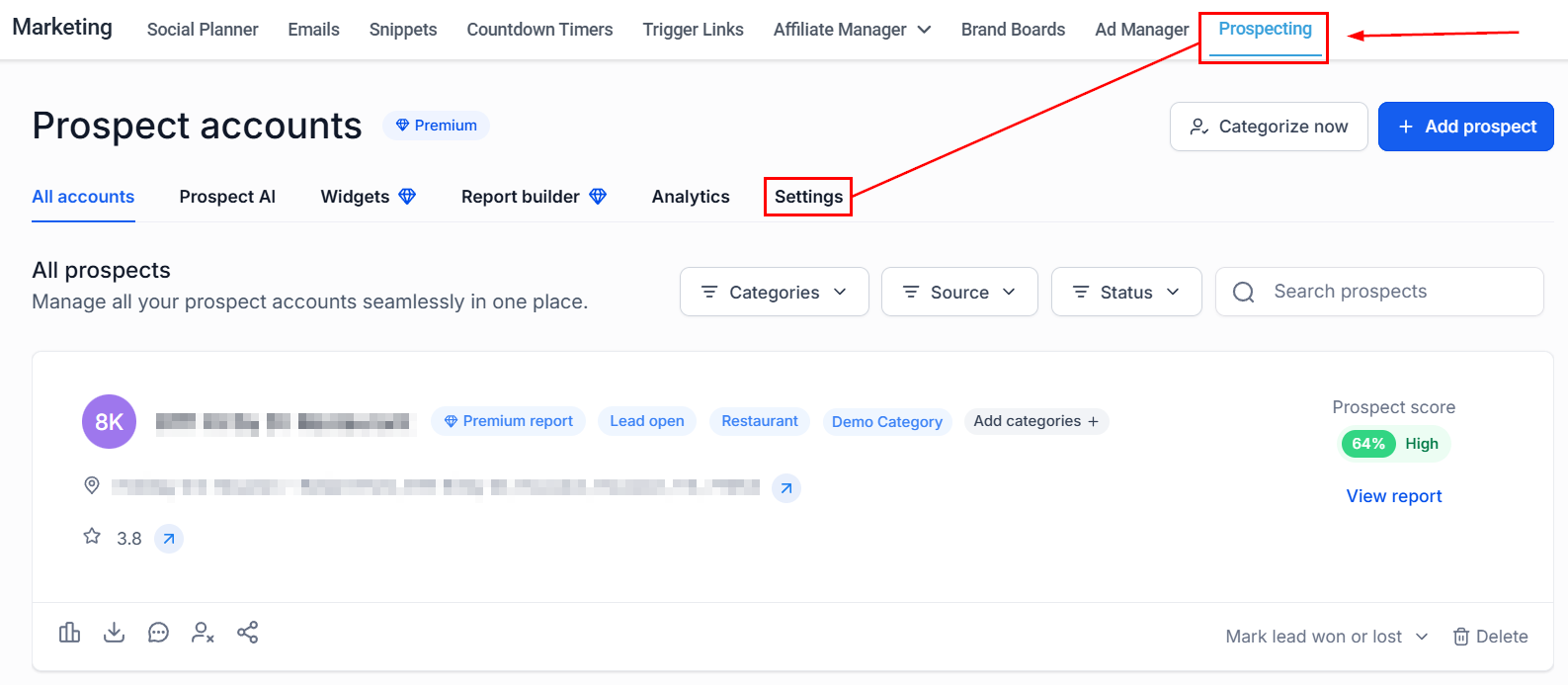
Navigate to the Prospecting tab inside the Marketing section and switch to the Settings option.
Report Settings
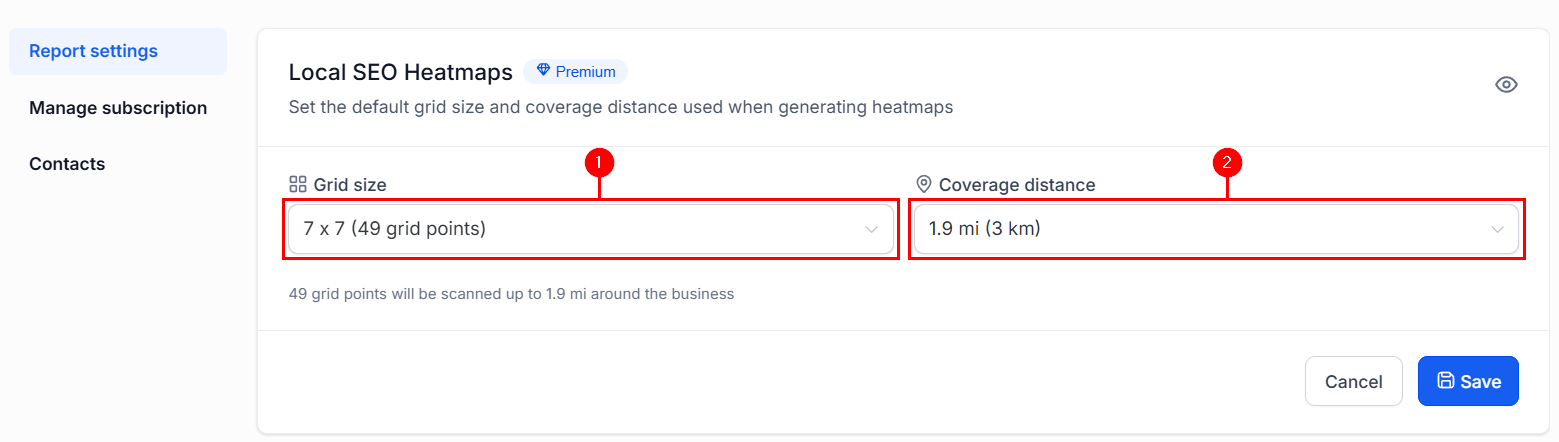
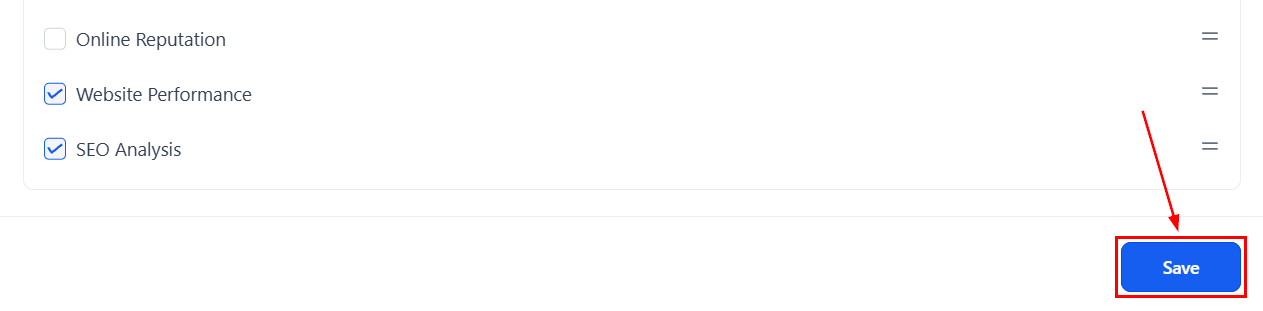
Switching to the Report Settings, you can unselect and reorder the sections included in future reports.
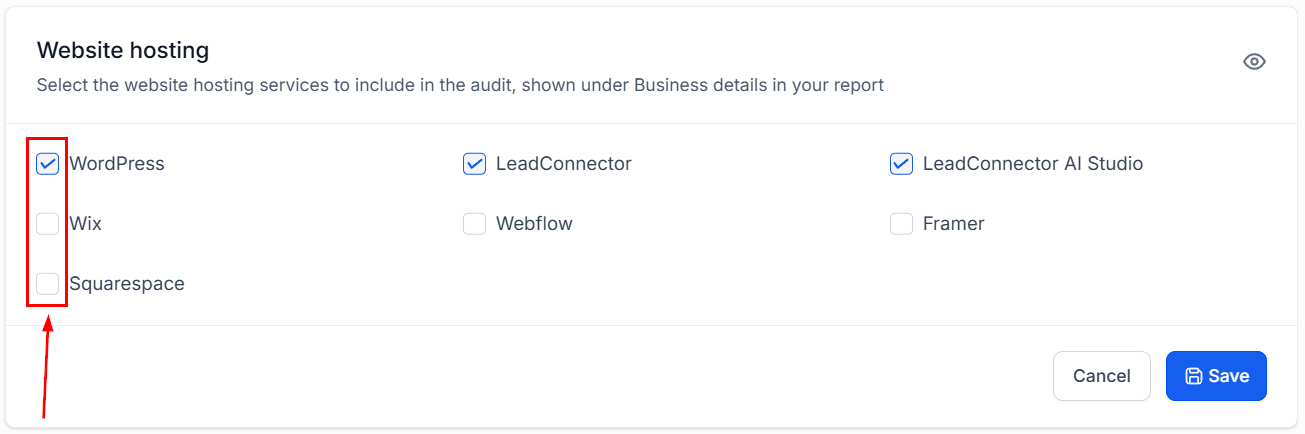
Check the box next to any hosting service you want to include for prospecting.
You can unselect and reorder the sections included in future reports.
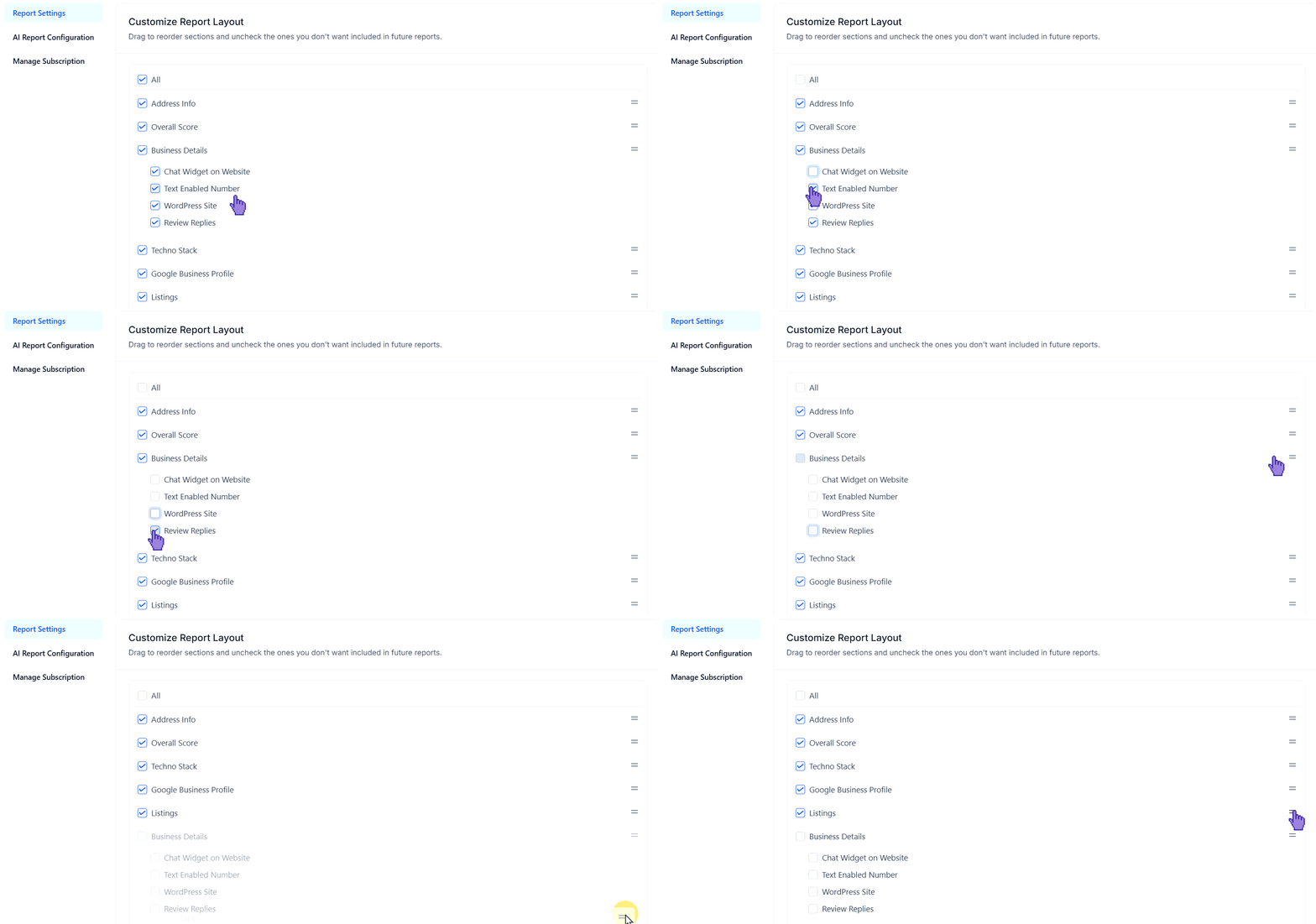
Click Save once you're done reorganizing.
Manage Subscription
You can use this option to cancel your subscription to the Prospecting Tool.

Contacts
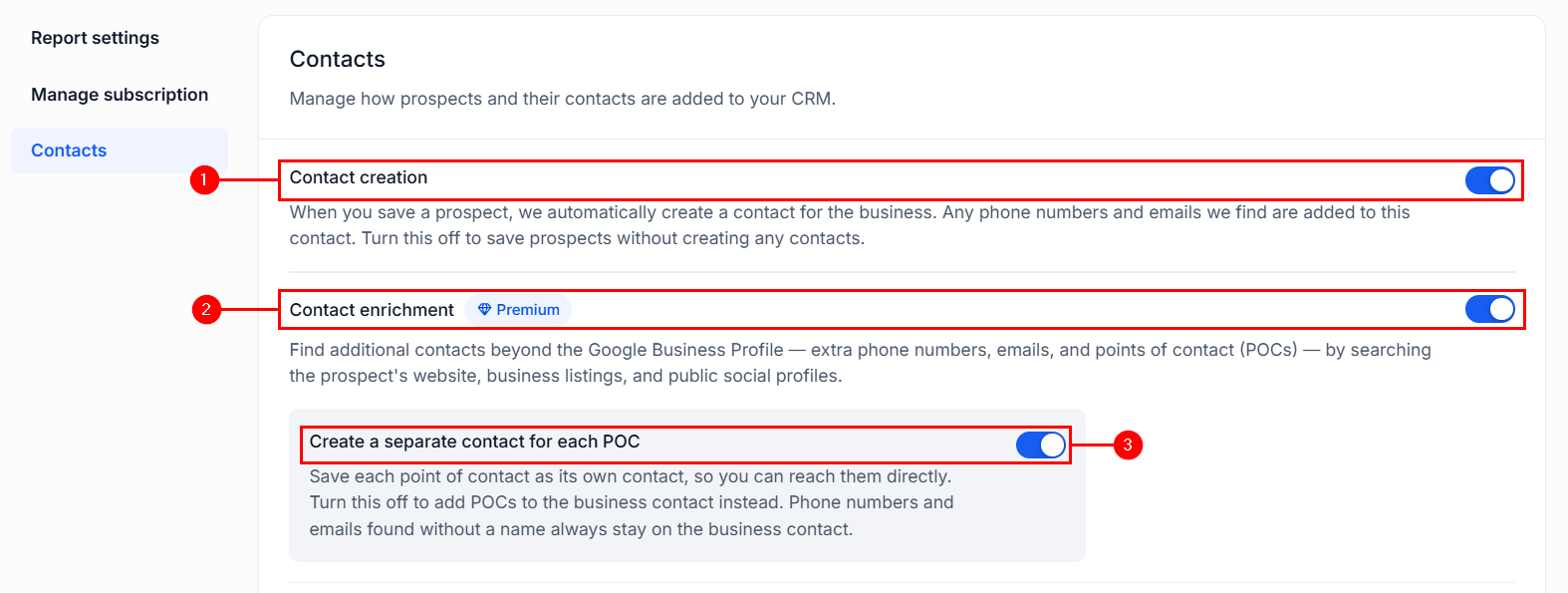
In this section, you can manage how the contact card looks once a prospect is added into the CRM. Here, you can enable or disable contact creation altogether (1), website search (2), and if an individual contact should be created for each point of contact (3).
Use these options to ensure your results fit your needs, helping you leverage AI-generated reports and easily available information to grow your business.