
Prospect AI
Ready to make prospecting more consistent? Prospect AI lets you create an AI Agent that searches for businesses based on the industries, locations, and other criteria you choose. You can customize how many leads you want to find, how often the agent should search, and whether you want to prioritize lead quality or lead volume. Follow the steps below to set up your Prospect AI Agent and tailor it to your prospecting goals.
Open Prospect AI
To get started, navigate to Marketing > Prospecting > Prospect AI in your account.
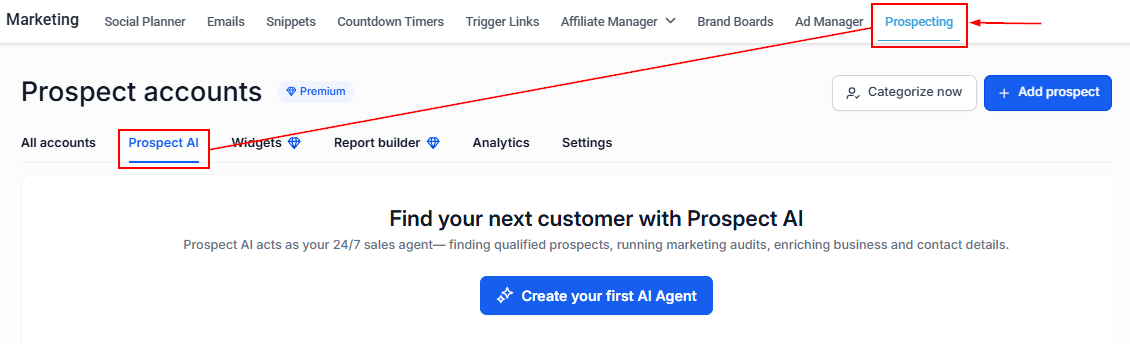
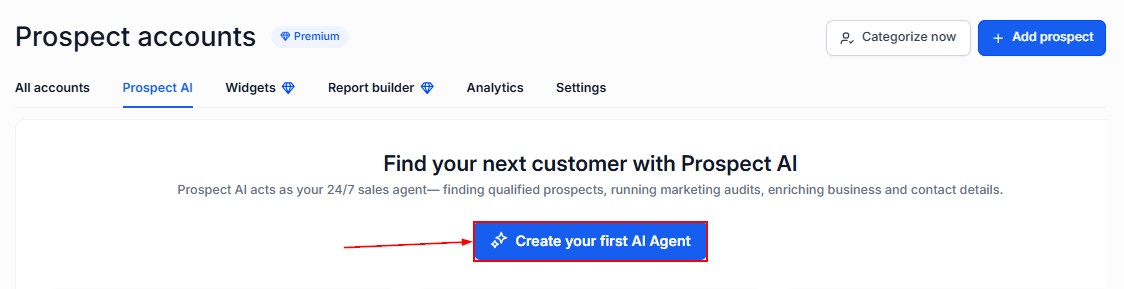
Select Create Your First AI Agent to begin setting up your prospecting preferences.
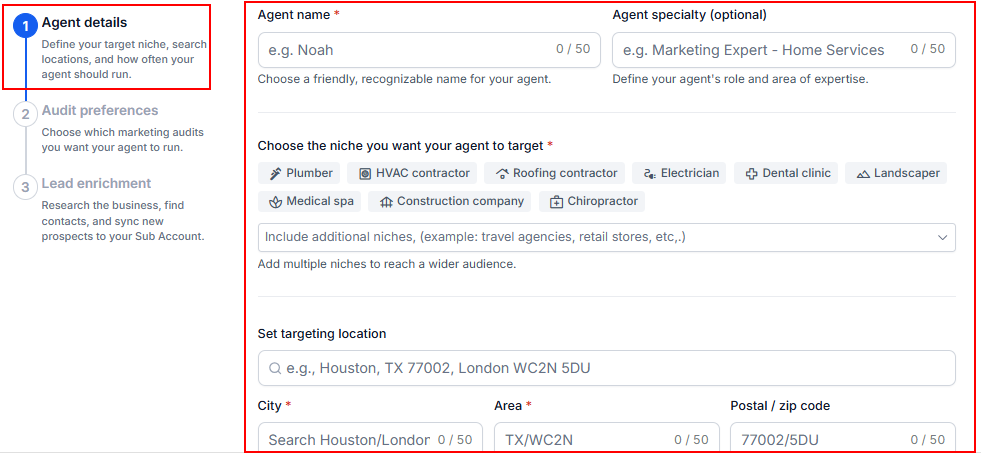
Agent Details
Start by providing some basic information about the agent:
- Agent Name: Enter a name to help you identify the agent.
- Agent Specialty: Optionally, describe the agent's area of focus.
- Niches: Select the industries or types of businesses you want to target.
- Targeting Location: Specify the geographic area where you want the AI to find prospects.
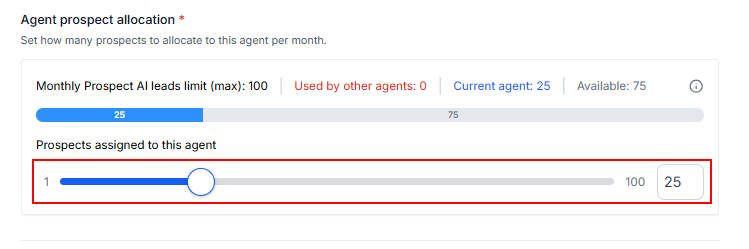
Set Your Lead Allocation
Use the Lead Allocation slider to determine how many leads the agent can generate each month. You can allocate up to 100 leads per agent per month.
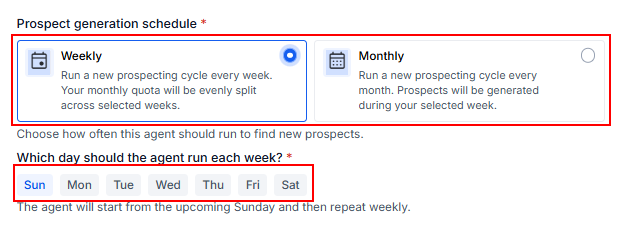
Choose a Lead Generation Schedule
Select how often you want the agent to generate prospects:
- Weekly: Generate leads on a weekly basis.
- Monthly: Generate leads on a monthly basis.
Once you have selected the frequency, choose the specific day of the week or week of the month.
Choose Your Prospect Finding Strength
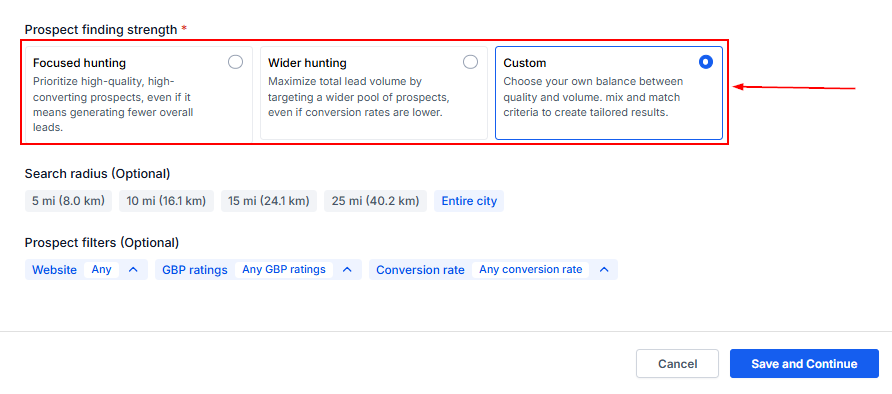
Prospect Finding Strength determines how the AI balances the quality and quantity of prospects it finds.
You can choose from the following options:
- Focused Hunting: Choose this option when you prefer fewer, higher-quality prospects. The AI focuses on businesses that are more likely to match your targeting criteria, even if this results in fewer leads.
- Wider Hunting: Choose this option when your priority is finding a larger number of prospects. The AI searches a broader pool of businesses, which can give you more leads but may result in a lower average conversion potential.
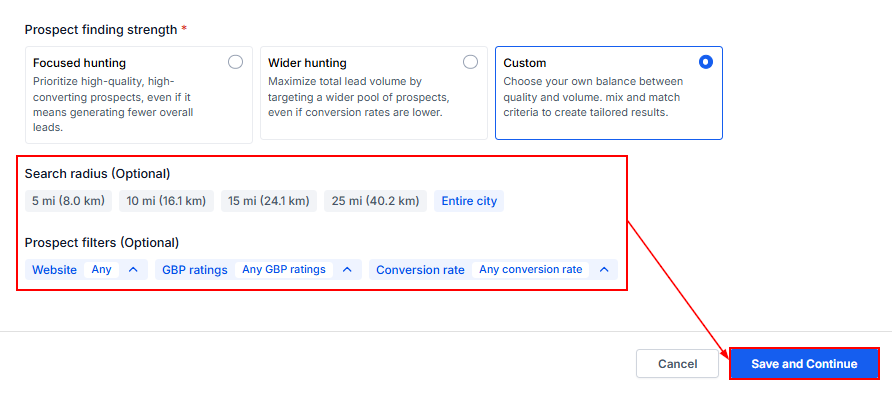
- Custom: Choose this option when you want more control over the balance between quality and volume. You can combine different criteria to create an approach that better matches your prospecting strategy.
Once you've configured the remaining settings, click Save and Continue.
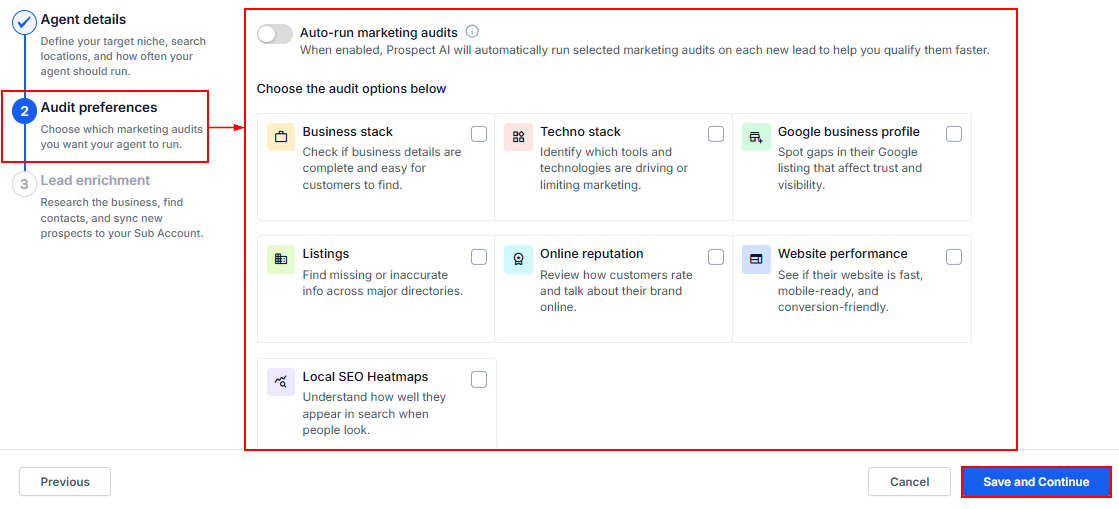
Set Your Audit Preferences
Next, choose your preferred Audit Preferences. These settings help determine how the businesses discovered by the AI are evaluated, allowing you to focus on prospects that meet the criteria most relevant to your goals.
Once you've selected your preferences, click Save and Continue.
Lead Enrichment
You can optionally enable Lead Enrichment to help identify potential contacts associated with the businesses your agent discovers. When enabled, the AI agent looks for Points of Contact (POCs) associated with each prospect. You can choose to find up to 3 contacts per prospect.
Additionally, toggle the switch to save new prospects to your Contact list and add them to a pipeline stage.
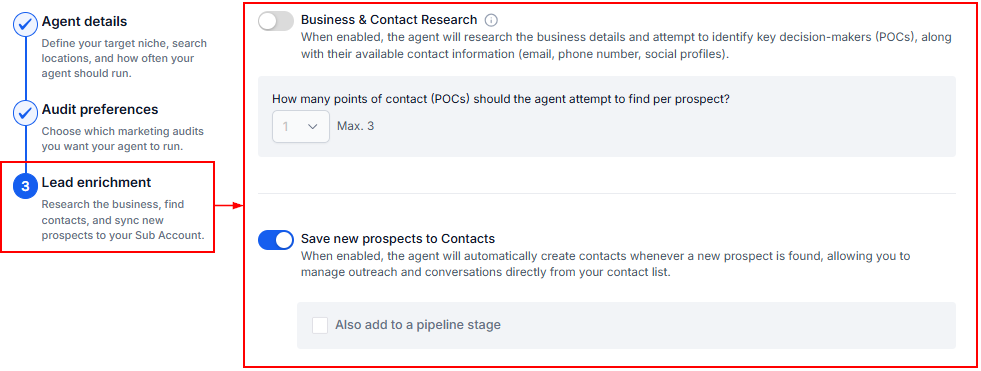
Once you've configured your preferences, click Create Agent.
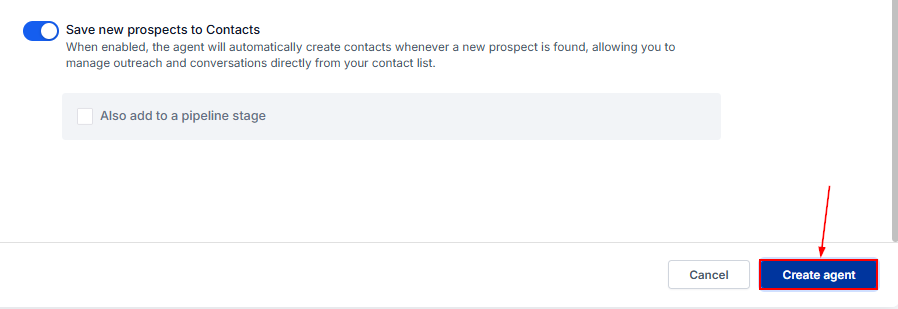
Once created, the agent uses the preferences you've configured to find prospects according to your selected schedule and targeting criteria. This allows you to continue building your prospect list over time instead of relying only on your initial recommendations.
Frequently Asked Questions
What is a Prospect AI Agent?
- A Prospect AI Agent automatically searches for businesses based on the targeting criteria you provide. It can help you continuously discover prospects without having to manually search for new businesses each time.
How many leads can an agent generate?
- You can allocate up to 100 leads per agent per month.
What is Lead Enrichment?
- Lead Enrichment helps identify potential contacts associated with the businesses discovered by your agent. You can choose to find up to 3 points of contact per prospect.