
Email Campaigns on the Mobile App
The Email Campaigns give you a mobile-native view of your email marketing, helping you search and filter your campaigns in seconds to view their full performance picture, preview their contents, and browse recipients by delivery status, all with metrics calculated the same way as on the web. Let’s learn how to use it!
Accessing Email Campaigns
Start by opening the app drawer.
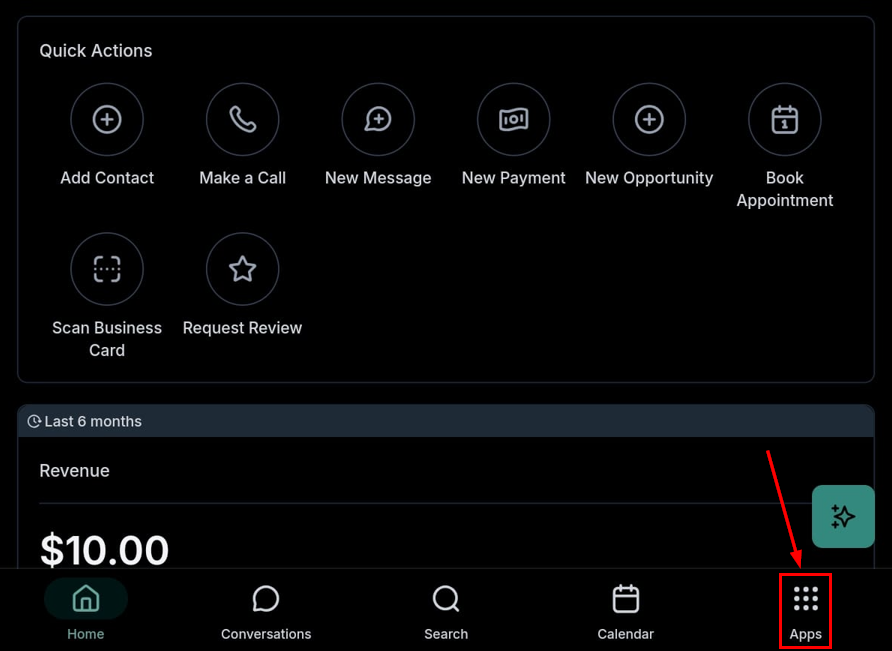
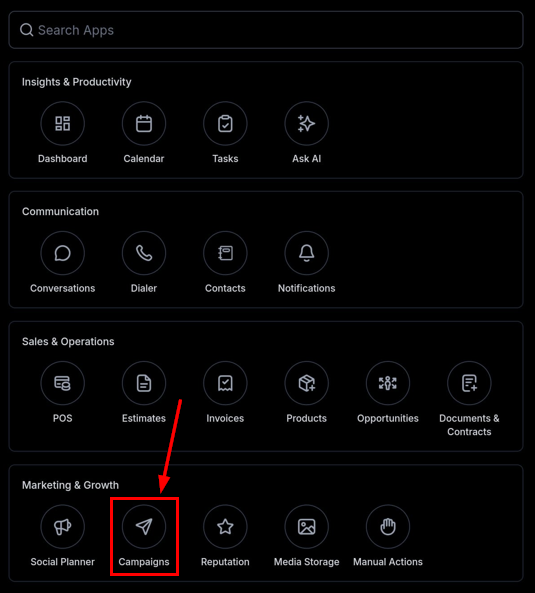
Select Campaigns from the Marketing & Growth section.
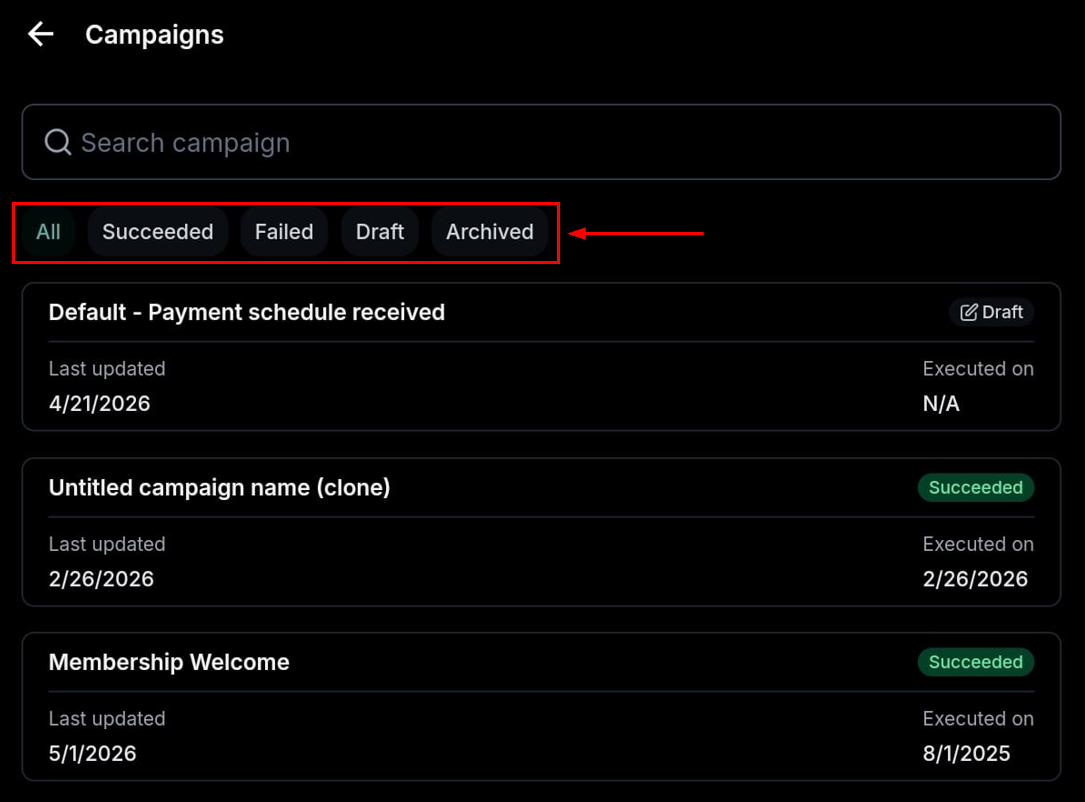
All email campaigns you’ve created will be in this section, organized by their status.
Campaign Insights
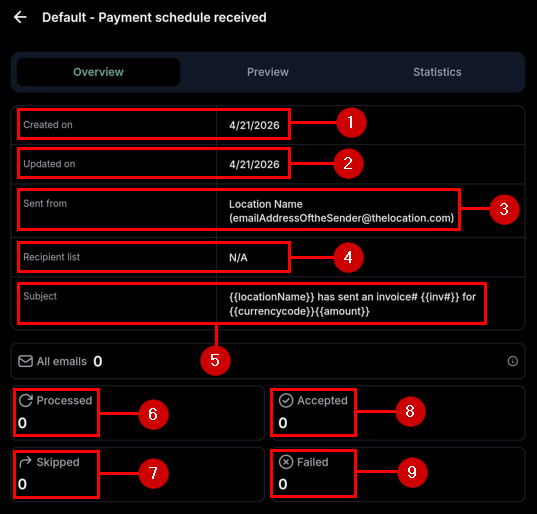
Clicking on a campaign's card will open its insights
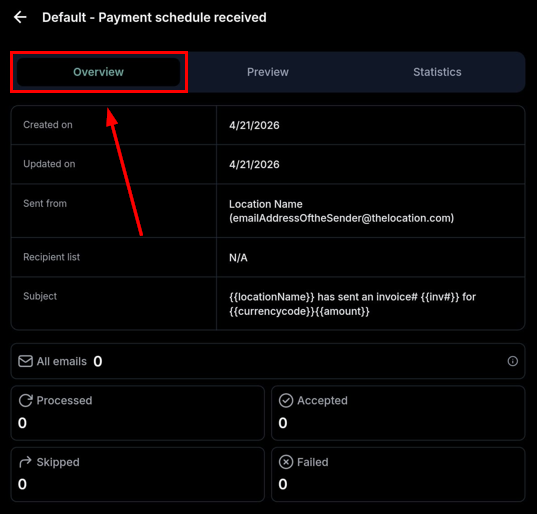
This will give you the campaign's creation (1) and the latest update (2) dates, the sender email (3), the list of recipients (4), the subject used for the campaign (5), and insights into how many emails were processed (6), skipped (7), accepted (8), or failed (9).
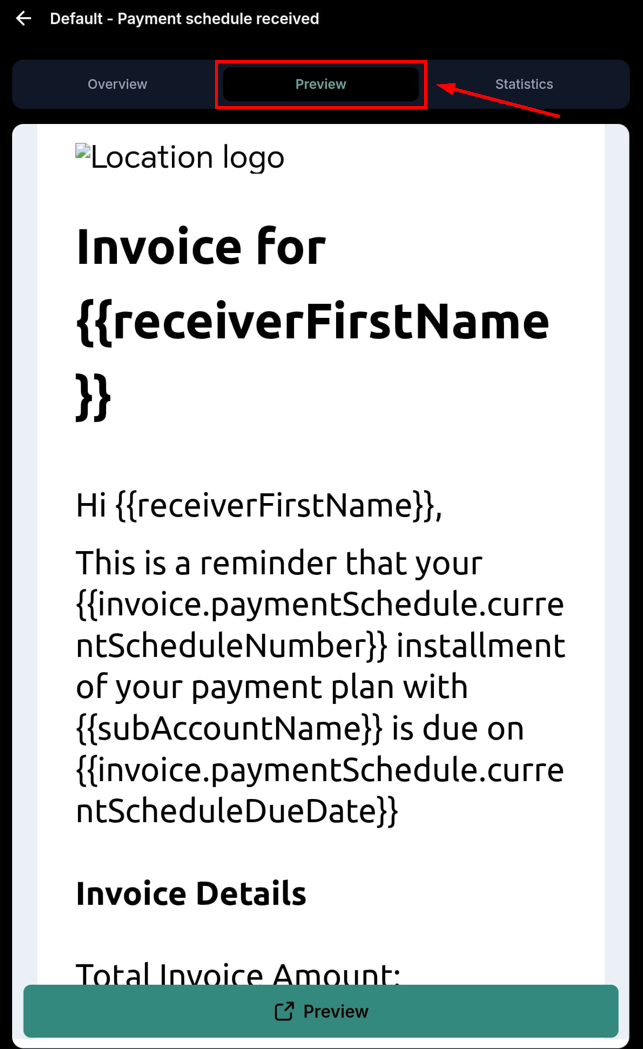
The preview section lets you view your email template as the recipients would.
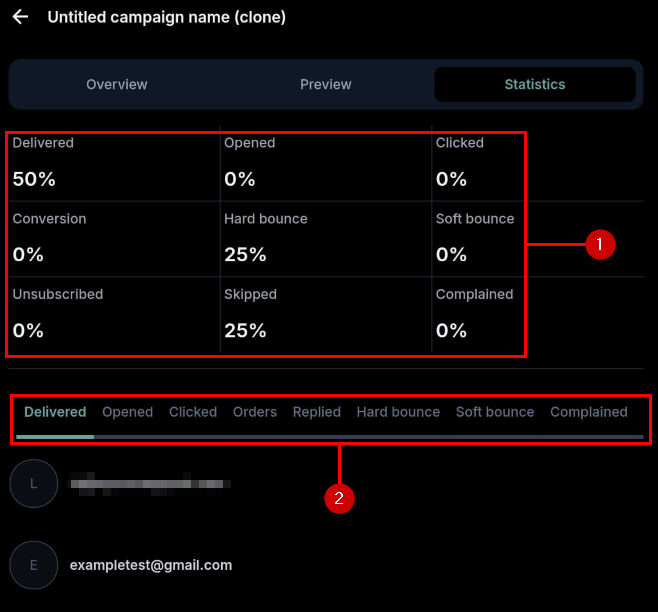
The Statistics section contains a percentage (1) breakdown of your email’s reception and a list of the email addresses included in that reception (2).
The Campaigns module gives you a clean interface and web-parity analytics, so you can search, filter, and drill into campaign performance from your phone without opening the desktop app. We hope you enjoy it!