
How to Use Accounting Sync for Invoices
Accounting Sync is your centralized hub for monitoring and fixing sync activity across QuickBooks, Xero, and Wave. This allows you to maintain audit-ready status, using automated synchronization to prevent and fix errors. Keeping your customers happy and books clean. Let’s learn how to use it!
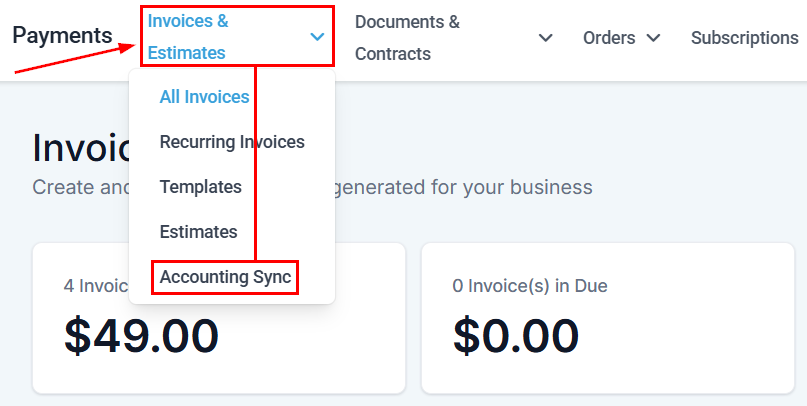
Navigate to the Invoices & Estimates tabs inside the Payments section and select Accounting Sync.
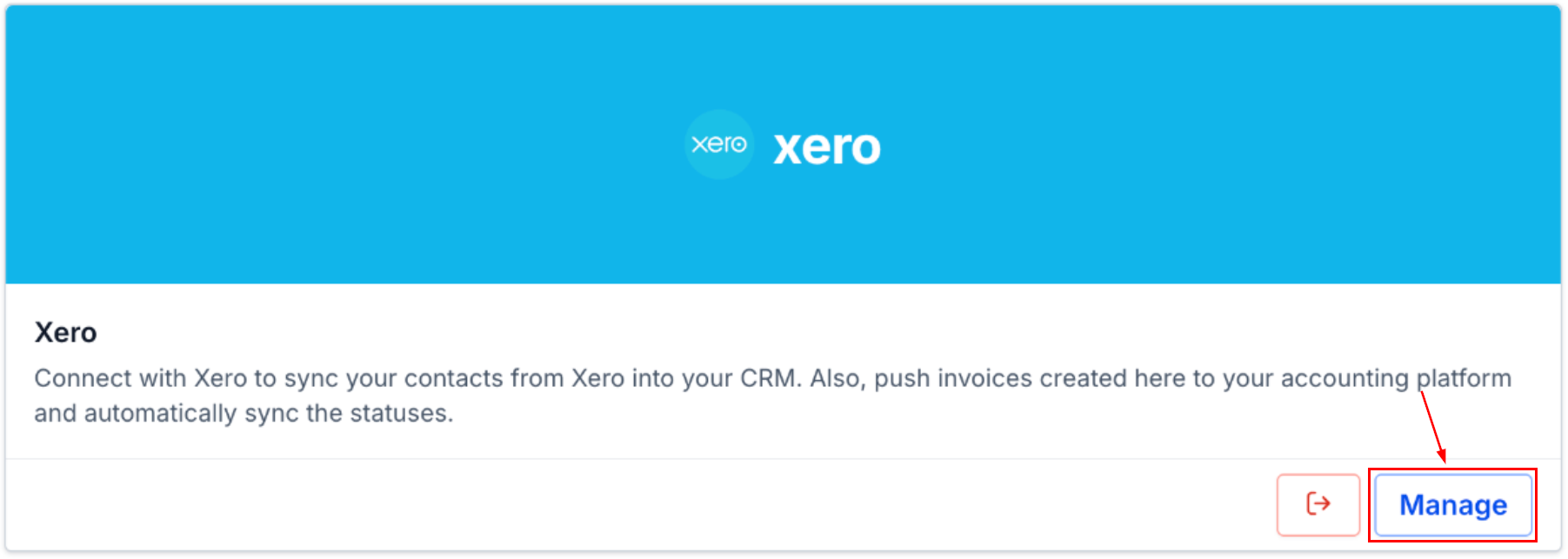
Click Manage next to your connected accounting platform.
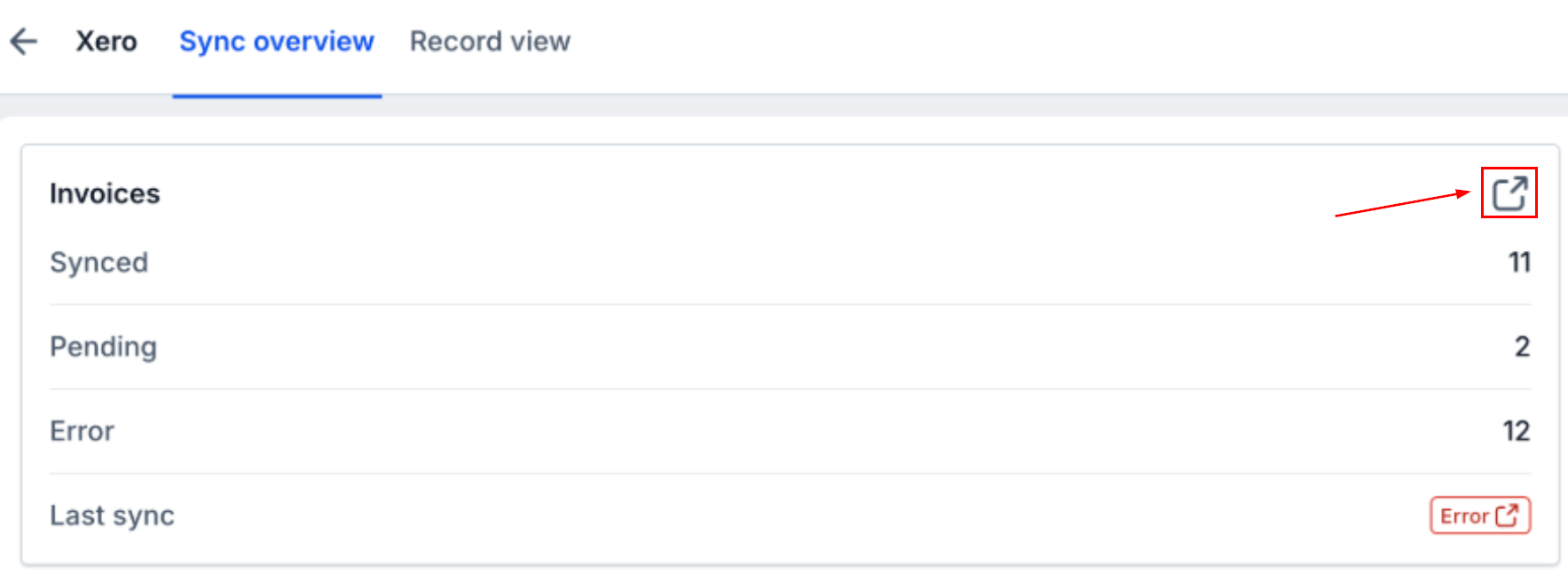
Click the expand icon on any entity to open Record View and see the status of every individual record.
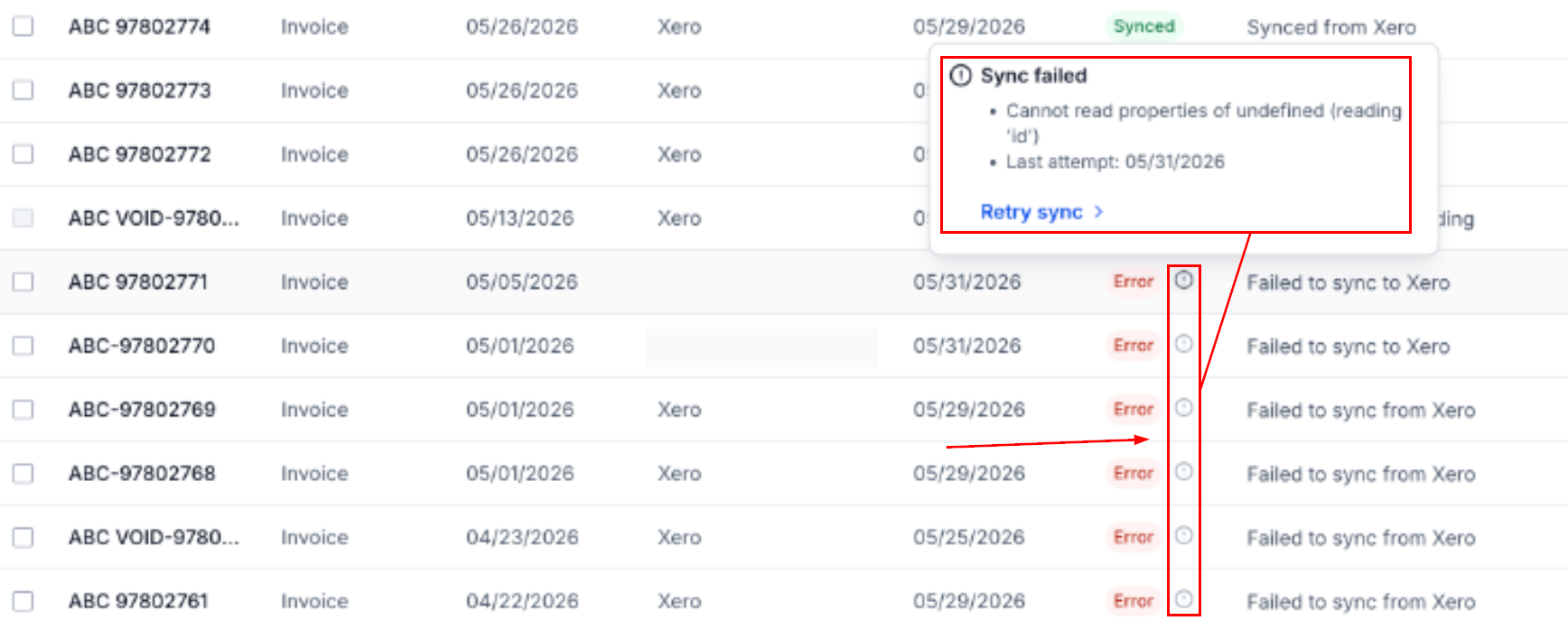
Hover over the exclamation icon on any errored record to read the failure reason and last attempt timestamp.
Accounting Sync gives you a live dashboard for every connected accounting platform. See exactly how many records synced and which failed. Helping you drill into individual records, read the failure reason, and retry with one click. We hope you enjoy it!